145
SETUP mode (VF80EX)
Use the [JOG] dial to select the desired option, and
press the [ENTER/YES] key.
The selected option is set.
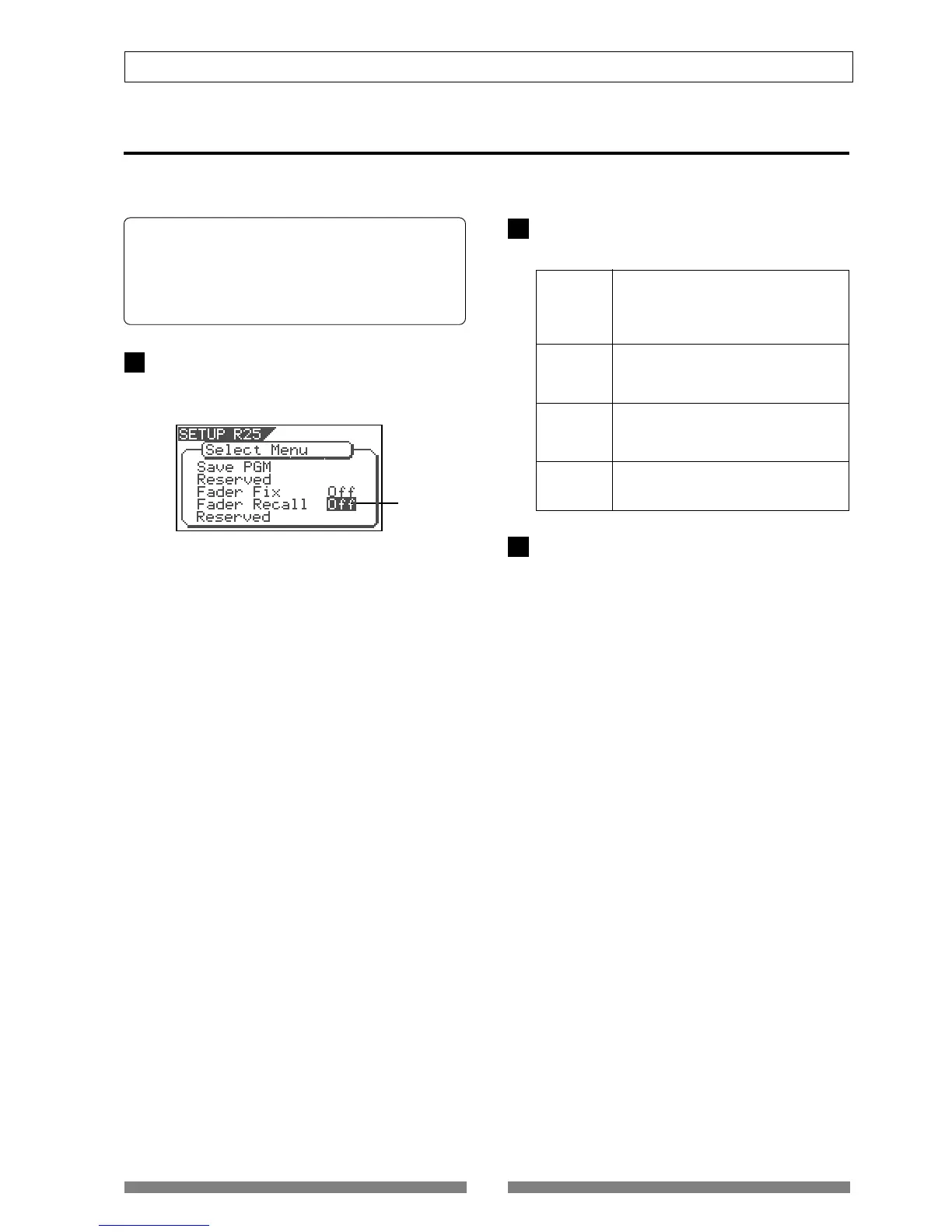
Fader Recall mode Setting [“Fader Recall”]
Using the "Fader Recall" menu item, you can select whether or not recalling the track and master fader
settings when recalling a scene.
On the Select Menu screen of the SETUP mode, se-
lect "Fader Recall" and press the [ENTER/YES] key.
The current setting starts flashing (by default, "Off" is
selected).
Off (default)
Press the [EXIT/NO] key (or the [STOP] key) repeat-
edly until the VF80EX exits the SETUP mode.
• Default: Off
• Available Options: Off, Track, Master, Trk&Mst
* This setting is common to all programs on the same disc.
* You cannot save the setting as a part of the song data.
* The setting remains effective even after you power off and then
on.
flashing
1
2
3
Trk & Mst
When recalling a scene, both the track and
master fader settings are recalled.
Master
When recalling a scene, the master fader
setting is recalled, while the track fader set-
tings are not recalled.
Track
When recalling a scene, the track fader set-
tings are recalled, while the master fader
setting is not recalled.
When recalling a scene, the settings of track
and master faders are not recalled. There-
fore, the fader positions do not change from
the positions before recalling the scene.



 To Next Page