125
Save/Load of Song data (VF80EX)
Making an audio CD
The following procedure describes how to record mastered songs (using the internal mastering function) to a
CD-RW/CD-R disc to make an audio CD (CD-DA format).
The “Save PGM” menu in the Setup mode, which is used for saving song data, is also used for making an audio
CD.
<Basic information>
When making an audio CD using the VF80EX, inter-
nal mastering materials on the current drive are
recorded to a CD-RW/CD-R disc (by the CD-DA for-
mat).
You can record not only a single song but also mul-
tiple songs continuously.
VF80EX
CD-RW/CD-R disc
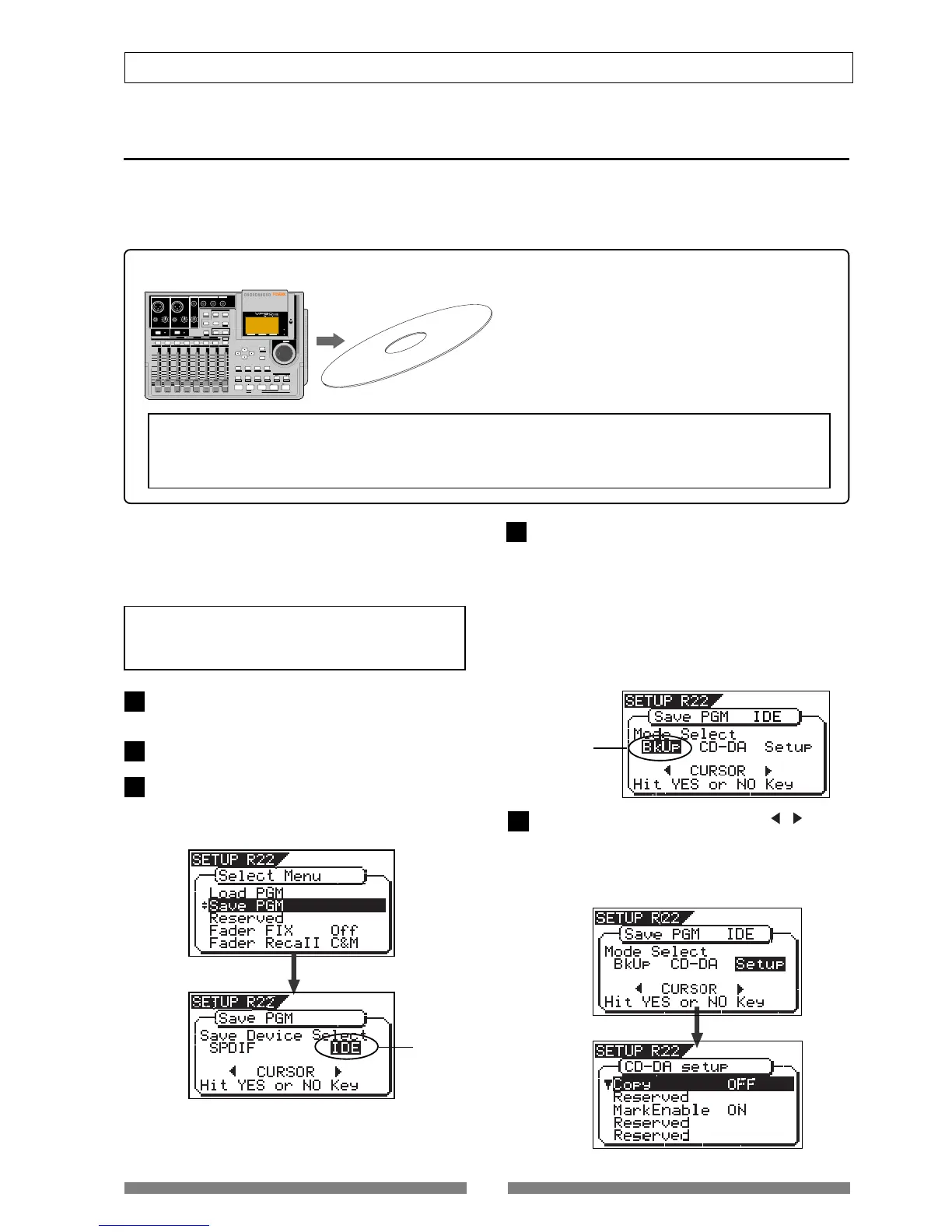
After turning on the power of the VF80EX, load a non-
recorded disc to the CD-R/RW drive.
Press the [SETUP] key to enter the Setup mode.
Use the [JOG] dial to select (highlight) the “Save PGM”
menu and press the [ENTER/YES] key.
The display shows the screen for selecting the device
to which the data is saved. “IDE” flashes.
<Note>
Key operations of the VF80EX should be done af-
ter completing access to a CD-RW/CD-R disc.
Press the [ENTER/YES] key while “IDE” flashes.
After showing the model name of the connected CD-
R/RW drive, the display shows the screen for select-
ing the save mode, in which “BkUp” flashes.
To make an audio CD, select “CD-DA”. However, if
necessary, you can make the write condition setting
by selecting “Setup”. The setteing includes copy pro-
tection ON/OFF (by default, “OFF”) and mark enabled/
disabled (by default, “ON”).
If you do not need to change the default write condi-
tion shown above, skip to step 7.
Flashing
Use the [JOG] dial (or the [CURSOR] / key) to
select “Setup” and press the [ENTER/YES] key.
The display changes to show the write condition set-
ting screen, in which you can make the copy protec-
tion ON/OFF and mark enabled/disabled settings.
See the next page for details.
<Note>
If an audio CD is made using a CD-R/RW disc, it can be played back only by a player that supports CD-R/RW
playback. You cannot playback such a disc by a conventional CD player that does not support CD-R/RW play-
back.
LOCATE ABS 0
LOCATE REC END
SEL
TIMEBASE
CURSOR
PHANTOM
ACCESS
PEAK
CH ON/OFF
LR
GUITAR
GUITAR
LINE MIC LINE MIC MIN MAX
MASTERING TRAINING
EFFECTEQPAN
SCENE SEQ.SCENE
TRACK
UNDO
SETUP
PUNCH
AUTO
LOOP PITCH SCRUB
VARI
F FWDREWINDPLAYSTOPRECORD
EXIT
ENTER
TRIMTRIM
WAVE FORM
MIX PARAMETER
PGM
FADER
MAP
ON/OFF
2TRK MODE
F1
F2
F3
SHIFT
EDIT
EDIT EDIT
MARK
DELETE
LOCATE
FOOT SW
ST OUT
PHONES
INPUT A
BOUNCE
INPUT B
+6
-10
-20
-40
-
∞
-30
0
+6
-10
-20
-40
-
∞
-30
0
+6
-10
-20
-40
-
∞
-30
0
+6
-10
-20
-40
-
∞
-30
0
+6
-10
-20
-40
-
∞
-30
0
+6
-10
-20
-40
-
∞
-30
0
+6
-10
-20
-40
-
∞
-30
0
+6
-10
-20
-40
-
∞
-30
0
PEAK
CH ON/OFF
2 3 4
5 6
7/8 2TRK1
MASTER
TRACK STATUS / TRACK SEL
TRACK STATUS
RED
REC
GREEN
PLAY
OFF
MUTE
STATUS
/SEL
EJECT
/YES
/NO
SHUTTLE
JOG
UNBAL
UNBAL
BAL
BAL
F1
F2 F3
EDIT
/REDO
REC EFF
CD PLAY
Flashing
1
2
3
4
5
In the following operations, we assume that there
are one or more programs which are mixed down
by the internal mastering mode on the current
drive.



 To Next Page