EasyManua.ls Logo

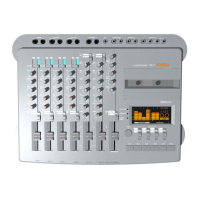
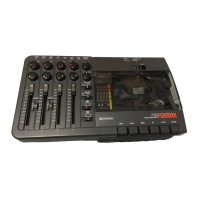
Fostex XR-7 - Monitor Select Switch (MON SEL); Master Fader (MASTER)

Fostex XR-7
43 pages
Print Icon
To Next Page IconTo Next Page
To Previous Page IconTo Previous Page
Loading...
CHAPTER
Control
panel
and
front
and
rear
panels
®
AUXsend
master
level
knobs
[AUX
SEND
1]
[AUX
SEND
2]
These
knobs
adjust
the
level
of
the
mix
signal
after
the
channel
[AUX]
send
knobs,
before
it
is
sent
to
the
external
effect
unit
via
[AUX
SEND
1]
and
[AUX
SEND
2
].
Note:__
If
these
knobs
are
set
to
0,
no
signal
is
sent
to
the
effect
unit
even
if
the
channel
[AUX]
send
knobs
are
raised.
(
0
)
AUX
return
1,
2
knobs
[AUX
RTN
t]
[AUX
RTN
2]
These
knobs
control
the
signal
sent
to
the
stereo
bus
L/R
from
external
devices
(such
as
effect
units)
connected
to
the
[AUX
RTN
1]
and
[AUX
RTN
2]
jacks.
That
is,
the
signal
processed
by
the
effect
unit
is
sent
to
the
stereo
bus
L/R.
®
Pitch
control
knob
[PITCH]
This
knob
allows
you
to
adjust
the
tape
speed
within
a
range
of
±10%.
When
the
knob
is
in
the
center
position
("0"),
the
tapespeed
will
behigh
(9.5cnVs).
This
control
does
not
function
when
the
normal
speed
(4.75cm/s)
is
selected.
®
Monitor
select
switch
[MON
SEL]
This
switch
selects
the
signal
to
monitor
through
the
headphones
or
monitor
speakers.
STEREO:
The
signal
that
is
output
from
the'[STEREO
OUT
L]
and
[RJ
jacks
will
be
monitored.
ST+FB:
The
signals
from
[STEREO
OUT
L]
and
[R]
jacks
and
from
the
[FB]
jack
will
be
monitored
together.
FB;
The
signal
from
the
[FB]
jack
will
be
monitored.
@
Monitor
level
knob
[MON]
This
knob
controls
the
volume
of
the
external
monitor
or
headphones.
©Master
fader
[MASTER]
This
fader
controls
the
signal
that
is
output
from
(STEREO
OUT
L]
and
[R].
This
is
also
used
to
control
the
output
level
or
recording
level
for
tracks
during
mixdown.
©
Deck
transport
This
is
where
the
cassette
tape
is
inserted.
When
you
install
a
cassette
tape,
the
transport
indicator
[c]
lights
up.
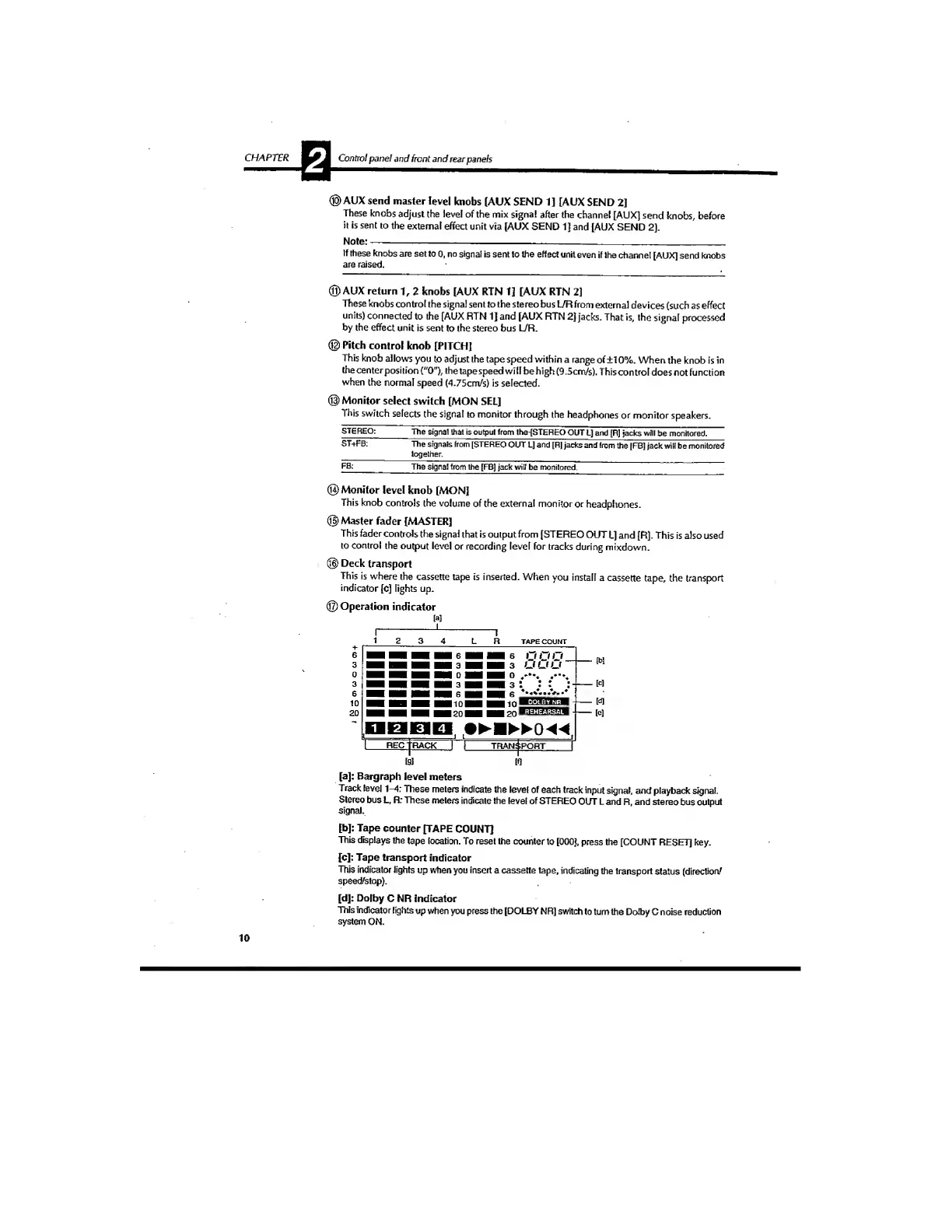
©Operation
indicator
TAPE
COUNT
f
It
m
u
u
u'
DBEID.
.•
►■
►
►
0
4
^
.
REC
TRACK
I
i
TRANSPORT
Ig]
M
W
[tJ]
[e]
[a]:
Bargraph
level
meters
Track
level
1-4:
These
meters
indicate
the
level
of
each
track
input
signal,
and
playback
signal.
Stereo
bus
L.
R:
These
meters
indicate
the
level
of
STEREO
OUT
L
and
R,
and
stereo
bus
output
signal.
[bj:
Tape
counter
[TAPE
COUNT]
This
displays
the
tape
location.
To
reset
the
counter
to
[OOOJ,
press
the
[COUNT
RESET]
key.
[c]:
Tape
transport
Indicator
This
indicator
lights
up
when
you
insert
a
cassette
tape,
indicating
the
transport
status
(direction/
speed/stop).
[d]:
Dolby
C
NR
indicator
This
indicator
lights
up
when
you
press
the
[DOLBY
NR]
switch
to
turn
the
Dolby
C
noise
reduction
system
ON.
10