EasyManua.ls Logo

Fostex XR-7 - Punch In;Out Recording

Fostex XR-7
43 pages
Print Icon
To Next Page IconTo Next Page
To Previous Page IconTo Previous Page
Loading...
Advanced
Operations
(After
you
have
mastered
basic
operation)
At
this
point,
you
have
worked
through
Steps
1-5
and
have
learned
the
basic
techniques
for
operating
the
XR-7.
In
this
section,
you
will
learn
more
advanced
multitrack
recording
techniques,
such
as
punching
in/out
and
using
tape
synchronization.
STEP
6:
Punch
in/out
in
this
Step
we
will
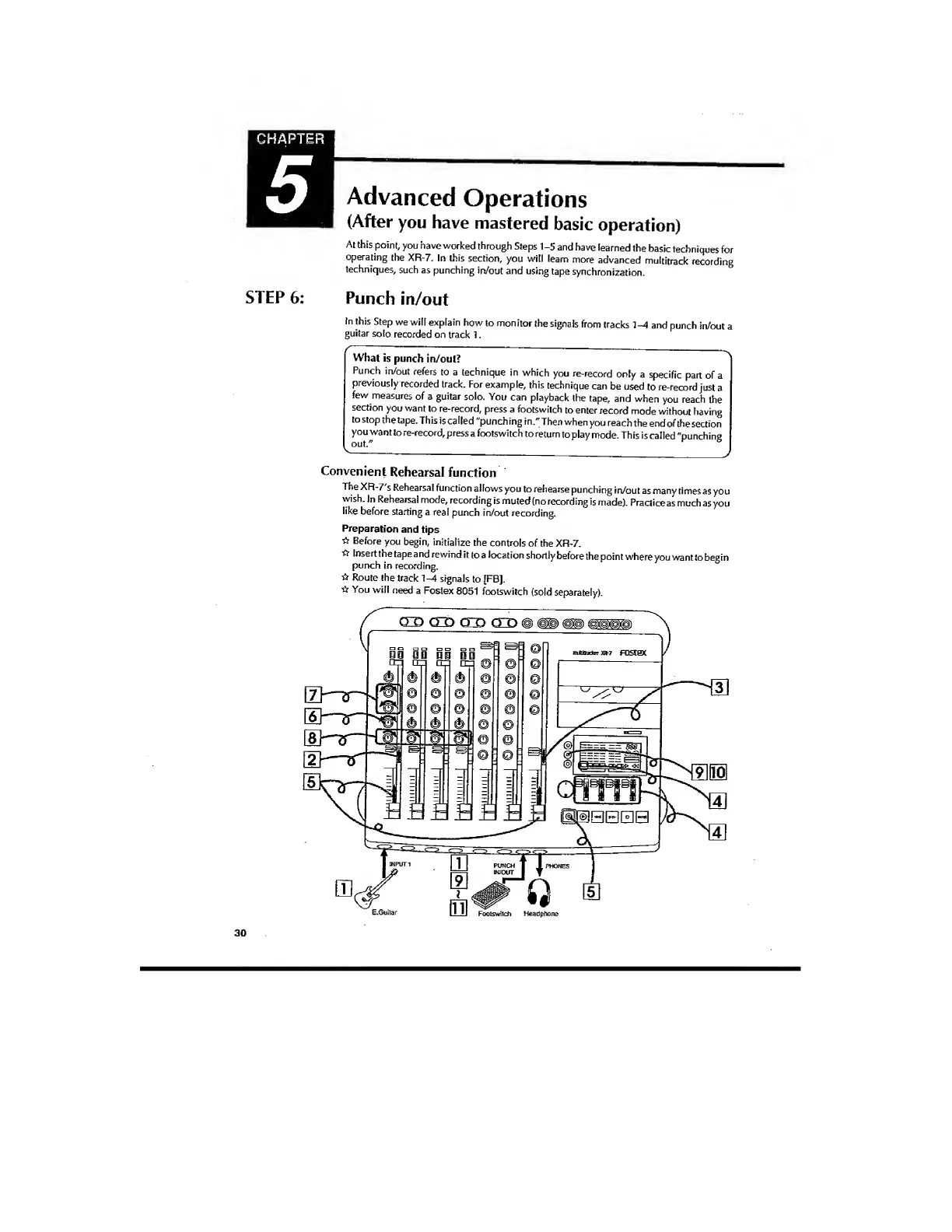
explain
howto
monitor
the
signals
from
tracks
and
punch
in/out
a
guitar
soio
recorded
on
track
1.
^
What
is
punch
in/oul?
^
Punch
in/out
refers
to
a
technique
in
which
you
re-record
only
a
specific
part
of
a
previously
recorded
track.
For
example,
this
technique
can
be
used
to
re-record
just
a
few
measures
of
a
guitar
solo.
You
can
playback
the
tape,
and
when
you
reach
the
section
you
want
to
re-record,
press
a
footswiich
to
enter
record
mode
without
having
to
stop
the
tape.
This
is
called
"punch
ing
in."
Then
when
you
reach
the
end
of
the
section
you
want
to
re-record,
press
a
footswitch
to
return
to
play
mode.
This
is
called
"punching
out."
°
^
-----
Convenient
Rehearsal
function
TheXR-7
s
Rehearsal
function
allows
you
to
rehearse
punching
in/out
as
many
times
as
you
wish.
In
Rehearsal
mode,
recording
is
muted
(no
recording
is
made).
Practiceas
much
as
you
like
before
starting
a
real
punch
in/out
recording.
Preparation
and
tips
Before
you
begin,
initialize
the
controls
of
the
XR-7.
*
Insert
the
tape
and
rewind
it
to
a
location
shortly
before
the
point
where
you
want
to
begin
punch
in
recording.
Route
the
track
1-4
signals
to
[FB].
You
will
need
a
Fostex
8051
footswitch
(sold
separately).
30

Related product manuals