Double click to start
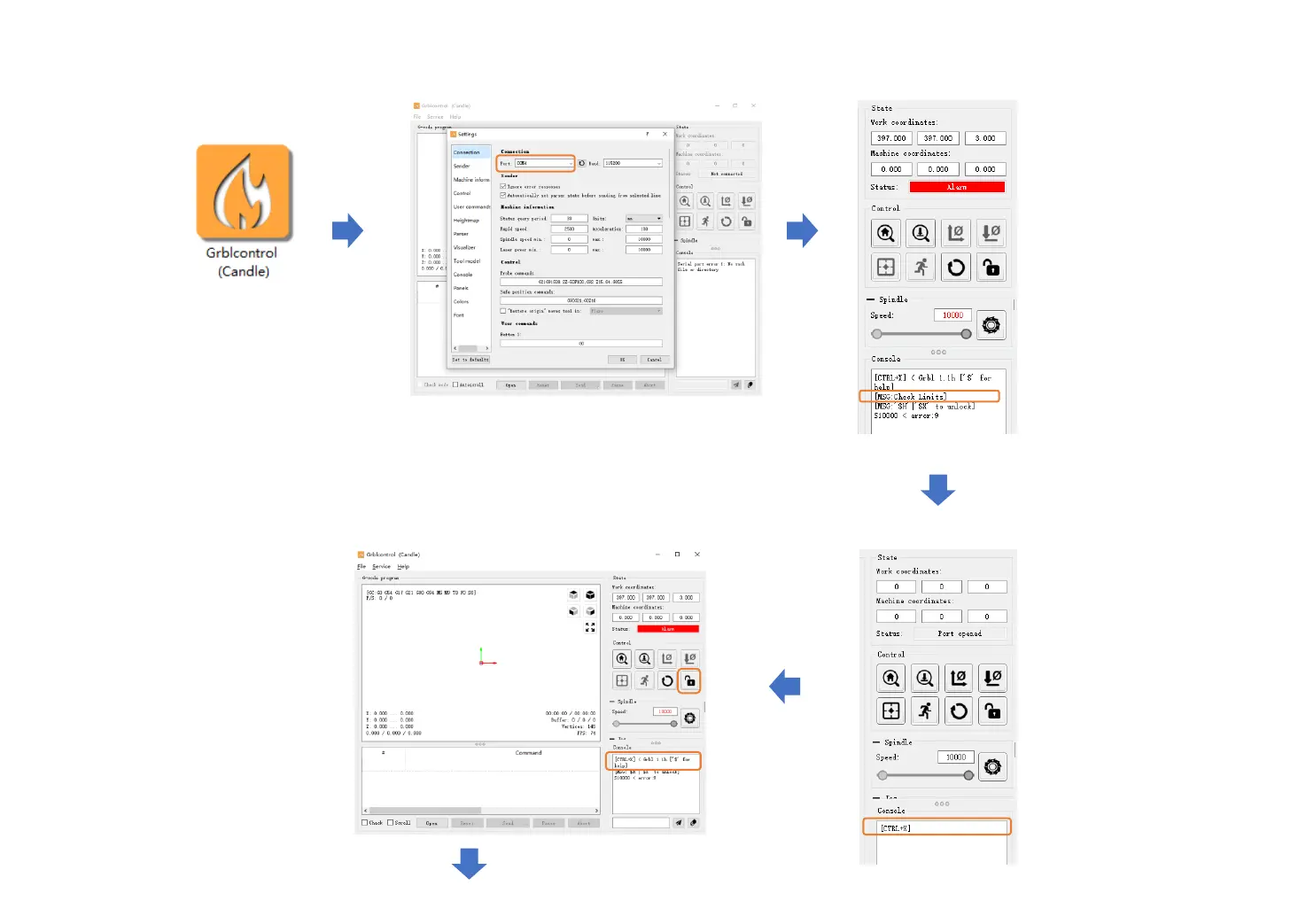
Grblcontrol (Candle)
Connect USB cable to computer and machine,
click Service->Port select COM port. Click “OK”
Make Your First Cut
-22-
If Status becomes Alarm
and [MSG: Check Limits]
appears in the console at
the same time, please
check whether the limit
switch is triggered.
You can power off and
release the limit switch
manually or refer to page
24 of the manual to release
the limit via software.
Console window prints
“CTRL+X” indicates that
the connection is failed.
Need to check whether
the E-stop is pressed down.
If yes, turn the E-stop
clockwise, and then click
“Unlock”.
Console window prints
“[CTRL+X] < Grbl 1.1f [‘$’ for
help]” if the connection is
successful. Click “Unlock”.


 To Next Page