How to Unlock Limit Switch
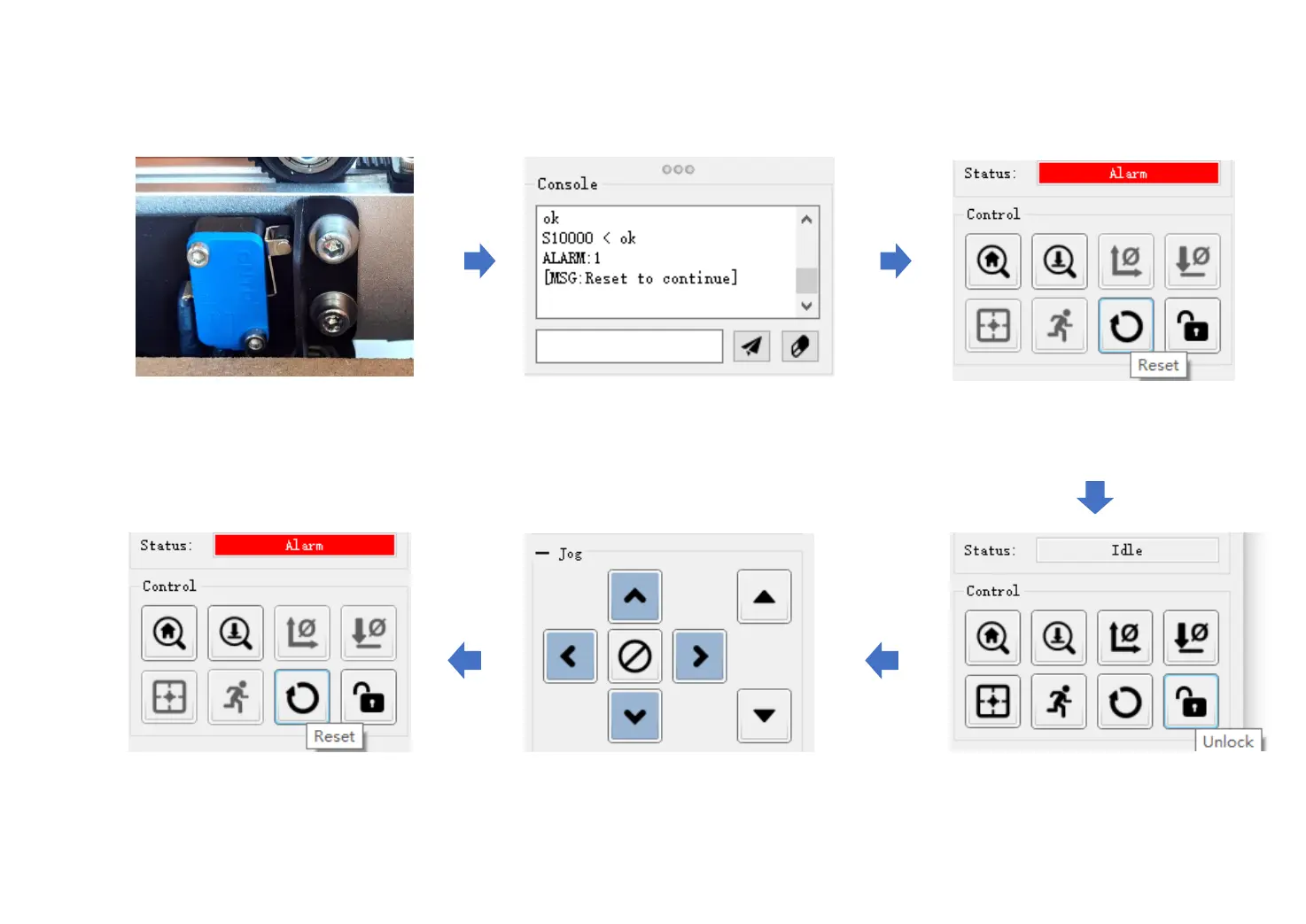
Click “Reset”
Limit switch will trigger when the
machine runs out of active working area.
Command window will show: “ALARM:1
[MSG: Reset to continue]”
Click “Unlock”
Click direction buttons to move the
axis way from limit switch.
If status change to “Alarm” again, that means it
does not entirely move away from the limit switch,
just repeat the previous steps to unlock.
-24-


 To Next Page