5
72
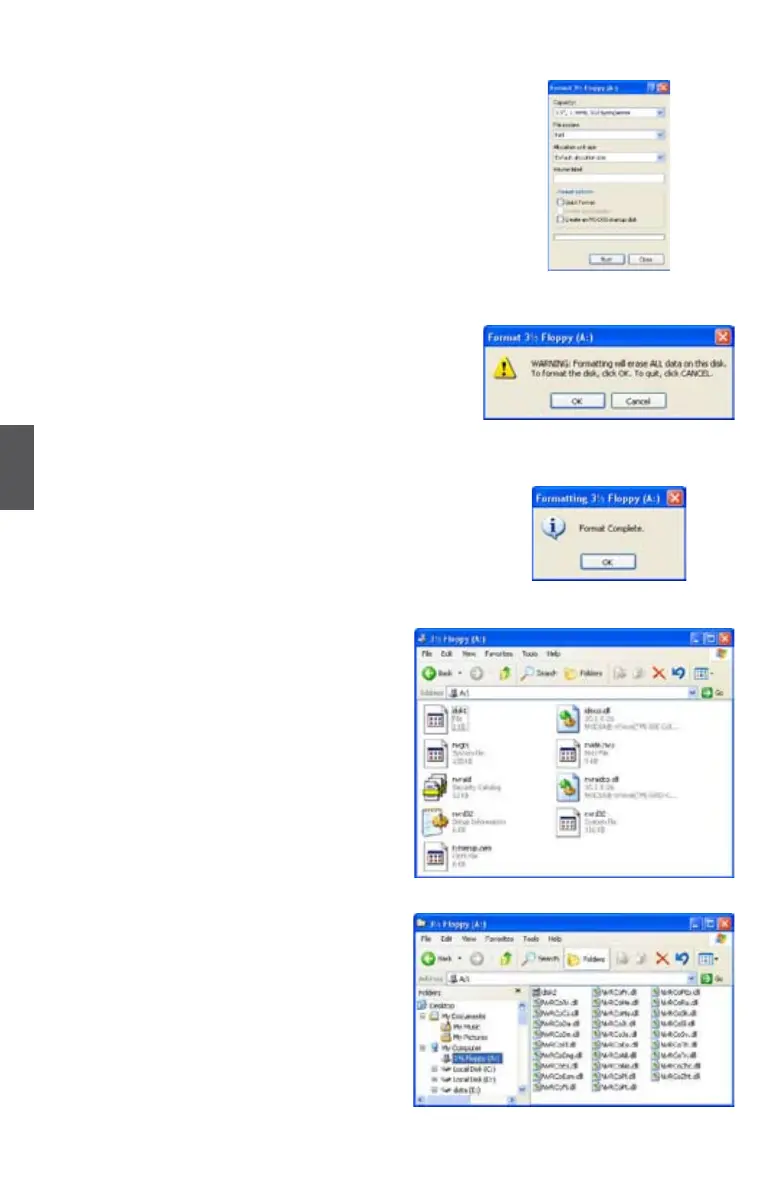
6. You can input a volume label for this diskette,
click on "Start" to format.
7. Click on "OK" to go through this warning
message.
8. Format nished. Click "OK", then click "Close"
to continue copying of RAID driver into this
diskette.
9. Check if the rst diskette contains the
driver les.
10. Go to CD:\Driver\NVIDIA\MCP61\
Chipset\WinXP\32bit\IDE\WinXP\
sataraid\Floppy\Disk2, click on
RaidTool icon to start the second RAID
driver diskette creation. Repeat the
steps from step 4 to step 9.



 To Next Page
 Loading...











