9
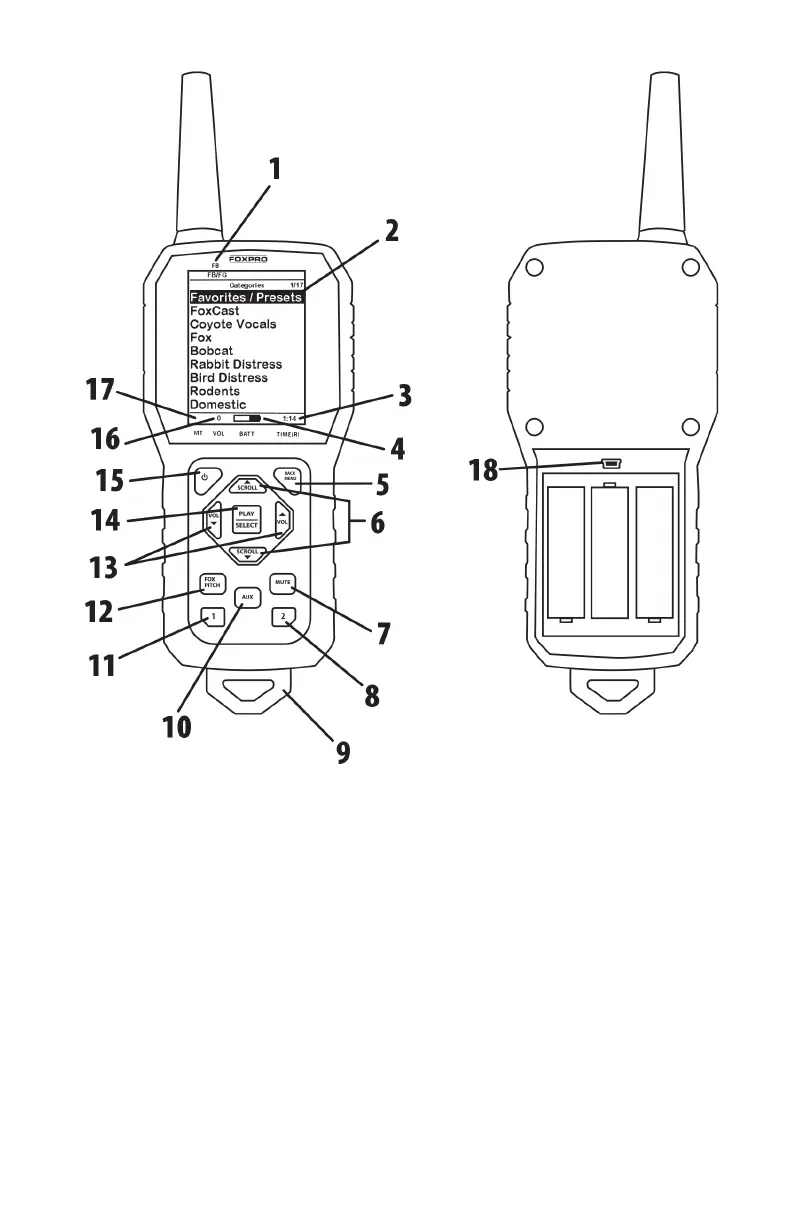
Figure 2 Image of the HellCat Pro Remote
1. FOXBANG/FOXGRIP status indicator is in the upper left side of
the screen.
2. The upper portion of the remote features the screen. The screen
contains sound categories, a menu system, and numerous
runtime data related to operation.
3. In the bottom-right corner of the screen is an elapsed stand
timer.
4. To the left of the elapsed timer is the battery level indicator
displaying the battery level of the remote control.



 To Next Page