63
Automotive Diagnostic Platform GT75 User's Manual V1.01
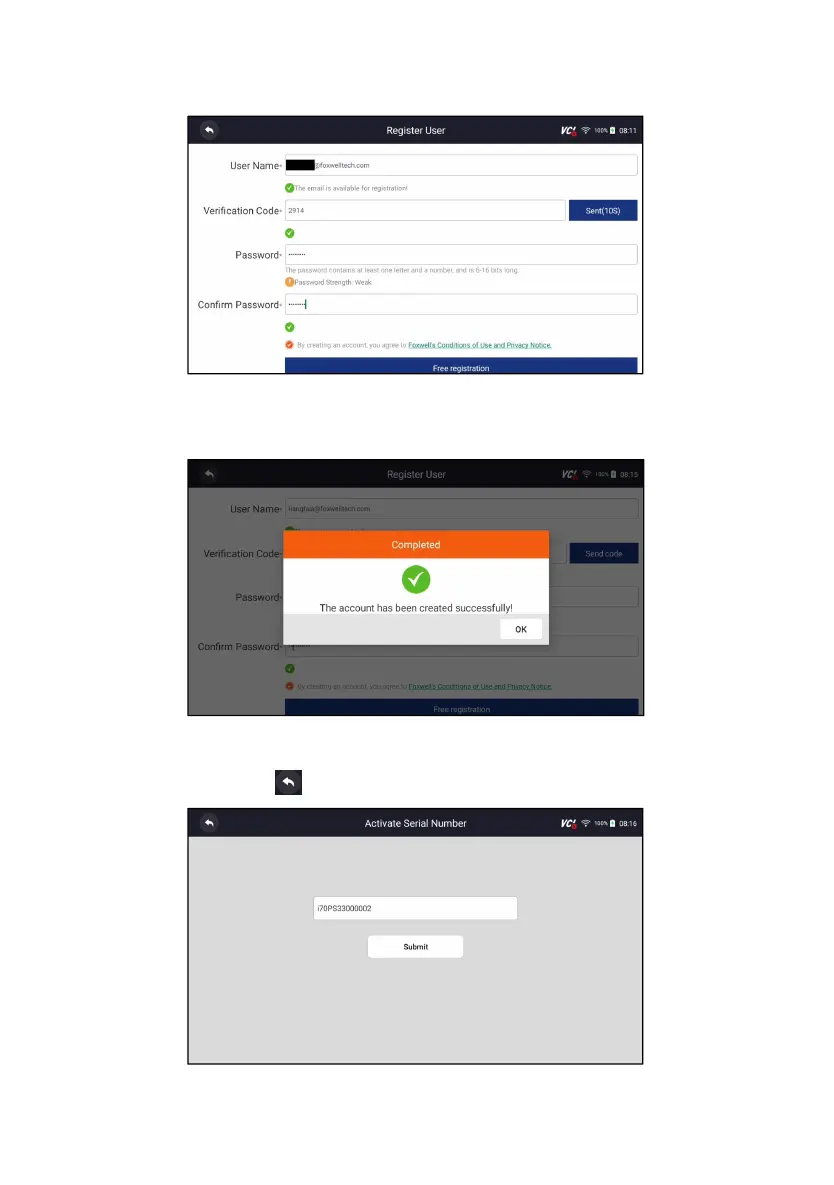
3. Get the security code in your mailbox, input the code as verification code.
Then create a password and click Free Registration to complete.
Figure 10-3 Sample ID Registration Screen
4. “The account has been created successfully” message will appear if you
registered successfully.
Figure 10-4 Sample Registration Done Screen
5. The serial number will show after registration. Click Submit to activate the
product or press to back.
Figure 10-5 Sample Activation Done Screen












 To Next Page