20
T2000 TPMS Service Tool Manual_English_V1.01
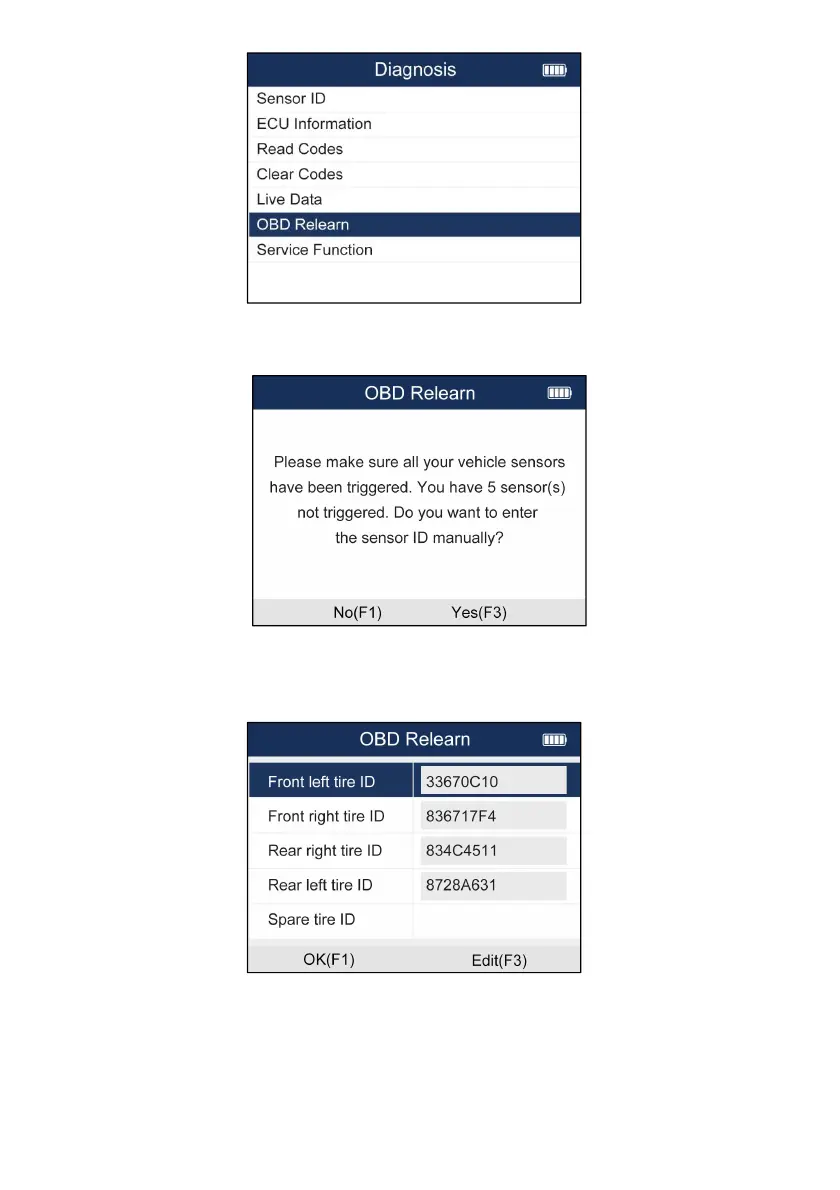
Figure 5-17 Sample OBD Relearn Menu
3. The screen will show as Figure 4 if all sensors are activated. If not, you need to input sensor ID
manually and press F1 button to continue the operation.
Figure 5-18 Sample OBD Relearn Screen
4.If learning successfully, please re-activate the sensors and sensor pressure
information will be displayed on the cluster. If failed, the cluster will not display the
sensor pressure information and the TPMS MILs will turn on.
Figure 5-19 Sample OBD Relearn Screen


 To Next Page