34
T2000 TPMS Service Tool Manual_English_V1.01
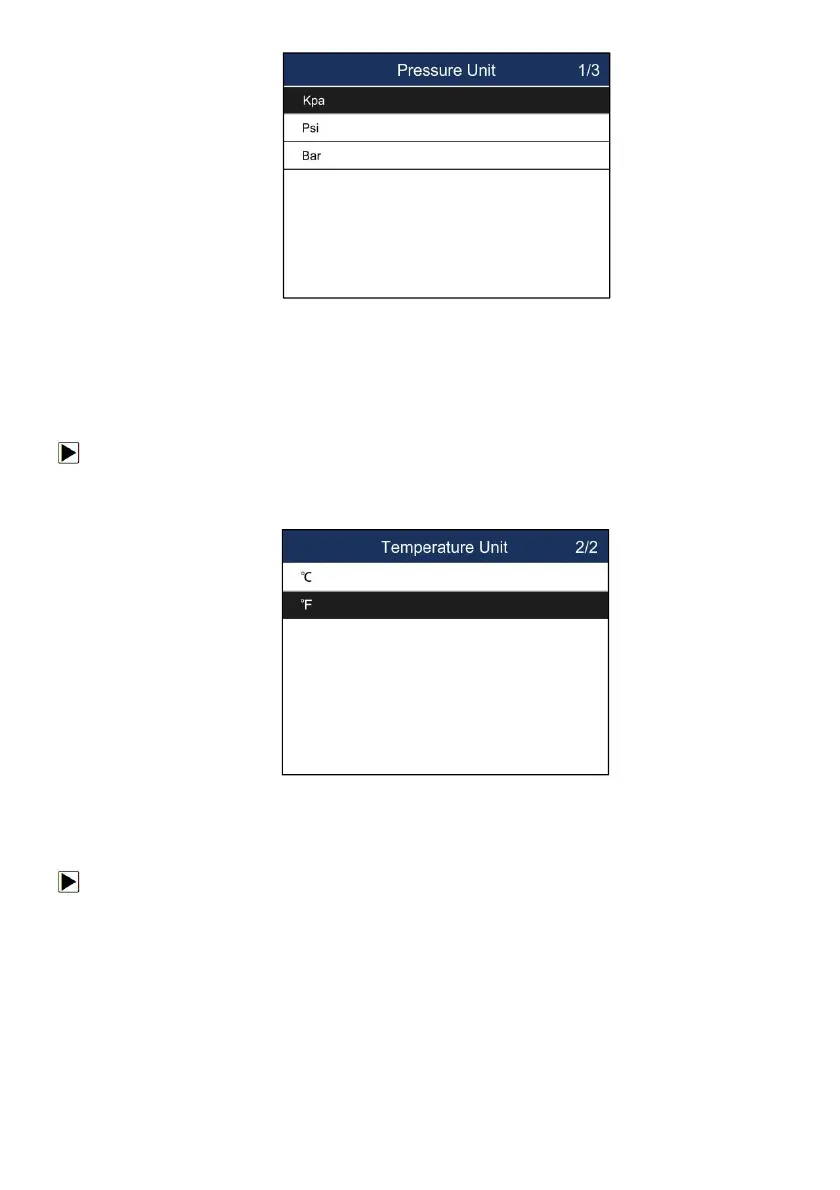
Figure 8-9 Sample Pressure Unit Selection Screen
8.9 Temperature Unit
Selecting Temperature Unit opens a screen that allows you to set the temperature unit Celsius or
Fahrenheit degrees.
To configure temperature unit
1. Scroll with the UP/DOWN arrow keys to highlight Temperature Unit from Setup menu and
press the YES key.
2. Press the UP/DOWN arrow key select an item and press the YES key to save and return.
Figure 8-10 Sample Temperature Unit Selection Screen
8.10 Area
Selecting Area opens a screen that allows you to select the area you work in.
To configure area
1. Scroll with the UP/DOWN arrow keys to highlight Area from Settings menu and press
the YES key.
2. Highlight the area you work in before starting the test. And the tool will load the new database
for the selected area.


 To Next Page