29
T2000 TPMS Service Tool Manual_English_V1.01
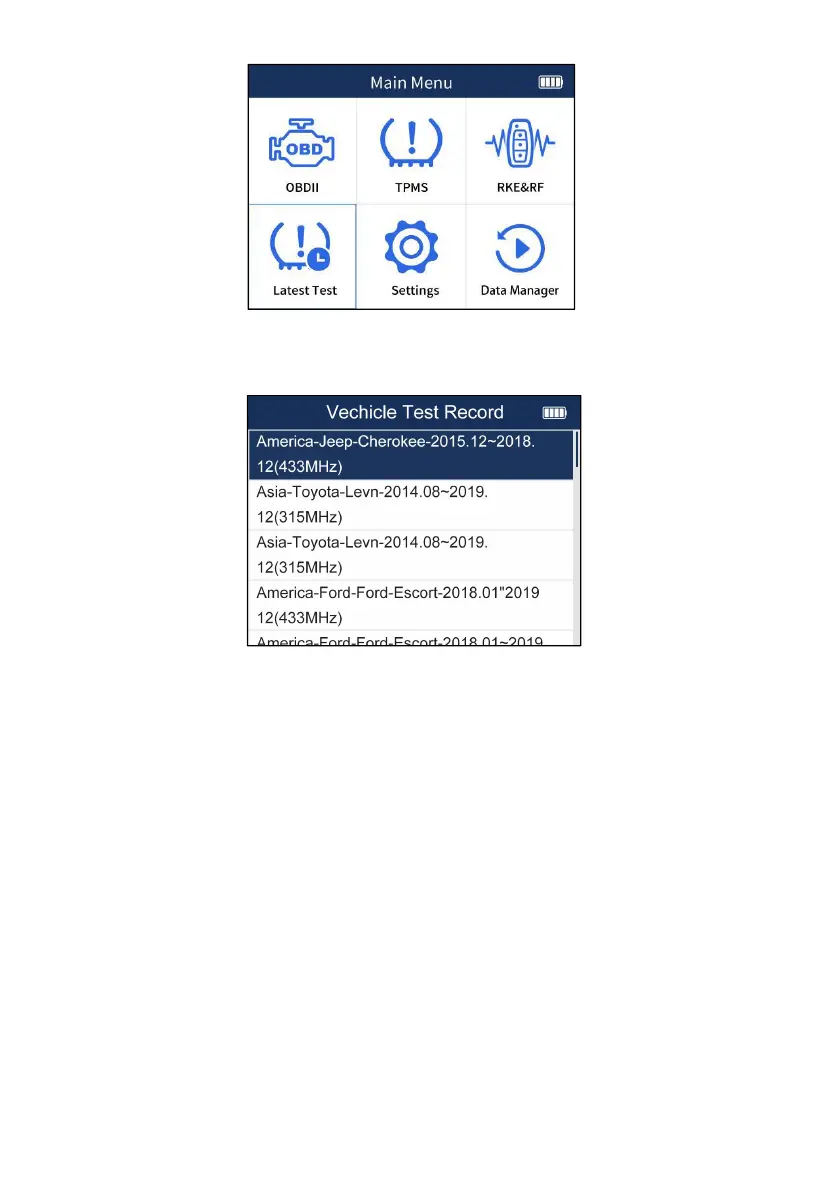
Figure 7-1 Sample Latest Test Screen
2. Scroll with the UP/DOWN arrow keys to choose one test record from the history diagnostic
records and press the YES key to start.
Figure 7-2 Sample Vehicle Record Screen
3. Choose the function you need to start the operation.
8 Settings
This section illustrates how to program the TPMS Service Tool to meet your specific needs.
When Setup application is selected, a menu with available service options displays. Menu options
typically include
● Language
● About
● Keypad Test
● Beep Set
● Display Test
● Automatic Power-off
● ID Format
● Pressure Unit
● Temperature Unit
● Unit
● Area
8.1 Language


 To Next Page