DRAFT v0.3 English, 01 Mar 2012
- 12 -
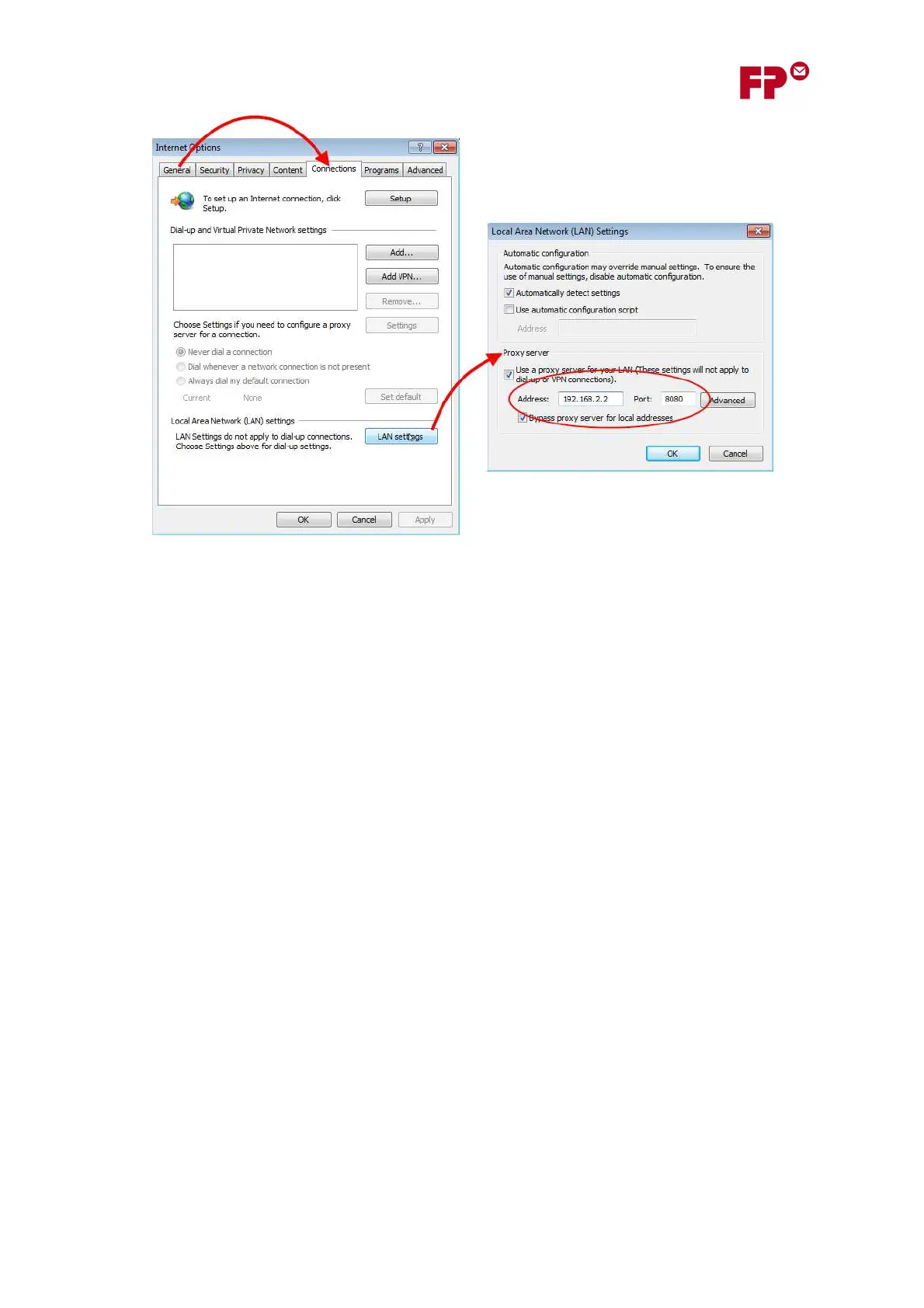
4. Click on the “Connections” tab, and then on the button “LAN settings” in this tab.
5. This will open up the dialog box “Local Area Network Settings”. Here the lower section called
“Proxy Server” contains the IP Address and Port Number for the proxy server, as shown in
the diagram.
In the example, the proxy server has an IP Address of ‘192.168.2.2’ and a Port Number of
‘8080’.



 To Next Page