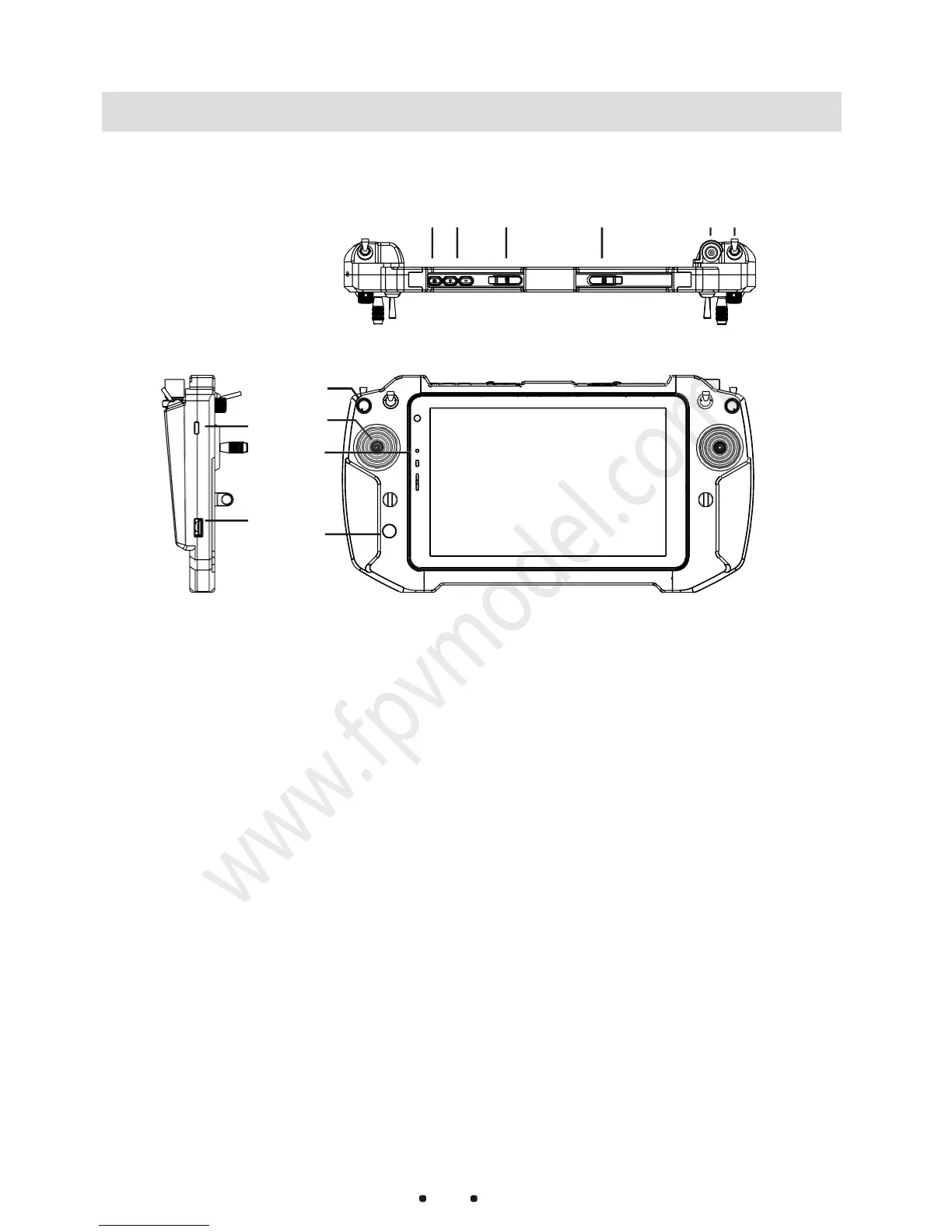
①Remote Controller
Power Button
Turn on and off the
remote controller
②Computer Power Indicator
Indicates computer power and
whether it is charging
③Joystick
Control flight status (There are 4 joystick
modes that can be setup by built-in
software)
④Auxiliary Channel Switch
SA and SB are three-gear switches, LD
and RD are knobs
For antenna installation, SMA female
connector
Turn on and off the tablet computer
Used to insert SIM cards to enable
internet access on tablet
For charging the tablet.The maximum
charging current is 3A(The tablet and
remote controller can be used while
charging)
Increase or decrease the tablet volume
⑨Auxiliary Channel Switch
SA and SB are three-gear switches
For external keyboard, mouse or other
devices.



 To Next Page