35
5 PRESETS
TO BYPASS OR ENGAGE A BLOCK…
Use NAV buttons to select the block.
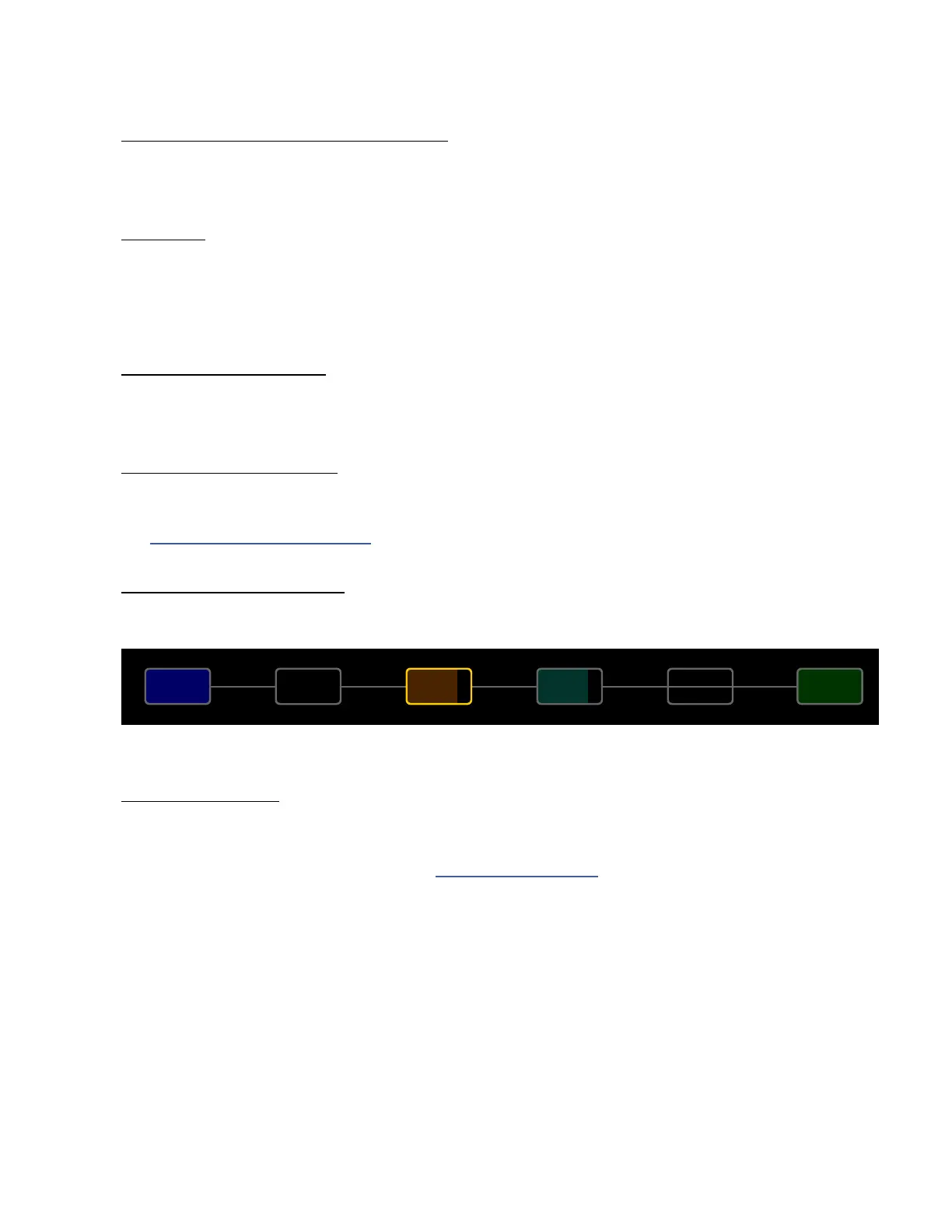
Press the BYPASS button (Push-knob C). Bypassed blocks are grayed out (dimmed).
SHUNTS
A shunt is a sonically transparent block—a mere tool which carries signal through otherwise empty grid locations.
Your preset will be silent unless you make a complete connection from the Input block to the Output block, so
place a shunt wherever you don’t use another block like an Amp, Cab, or effect. Like grid spaces, a shunt is stereo;
you don’t need two for left/right. Shunts do use a small amount of CPU, so don’t overdo it.
TO INSERT A SHUNT…
NAV to the desired grid location and turn VALUE until “SHUNT” is displayed.
Press ENTER to conrm or EXIT to cancel changes.
INPUTS AND OUTPUTS
Input and Output blocks are required to place input signals on the grid or pass signal to output jacks. All factory
presets use Input 1 and Output 1. Other setups may require different Input and Output blocks.
See “The Fractal Audio Blocks Guide” for additional information.
BLOCK DISPLAY TYPES
The color display shows different grid block states as follows:
AMPIN 1
1
A
CABDRV
1
A
OUT 1
1
A
Bypassed Selected Normal Shunt OutputInput
GLOBAL BLOCKS
Global Blocks allow settings for a given block instance to be automatically synchonized across multiple presets.
For example, a global AMP block could be used in several presets. When any setting of that amp is changed on
one, the others update automatically. See also “Global Blocks” on p. 94.



 To Next Page