86
14 IR CAPTURE
SETUP 1: MIC ONLY
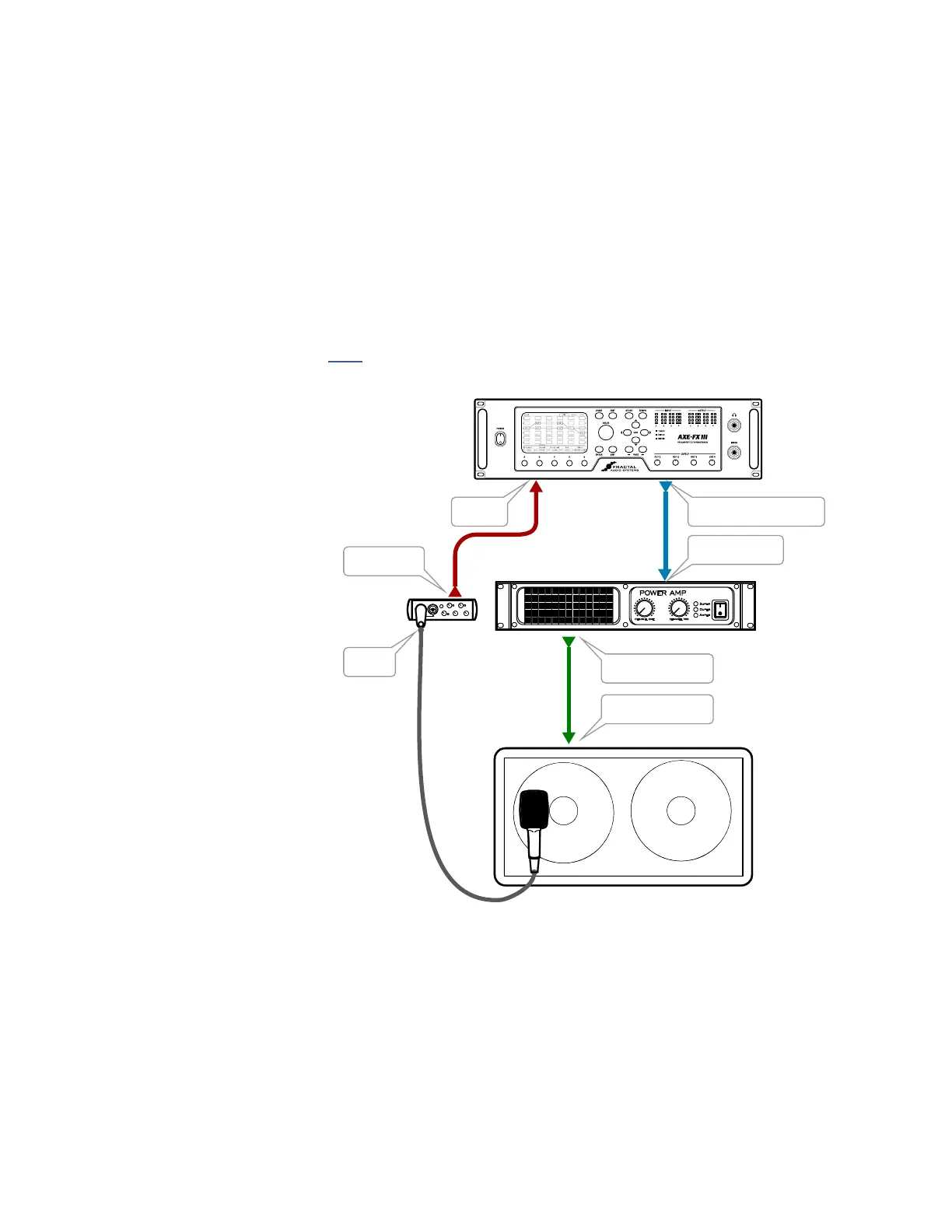
Method 1 (“MIC ONLY”) requires a microphone, a preamp, and a flat, neutral power amp.
Set up a preset with your preferred Amp block, and set its Cab block to “SCRATCHPAD 1” for instant auditioning.
Connect the mic to the input of the preamp.
Connect the output of the preamp (or mixer) to INPUT 2 LEFT of the Axe-Fx III.
Connect OUTPUT 2 LEFT or OUTPUT 4 LEFT of the Axe-Fx III to the input of your power amp.
Connect the power amp’s speaker out to your speaker.
Open the Cong page of the IR Capture Utility under SETUP and set Capture Method to MIC ONLY.
Follow the Capture Instructions on p. 88
Spkr. Input
Amp Spkr. Out
MIC
PRE
POWER AMP
SPEAKER
MIC
Mic In
Line Out
IN 2 L OUT 2 L or OUT 4L
Amp Input
NOTE: IRs created using this method will include any
tonal coloration imparted by the power amp. Cab-Lab
can remove this effect using a separate “Reference IR”
of just the power amp created using a speaker-level to
line-level DI, but if you have this DI-box at the time of
capture you might as well use “Mic + DI” (next page).



 To Next Page