EasyManua.ls Logo

Franke F3D3 - Service Manual

Franke F3D3
115 pages
Print Icon
To Next Page IconTo Next Page
Loading...
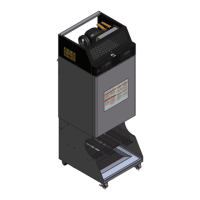
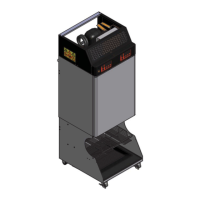
F3D3 Dual and Single Lane Versions Frozen French
Fry Dispenser
Service Manual

Table of Contents

Other manuals for Franke F3D3

Questions and Answers

  • C
    Chris SwansonAug 19, 2025
    What to do if Franke F3D3 freezer is not running?
    • K
      Kimberly ClarkAug 20, 2025
      If the Franke Dispenser freezer isn't running even when the power switch is on, there are a few things to check: * Ensure the power connector is properly plugged into the socket. If it isn't, connect it and switch on the power. * Try plugging the connector into another power socket to rule out a faulty socket. If the socket is faulty, have it repaired by an electrician. * Check the fuse to see if it has tripped. If it has, reset it.
  • J
    Joshua PetersonAug 21, 2025
    Why is my Franke F3D3 Dispenser freezer not cold enough?
    • A
      abigaillivingstonAug 21, 2025
      If your Franke Dispenser freezer is running but not reaching the required temperature of -18°C, consider the following: * Check for ice formation on the inside walls, especially on the temperature sensor. If there's ice, remove all items from the appliance and defrost it. To prevent ice buildup, avoid leaving the freezer door open longer than necessary and defrost daily. * Inspect the filter for soiling and clean it if necessary. * Examine the condenser ribs for soiling and clean them if needed.
  • R
    Richard CalhounAug 25, 2025
    What to do if Franke F3D3 Dispenser shows Err04 and won't dispense?
    • C
      Courtney FloresAug 25, 2025
      If your Franke Dispenser isn't dispensing and shows error message Err04, it means: * The hopper is empty. You should fill the hopper with fries and press the [Reset] button to begin the filling process. * Fries are baked together in the hopper forming a hard "bridge". You should shake the hopper to redistribute the fries and break up the clumps, carefully so as not to break the fries. If necessary, remove very hard clumps, then press [Reset] to start the filling process.
  • S
    Susan SmithAug 26, 2025
    Why is the reset button flashing on my Franke F3D3 Dispenser?
    • B
      Bailey LeeAug 26, 2025
      If the ACTION-3 [Reset] button on your Franke Dispenser is flashing, it indicates: * The filling process was prematurely aborted. Press the [Reset] button to restart the filling process. * Fries in the hopper have formed a "bridge." Shake the hopper to redistribute the fries, carefully breaking up any clumps.
  • R
    raymond59Aug 27, 2025
    What does low product warning mean on Franke F3D3?
    • B
      Becky SuarezAug 27, 2025
      If you see the [Low product warning] error message on your Franke Dispenser, it means: * The hopper has a low filling level (only 3–4 fillings left). Refill the hopper with fries. Be aware that if the machine dispenses until the hopper is completely empty, the filling process will be aborted, and error message Err04 will appear. * Frozen fries have created a hollow space around the sensor in the hopper. Shake the hopper to redistribute the fries and close the hollow space, being careful not to break the fries.
  • M
    mboyleAug 29, 2025
    Why won't the drum turn on my Franke F3D3?
    • C
      cmataAug 29, 2025
      If the drum on your Franke Dispenser isn't turning, it could be due to: * An empty hopper. If the screen displays the error message Err04 and the Action–3 [Reset] button is flashing, fill the hopper with fries and press [Reset] to begin the filling process. * Fries baked together forming a "bridge" in the hopper. If the screen displays the error message Err04 and the ACTION–3 [Reset] button is flashing, shake the hopper to redistribute the fries and break up the bridge. Proceed carefully so as not to break the fries, then press [Reset] to start the filling process.
  • M
    Mr. Nathan CollinsAug 31, 2025
    Why are the loading weights incorrect on my Franke F3D3 Dispenser?
    • R
      rickyoungSep 1, 2025
      If the loading weights on your Franke Dispenser are consistently incorrect, check the following: * Ensure the deflector is present in the hopper. If it's missing, slide it in. * Inspect the deflector for any damage, such as cracks. If damaged, replace it. * Verify that the freezer bottom is correctly positioned. If not, take it out and reinsert it properly.
  • A
    Alexis MurphySep 2, 2025
    How to turn on dispenser lanes on Franke F3D3?
    • A
      Anthony RogersSep 2, 2025
      If you're unable to switch on the dispenser lanes on your Franke Dispenser, check these: * Make sure the unit has line power by switching on the power switch. * Ensure you press the ON/OFF button for a full 4 seconds until the button LEDs light up.
  • A
    amy70Sep 4, 2025
    What to do if Franke F3D3 shows Err02 or Err07?
    • J
      johnsondillonSep 5, 2025
      If your Franke Dispenser isn't dispensing and shows error message Err02 or Err07, it means the bucket is missing. Insert the bucket.
  • C
    Catherine LawrenceSep 6, 2025
    Why won't the freezer door close on my Franke F3D3?
    • C
      cjamesSep 7, 2025
      If the freezer door on your Franke Dispenser isn't closing properly, it might be because the hopper(s) is/are not correctly engaged in the drum hub. Press the hopper into the appliance, turning the drum at the handle if necessary.

Summary

F3 D3 Series Service Manual

Model Identification Guide

Guide to identifying different F3D3 series models and their configurations.

Factory Level 1 Setup Access

Instructions for accessing and using factory-level setup parameters.

Factory Level 3 Parameter Access

Guide to accessing and programming factory-level parameters.

Franke New Equipment Limited Warranty

Details the terms and conditions of the new equipment warranty.

The Franke Service Commitment

Outlines the company's response times and service standards.

Troubleshooting Guide

Provides a sequence of questions to diagnose common service problems.

Error Message Guide

Lists error messages, descriptions, and required actions for correction.

Parts List & Component Diagrams

Detailed diagrams and part numbers for various unit components.

Electric Schematics

Wiring diagrams for different voltage configurations and control systems.

Control Panel Guide

Quick guide to the functions of the control panel touch pads and display.

Customer Level Programming

Procedures for accessing and modifying customer-level parameters.

Load Cell Calibration

Step-by-step guide for calibrating the load cell for accurate dispensing.

General Service Instructions

Basic safety guidelines and information for field service technicians.

Load Cell Replacement

Detailed instructions for replacing the load cell assembly.

Main Control Board Replacement

Detailed steps for replacing the main control board.

Models Charged with R-290 Propane ONLY SERVICE RESTRICTIONS

Critical safety restrictions for servicing propane-based refrigeration systems.

Basic [Operator] Refrigeration Maintenance

Routine maintenance procedures for the refrigeration system.

Checking System [Refrigerant] Pressure and Electronic Leak Detection

Guide for checking refrigerant pressures and detecting leaks in the system.

Condensing Unit Replacement

Procedures for replacing the condensing unit.

Franke F3D3 Specifications

General IconGeneral
BrandFranke
ModelF3D3
CategoryDispenser
LanguageEnglish

Related product manuals