F3Dn Service Manual Parts Replacement / Section 2.12
For Technical Support, Call 800-537-2653. Copyright 2006 Franke, Inc. All rights reserved.
2.12 Basket-Present Sensor Replacement
[Part No. 19000182]
1) Roll the unit out to allow access to rear service panel.
2) Disconnect power at outlet. [Pull power cord plug.]
3) Remove two screws securing service access panel.
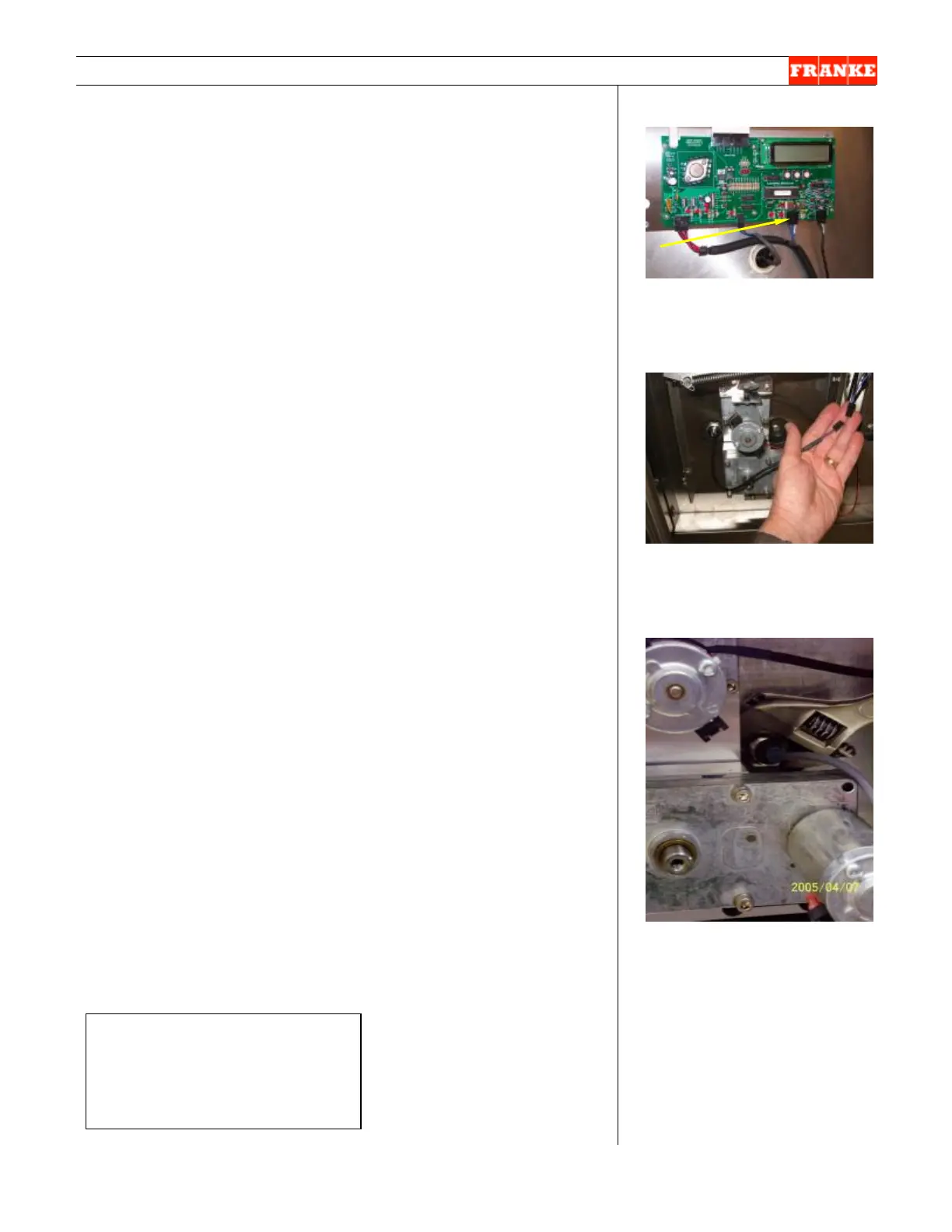
4) Locate Basket-Present Sensor cable lead connection to
Main Control Board. [See Photo 1]
5) Disconnect Basket Present Sensor cable where it mates
to main wiring harness, just above Door Open Assembly.
[See Photo 2]
6) Using a crescent wrench or 1” [25 mm] box wrench,
unscrew the sensor-retaining nut from the Basket-
Present Sensor Sleeve. [See Photo 3]
7) The Basket-Present Sensor must be unscrewed
counterclockwise from the mounting block. [The plastic
threads are very fine, so this will take some time.]
8) Take the new Basket-Present Sensor [P/N 19000182]
and screw [clockwise] back into plastic sensor sleeve,
until fully seated.
9) Replace the sensor-retaining nut and tighten securely
with wrench, but do NOT over-tighten.
10) Reattach the Basket-Present Sensor cable lead to the
Main Wiring Harness. [See Photo 2]
11) Plug in unit power cord to power supply.
Test the new Basket-Present Sensor by:
12) Filling the Lane Hopper with Fries to a level past the Low
Product Sensor. Switch ON main power on front panel.
Press LANE POWER and turn on Lane at the front
Control Panel. NOTE: Make sure Lane is in AUTO Mode.
13) When LOAD READY light comes ON, insert empty fry
basket into loading position. If fries are dispensed,
Basket-Present Sensor is functioning properly.
14) NOTE: A green indicator on the back of the sensor
comes on when it senses the basket.
15) Close rear service access panel and return F3Dn
Dispenser to normal operating location.
[Photo 1]
Disconnect Basket Load Sensor
cable connector at Main Control
Board.
[Photo 2]
The Basket-Present Sensor’s
cable can be disconnected from
the main wiring harness.
[Photo 3]
Remove sensor-retaining nut
with wrench and screw out the
basket sensor.
Rev. 1 12/06
Ø



 To Next Page