F3Dn Service Manual Component Adjustments / Section 3.6
For Technical Support, Call 800-537-2653. Copyright 2006 Franke, Inc. All rights reserved.
3.6 Fry Hopper Hanger Alignment
Problem: Operators are having trouble installing or
aligning hoppers after removing them for daily
cleaning.
1) F3Dn Dispenser should be OFF and the freezer
compartment fully defrosted before proceeding.
2) If not already removed, open freezer compartment door
and remove both Lane Fry Hoppers.
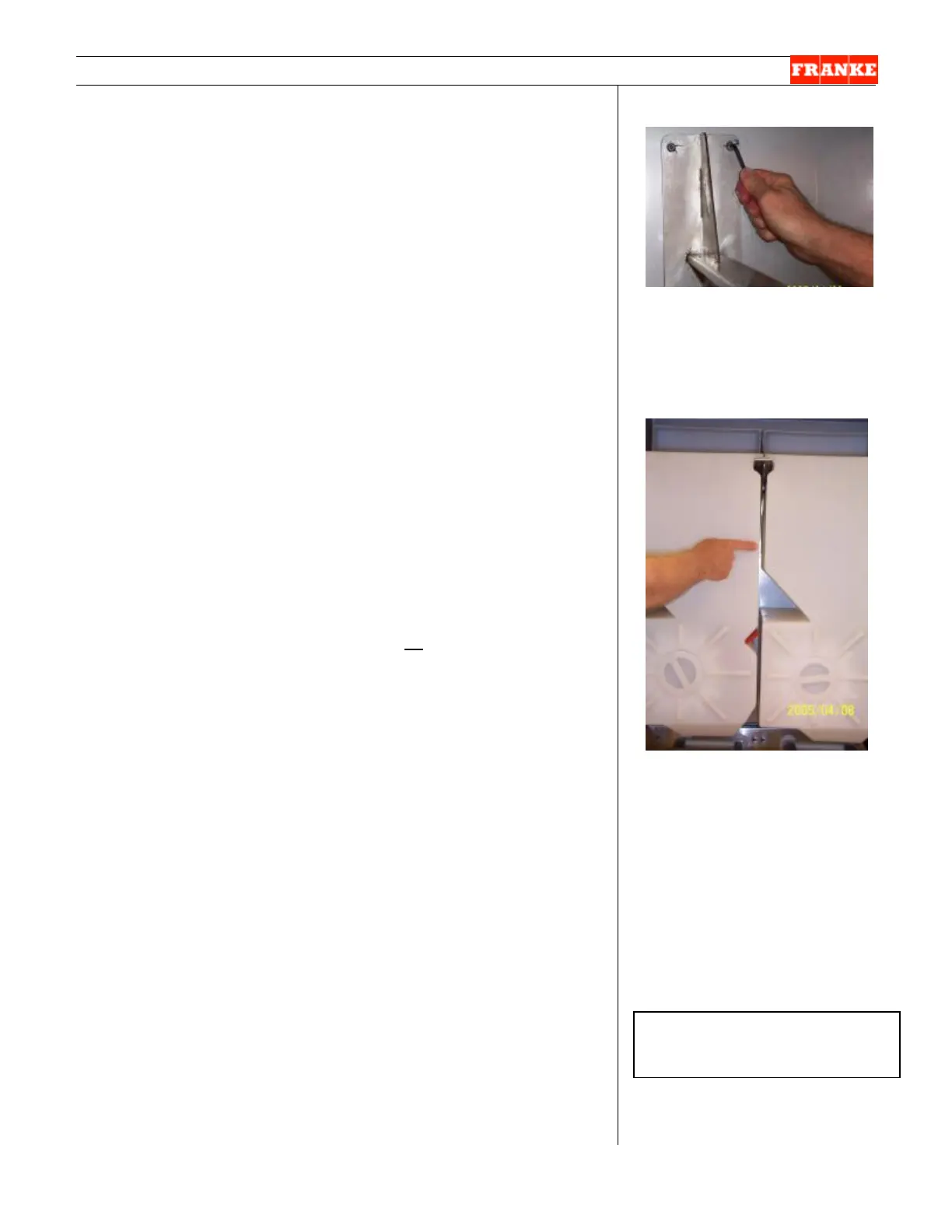
3) Using a 13 mm Allen/hex wrench, loosen all four Hopper
Center Support Bracket mounting bolts.
4) Support Bracket mounting holes allow vertical movement
of the bracket, to adjust Hopper fit or alignment within the
freezer compartment. [Note: The Side Hopper Mounting
Brackets can also be adjusted up or down in a similar
manor, as needed.]
5) Shift upper bracket up or down as needed.
6) Tighten just the two upper bracket mounting screws.
7) Slide both Hoppers on to mounting brackets and visually
check Hopper alignment.
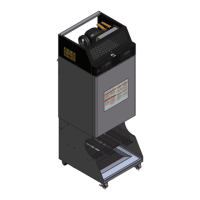
8) Repeat adjustment as needed, until both Hoppers are
parallel and slide on and off the support bracket easily.
[See Photo 2]
9) Remove both hoppers and tighten all Hopper Support
Bracket mounting screws.
[Photo 1]
Use a 13 mm Allen/hex wrench
to loosen all Hopper Support
Bracket screws. Shift top or
bottom of support bracket right
or left as needed.
[Photo 2]
To check Hopper Bracket
alignment, ensure both Hoppers
install easily and are parallel with
roughly ½” [13 mm] between
Hoppers.
Rev. 1 6/06
Ø



 To Next Page