Franke Kaffeemaschinen AG Description of machine | 5
User manual Mytico Due 19
– Second steam wand
– Grounds ejection
– Feet, 140mm
– Tank kit
– Franke Digital Services
5.2 Overview of operating modes
The suitable operating mode depends on the utilization of your coffee machine, your product range and
the preferences of your customers.
Your service technician will be happy to help you set the appropriate operating mode.
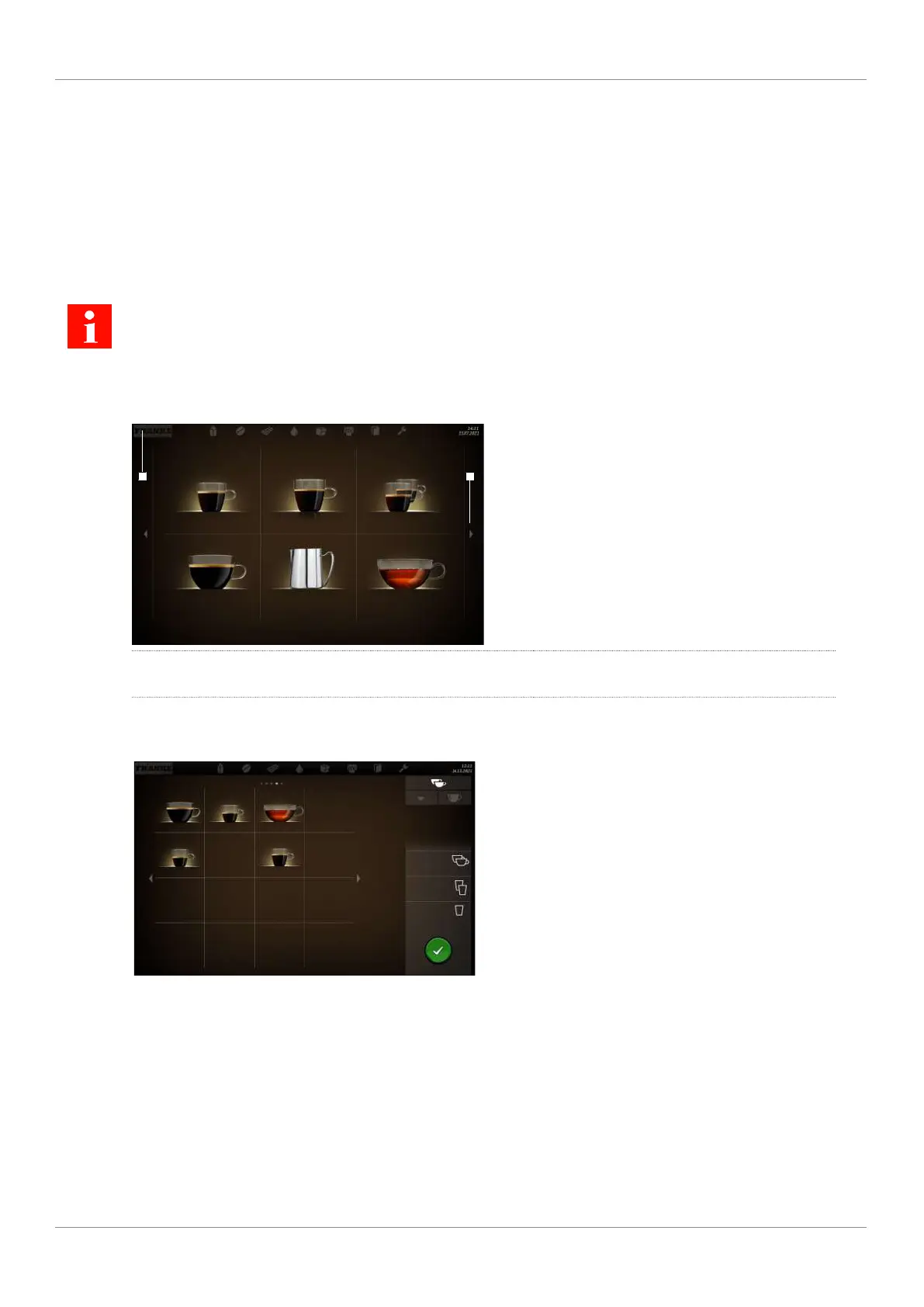
5.2.1 User interface
Espresso Double Espresso 2 Espressos
Caffè Crema To Go Steam Tea water
1 2
1
Use the Franke logo to switch between the
maintenance level and product selection
2
Scroll forwards or backwards
5.2.2 Cash Register operating mode
Caffè Crema To Go Ristretto
Tea water
Espresso Double Espresso
Cash Register is the operating mode for non-self-ser-
vice utilization. You can add additional orders while
your coffee machine is preparing a product.
Structure of the user interface
– Level 1: Product selection, up to 5 pages. Column with the possible options, the production status, and
the waiting list
– Level 2: Display of 4, 9, or 16 product buttons per page
Individual adaptations
– Display: 2x2, 3x3, or 4x4 products per page
– Depiction: Photo-realistic, drawn



 To Next Page
 Loading...