Need help?
Do you have a question about the Franke MYTICO DUE and is the answer not in the manual?
Defines the machine's purpose, operational environment, and intended use for food services.
Outlines requirements for operators, including reading the manual, training, and age restrictions.
Explains the meaning of safety symbols and signal words used in the manual to indicate hazard severity.
Details critical safety concerns including risks of fire from overloaded power, electrocution from damaged cords, and electrocution from liquid ingress.
Addresses further safety issues: electrocution from improper repairs, scalding from hot water/drinks, burns from steam wand, and injury risks from internal parts.
Highlights hazards related to chemical cleaners, germ formation due to inadequate cleaning, and mold growth in the grounds container.
Explains symbols used within the user manual for orientation, tips, prerequisites, and results.
Details symbols used in the machine's software for navigation, operation, and dashboard indicators.
Illustrates how error messages are displayed on the screen and provides a color code for error types and severity.
Describes the locations of identification type plates on the coffee modules and barista module.
Lists type codes for the complete appliance, coffee modules, and specific configurations like barista modes.
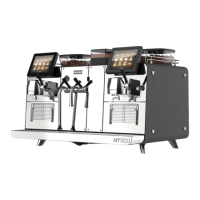
Provides an overview of the Mytico II coffee machine and its various configurations and modules.
Identifies the main structural modules of the coffee machine: left coffee module, right coffee module, and barista module.
Details the individual components of the coffee machine using numbered labels for easy identification.
Lists the standard components and specifications included in the Mytico II coffee machine.
Lists optional components and configurations that can be added to the Mytico II coffee machine.
Explains the different operating modes, their suitability based on usage, and user interface structures.
Describes the layout and navigation of the machine's user interface, including product selection and status displays.
Details the specific Cash Register operating mode for non-self-service environments.
Explains the optional digital services for remote management, software updates, and configuration of coffee machines.
Lists the essential preparations required before the coffee machine can be installed.
Provides detailed dimensional drawings and specifications for the Mytico II coffee machine.
Shows minimum clearances and distances required around the machine for proper ventilation and operation.
Mentions that the Mytico II is delivered with feet, which can be adjusted for height compensation.
Details the specifications for the main water connection, flow rate, temperature, and required water quality parameters.
Specifies requirements for water pressure, flow rate, temperature, connection type, and backflow prevention.
Lists acceptable parameters for total hardness, pH, chlorine content, TDS, and iron content for optimal performance.
Specifies the requirements for the drain hose connection.
Guides on how to properly connect the wastewater hose to a siphon, ensuring a free flow path.
Instructions on correctly filling the machine's hoppers with coffee beans and powder.
Details the process of filling the bean hopper, including warnings about injury and tips for maintaining beverage quality.
Step-by-step guide on how to adjust the grind coarseness using the grinder adjustment wrench.
Instructions for removing, emptying, cleaning, and refitting the bean hopper.
Guides on how to empty and clean the grounds container to prevent mold formation.
Provides step-by-step instructions for preparing beverages using the Cash Register operating mode.
Instructions for dispensing hot water, including how to stop the process using the cancel button.
Details how to use the steam wand for manually heating and foaming milk, and for heating other drinks.
Instructions for using the automatic steam dispenser for milk and drinks, including purging and stopping the steam output.
Explains how to prepare beverages by actuating the Barista Lever, which can be configured for specific drinks.
Emphasizes the importance of daily cleaning for optimal coffee experience and machine longevity.
Lists the necessary cleaning products and tools required for maintaining the machine.
Details a standard five-step procedure for cleaning removable components using brushes and mild cleaners.
Guides on how to initiate the machine's automatic cleaning cycle from the user interface.
Provides step-by-step instructions for starting the cleaning process via the machine's menu system.
Instructions for removing, cleaning, and descaling the aerator used for hot water dispensing.
Outlines additional cleaning tasks to be performed on a weekly basis in addition to daily routines.
Instructions on how to clean the exterior surfaces of the coffee machine using a damp cloth.
Details precautions and methods for cleaning the bean hopper to prevent mildew and maintain quality.
Instructions for cleaning the touch screen interface safely and effectively.
Steps for performing a rinse cycle on the coffee machine to clean internal components.
Explains how to access the machine's maintenance and configuration settings menu using a PIN.
Information on default PIN codes and how to manage user-assigned PINs for different access levels.
Provides a visual overview of the navigation structure within the 'My settings' menu.
Explains the various input methods available on the machine's interface for parameter adjustment and selection.
Introduces the 'My settings' menu and its primary sub-items, including commissioning and system information.
Details the 'System information' submenu within the Commissioning section, providing hardware and software details.
Covers core machine configuration settings, including language and operating mode.
Guides on how to select and manage the user interface language and display translated information.
Configuration options for different operating modes, usage scenarios, and display preferences.
Details how to assign and configure product selection buttons on the interface, including layout and size.
Covers parameters for product selection buttons, PLU numbers, price lists, and token usage.
Configuration options related to the cleaning process, such as audible prompts for actions.
How to adjust temperature settings, considering environmental factors and machine utilization.
Notes that this menu item is supported only in filter model and Individual Operating Mode.
Options for configuring the type of beans used by the machine, such as roast level and decaffeination.
How to save and customize beverage variations for different users, with options for parameters and percentage specifications.
Interface for adjusting brewing quantity, water quantity, grind, and preparing test products to fine-tune beverage output.
Options for selecting, naming, adjusting prices, and setting up beverage variations for product selection.
Guides on how to set the date, time, display format, and time zone for the machine.
Configuration options for automatic switching on and off timers, specifying active days and times.
Settings related to displaying nutritional information of beverages, referencing chapter 4 for details.
Manages PIN codes and access levels for different user roles (Owner, Specialist, Operator) to access maintenance functions.
Defines permissions and PIN settings for the owner role, including PIN changes and authorization for specific functions.
Defines permissions and PIN settings for the specialist role, granting limited access to service menus and data transfer.
Defines permissions and PIN settings for the operator role, including access to counters and software updates.
Defines permissions and PIN settings for cleaning staff, granting access only to cleaning functions.
Manages PIN access required for preparing specific secured products.
Manages PIN access authorization for switching the coffee machine on and off.
Lists available functions for personalizing the machine, managing media, saving settings, and transferring data.
Provides a visual representation of the menu structure for accessing individualization and data transfer functions.
Describes how to use existing or uploaded media for screen savers or advertising purposes.
Details how to manage advertising content, export, and import files using a USB stick and a web tool.
Covers general application configuration settings, noting that changes take effect after saving.
Guides on how to configure language settings for the machine's user interface and displayed text.
Configuration options for operating modes, including hiding cancel buttons, display brightness, and audible signals.
Notes that different display parameters are available depending on the selected operating mode.
Settings related to displaying nutritional information of beverages, referencing chapter 4 for details.
Settings for transaction approval and enabling remote control functionality.
Procedures for backing up and loading machine configurations, media, and operating data using USB sticks.
Instructions on how to back up operating data, including maintenance data and error logs, in XML format.
Procedures for restoring factory default settings for various parameters and clearing counters or files.
How to activate updates, configuration bundles, or software versions loaded onto the machine via USB or network.
Explains how errors are indicated in non-self-service mode and how to access further information.
Explains the meaning of different colors used in error message indicators to denote severity and status.
Provides a table of common error messages, their possible causes, and suggested measures for resolution.
Offers advice on maintaining coffee quality, including bean storage and freshness, and preventing oil buildup.
A troubleshooting guide addressing common issues affecting beverage taste and quality, with possible causes and remedies.
Outlines the steps required to prepare the machine for decommissioning, including cleaning and emptying.
Instructions on how to back up machine data and configuration to a USB stick before taking it out of service.
Procedures for temporarily taking the machine out of operation, including cleaning and disconnecting power.
Important considerations and service measures for long-term storage, including contacting service technicians.
Guidelines for protecting the machine from damage and environmental conditions during transport and storage.
Steps and considerations for bringing a stored machine back into service after extended storage, including potential repairs.
Instructions for disposing of coffee beans, grounds, and unused cleaning supplies according to environmental guidelines.
Guidelines for disposing of electronic and plastic parts, adhering to the WEEE directive for waste electrical equipment.
Specifies the hourly preparation capacities for different beverages like Espresso and Coffee/Café crème.
Details the voltage, main power connection type, maximum power rating, fuse requirements, and frequency.
 General
| Brand | Franke |
|---|---|
| Model | MYTICO DUE |
| Category | Coffee Maker |
| Language | English |


 To Next Page