OPERATION GUIDE
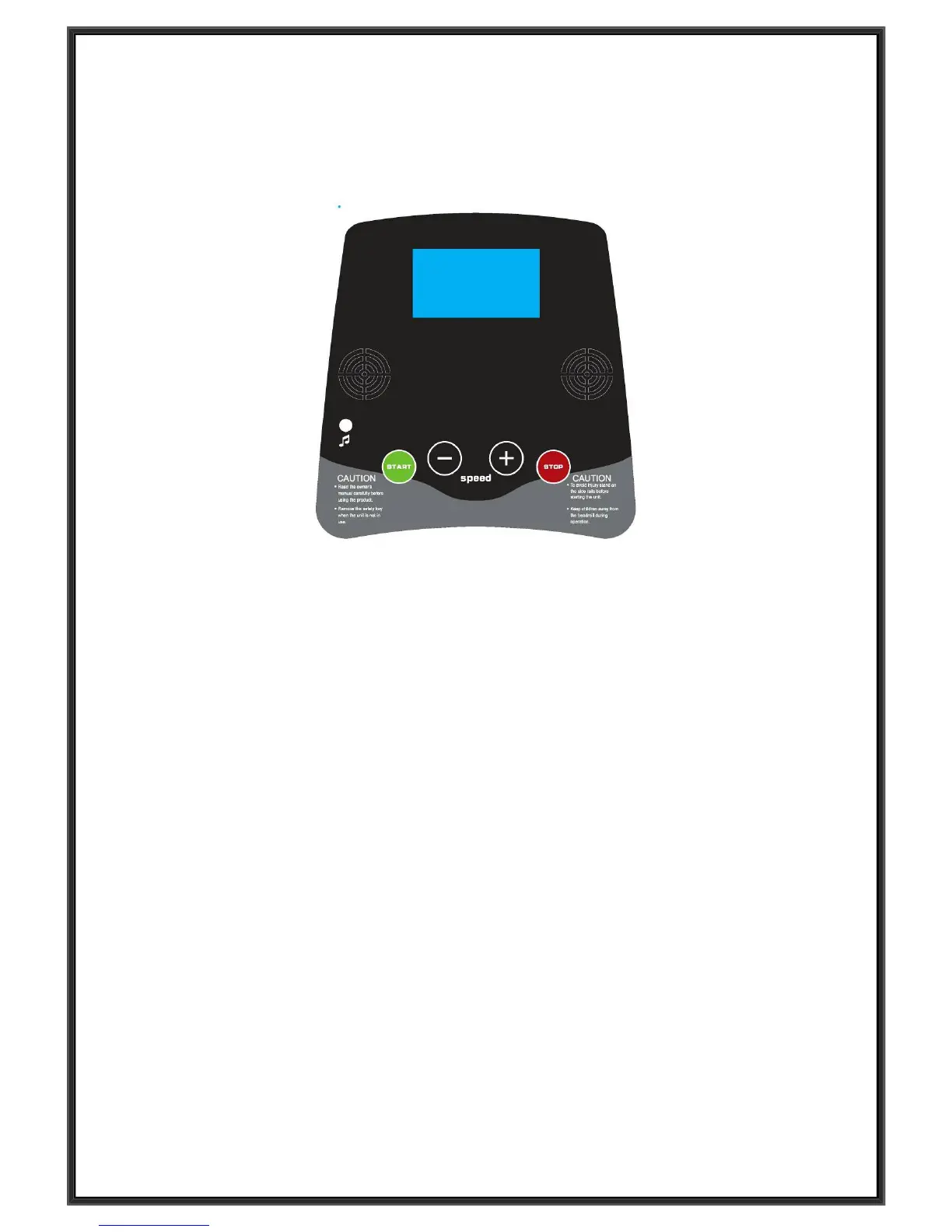
WINDOW DISPLAY
:
1. “Speed “window: Displays the speed, the speed range is
0.3--6km/h
.
2.
“
Time” window: Displays running time (minutes: seconds).
In modes where a time target has not been specifically set the display will count up from 0:00. If the
count reaches 99:59 the machine will turn off by slowing the belt smoothly, and the console will return
to its initial state.
3.” Distance” window: Shows both Distance (kilometers), the window will show the distance in km
counting up from 0.00 to 99.9. When 99.9 is reached, the machine will stop smoothly, show ‘End’ on
the display and enter into its initial state after a further 5 seconds.
4.” Calories” window: Display runner’s calories worked out. Displays user calories burnt. It will count
from 0 to 999. When a count of 999 has been reached with will start again from 0.
BUTTON FUNCTION:
1. “START” button: With the power switch on and the safety key in place on the console, press this
button and the machine will start.
2. “STOP” button: Pressing the “STOP” button during your workout will stop the workout.
3. “SPEED +”, “SPEED –” button: Under initial situation, set the target data with this button. When the
machine is running, press the button to adjust the speed, 0.1 KM at each press, when pressing the
button for more than 0.5 seconds, the speed will adjust up or down continuously.
4. EMERGENCY STOP button: Press this button to stop the workout immediately if required. Turn the
button towards clockwise direct to go back to initial state.


 To Next Page