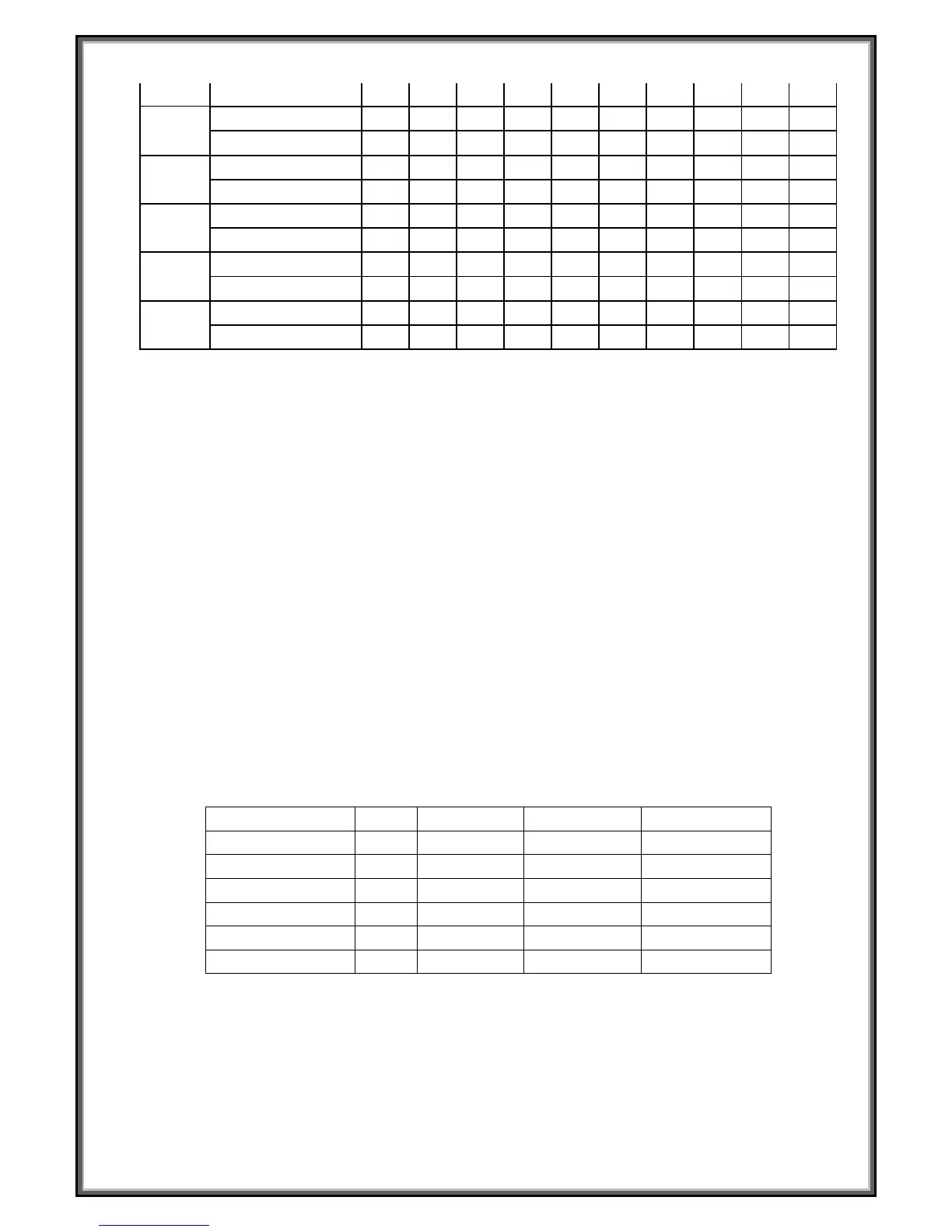
INCLINE
3 5 6 8 5 6 5 12 8 3
P20
SPEED
3 7 9 10 11 12 10 8 5 2
INCLINE
2 5 6 7 6 5 8 6 3 2
P21
SPEED
3 6 8 7 9 10 5 8 3 2
INCLINE
3 6 8 9 9 6 8 10 6 3
P22
SPEED
3 5 8 6 9 10 8 12 6 3
INCLINE
2 6 8 10 12 10 12 8 5 2
P23
SPEED
3 5 9 11 12 8 6 5 3 2
INCLINE
2 6 8 10 9 7 8 10 6 3
P24
SPEED
3 8 10 11 12 10 10 8 5 3
INCLINE
3 6 8 9 10 12 9 6 3 2
SELF-DEFINE PROGRAM
Besides 24 inner installed programs, there are 3 user self-define programs: U1, U2, U3
1. User self-define program setting:
In the initial situation, press “ program” continuously till U1,U2,U3, and the “ time ” window glitter,
show the time 15:00, press “ incline+”, “ incline-”, “speed+”, “speed-” to set the running time; press
“mode” to set program data, set the first interval time, press “speed+”, “speed-” or press speed
shortcut button to set the speed; press “incline+”, “incline-” or incline shortcut button to set the
incline; then press “mode” button to finish the first interval time and enter into the second interval
time, until finish 10 interval time. The data will be kept till the next setting, the data will not lost for
power off.
2. User self-define program starting:
When the machine is waiting for operation, press the “program” button continuously till U1,U2,U3,
set the running time then press “start” to start the machine.
3. User self-define program instruction:
Each program will be divided into 10 time section, set the speed and incline in each interval time,
then press “start” to run the machine.
RANGE OF SPECIFICATION:
Initial
Initial Data
Set Range Display Range
TIME(MIN:SECOND)
P
N/A
N/A 50-200
CALORIE(THERM) 0
50
10-999 0-999
BODY TESTER:
At the beginning state, press “ PROGRAM” Continuously entering FAT body fat tester, press
“ MODE “ enter F-1、F-2、F-3、F-4、F-5 ( F-1 SEX, F-2 AGE, F-3 HEIGHT, F-4 WEIGHT, F-5 FAT
TESTER ),


 To Next Page