•
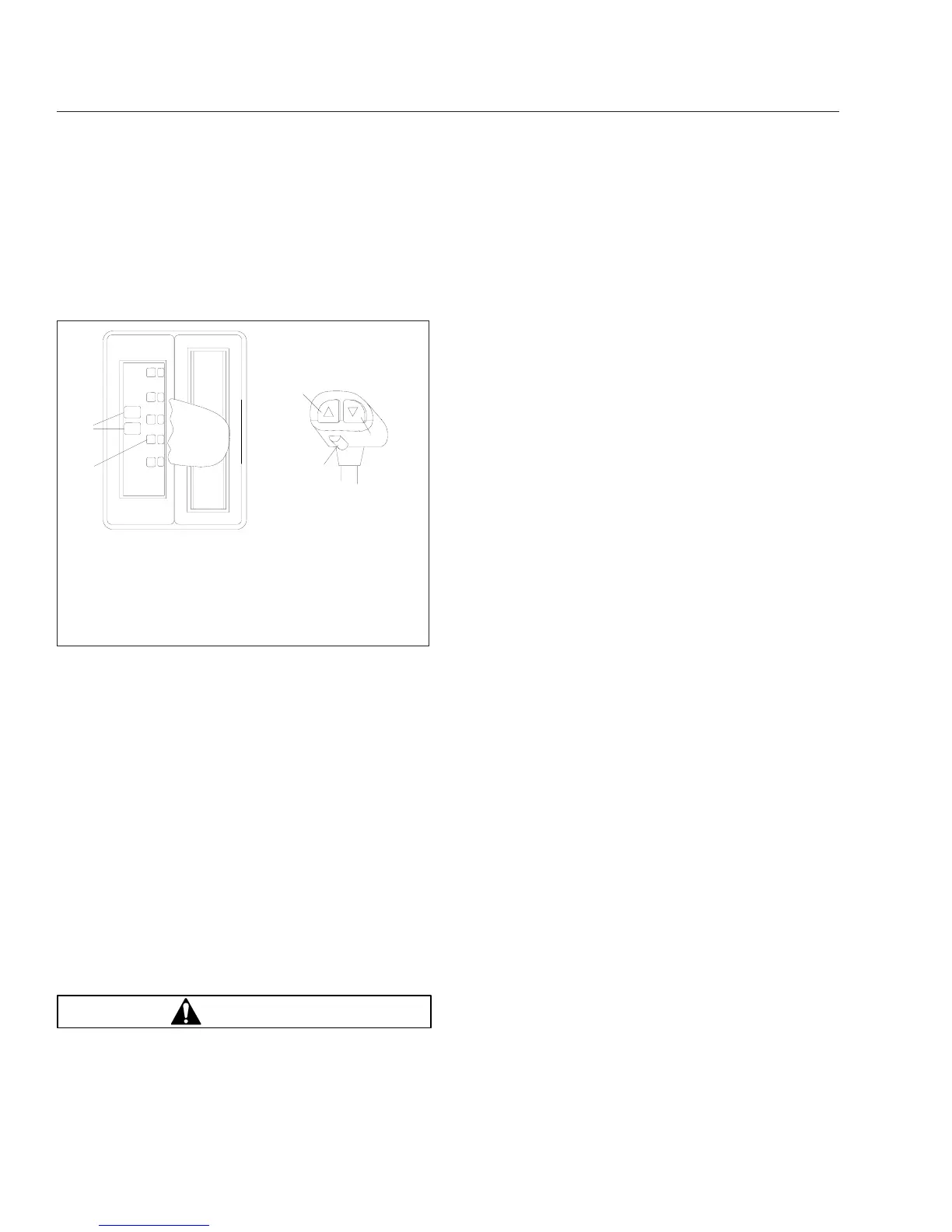
The DCC (Fig. 8.5) has indicators for reverse,
neutral, and the three forward positions: drive,
hold, and low. Service and wait lamps are also
located on the console. The gear select handle
contains upshift and downshift buttons and a
gear select lever detent button.
•
The shifter performs shifts at the front portion
of the transmission. It preselects the shift to
neutral and completes the gear change after
driver input.
•
The Electronic Control Unit (ECU) includes two
controllers: a transmission ECU and a system
ECU. The transmission ECU controls all trans-
mission shift functions and the system ECU
manages all vehicle interfaces for transmission
shift functions.
•
An electronic range valve, controlled by the
transmission ECU, is used to perform range
shifts.
Operation, SmartShift With Eaton
Fuller AutoShift
WARNING
If the engine cranks in any gear other than neu-
tral, have the vehicle serviced immediately. If the
vehicle is started in gear it will suddenly move
forward or backward, which could result in per-
sonal injury and damage to property and the
transmission.
Automatic and Manual Modes
A two-position slide switch (forward driving mode
switch) is located near the end of the control
(Fig. 8.1). The switch positions are labelled MAN
(manual shift mode) and AUTO (automatic drive
mode).
NOTE: In automatic drive mode, upshifts and
downshifts require no driver interaction. Move
the selector switch to the drive (D) position, dis-
engage the clutch to engage the gear selected,
engage the clutch and drive the vehicle. In
manual shift mode, upshifts and downshifts re-
quire either a pull upward or push downward on
the control.
Driver Message Center
Gear information is presented to the driver via the
level III ICU (ICU2M) Driver Message Center. In au-
tomatic drive mode, the number of the forward gear
currently engaged appears continually on the mes-
sage display screen when in drive (D). In manual
shift mode, the current gear is displayed until a new
gear is requested. When neutral (N) is engaged, "N"
will appear on the message display screen. When
reverse (R) is engaged on 10- or 18-speed AutoShift
transmissions, either "RL" or "RH" will appear on the
message display screen. AutoShift transmissions with
fewer speeds do not have a dual range reverse gear
and "R" will appear when reverse is engaged.
IMPORTANT: The information shown on the
message display screen indicates the state of
the transmission only, not the state of the
SmartShift control.
Start-Up
1.
With the parking brake applied, press the clutch
all the way down to the floor.
2.
Start the engine.
3.
Check to make sure the transmission is in neu-
tral.
4.
With the transmission in neutral, release the
clutch.
N
D
H
SERVICE
WAIT
HOLD
R
L
2
3
4
5
A
B
02/16/98
1
f270064
A. Console Top View
B. Select Handle Side View
1. Indicator Lamps
2. Gear Position
Indicator
3. Upshift Button
4. Detent Button
5. Downshift Button
Fig. 8.5, Enhanced Driver Command Console (DCC)
Transmissions
8.3










 To Next Page