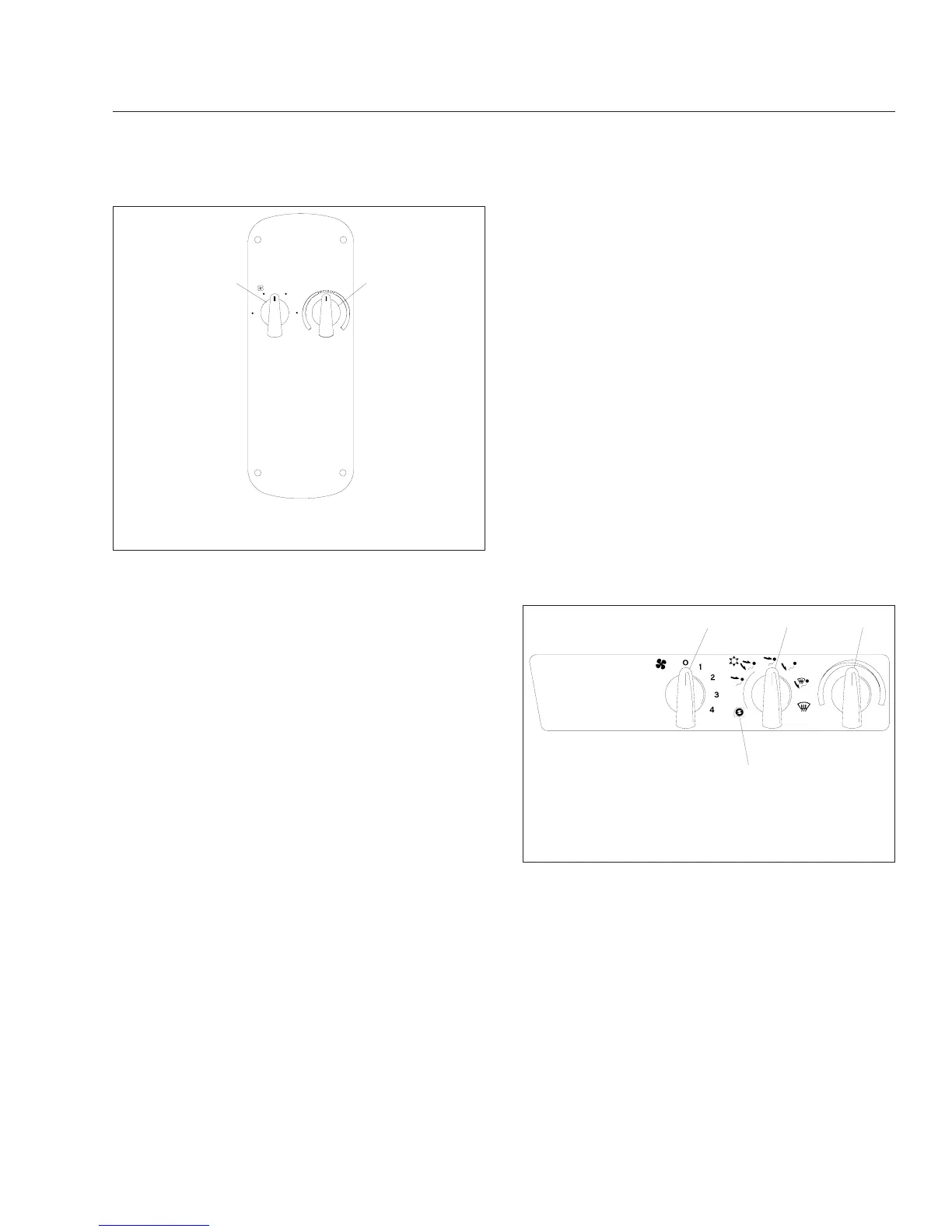
Temperature Control Switch
The temperature control switch is used to select the
desired temperature in the sleeper. Turn the switch
clockwise or to the red area for warm air. Turn the
switch counterclockwise or to the blue area for cool
air.
The air conditioner automatically turns on when nec-
essary to maintain the selected temperature in the
sleeper. If the sleeper air conditioner automatically
turns on when the cab air conditioner is on, the cab
air conditioner fan speed and temperature settings
will override the sleeper air conditioner settings.
The CDTC system is disabled when the temperature
control switch is in the maximum cool or maximum
warm positions.
The bunk override switch allows the driver to re-
motely control the temperature and fan speed set-
tings in the sleeper. The bunk override mode can be
canceled by changing the sleeper fan speed or tem-
perature setting. After the override mode is canceled,
the sleeper heater and air conditioner system will
operate from the sleeper fan speed and temperature
settings and the amber indicator on the switch will be
off.
Air Outlets
The face outlets on the instrument panel have lou-
vers that can be moved right and left, and up and
down. Move the louvers to the desired location or to
close the outlet. The defrost (windshield) outlets and
the outlets that are directed at the doors are not ad-
justable.
The sleeper has one or two air outlets on the right
side of the cab, depending on the height of the cab.
The sleeper air outlet pivots from side to side and
has louvers that can be moved up and down or
closed.
Water-Valve-Controlled Heater
and Air Conditioner System
General Information
The cab climate control panel allows you to control
all of the heating, air conditioning, defrosting, and
ventilating functions. See Fig. 4.6 or Fig. 4.7.
A four-speed fan forces fresh or recirculated air to
any selected air outlets at the windshield, door win-
dows, dashboard face, and cab floor.
An air selection switch controls the direction of warm
or cool air to the face and feet, face only, feet only,
feet and windshield, or windshield only (defrost).
A temperature control switch is used to select the
desired temperature. Turn the switch counterclock-
wise for cool air, or clockwise for warm air.
06/21/2001
f610503
1
2
3
4O
1
2
1. Fan Switch
2. Temperature Control Switch
Fig. 4.5, Sleeper Climate Control Panel
9/07/95 f830716
1
2
3
4
1. Fan Switch
2. Air Selection Switch
3. Temperature Control Switch
4. Maximum Air Conditioning
Fig. 4.6, Climate Control Panel, Heater and Air
Conditioning
Heater and Air Conditioner
4.4










 To Next Page