Operation, UltraShift DM
Power Up
1.
With the parking brake set, select neutral (N) by
moving the selector switch to the N position.
2.
With the transmission in neutral, turn on the igni-
tion switch. The "CHECK TRANS" and "TRANS
TEMP" telltale lights come on and go out again
(bulb check). See Fig. 8.7.
3.
After the ignition is turned on, the current gear
indicator shows the dot display, arranged in a
square pattern. All dots in the pattern should light
up, without gaps or spaces. See Fig. 8.8.
4.
Wait for the current gear indicator to show a solid
"N." When the "N" is solid, rather than flashing,
the UltraShift DM TCU is powered up. Start the
engine and apply the service brake.
5.
Select drive (D) by pressing in the neutral lock
button and moving the selector switch downward
to the position below neutral. Release the park-
ing brake. The gear is displayed on the current
gear indicator.
NOTE: When D is selected, the transmission
starts up in the default starting gear.
6.
On a level grade, release the service brake and
press down on the throttle pedal to allow the ve-
hicle to move forward. The vehicle will not move
until the pedal is depressed.
WARNING
When starting or stopping on hills and grades,
use extra care to prevent the vehicle from rolling
back. A rollback accident could cause death, seri-
ous personal injury, or property damage.
7.
Prevent the vehicle from rolling backwards when
stopped on a hill or grade, or when the vehicle is
starting from a stop on a hill or grade.
12/22/2003
f270079a
1
2
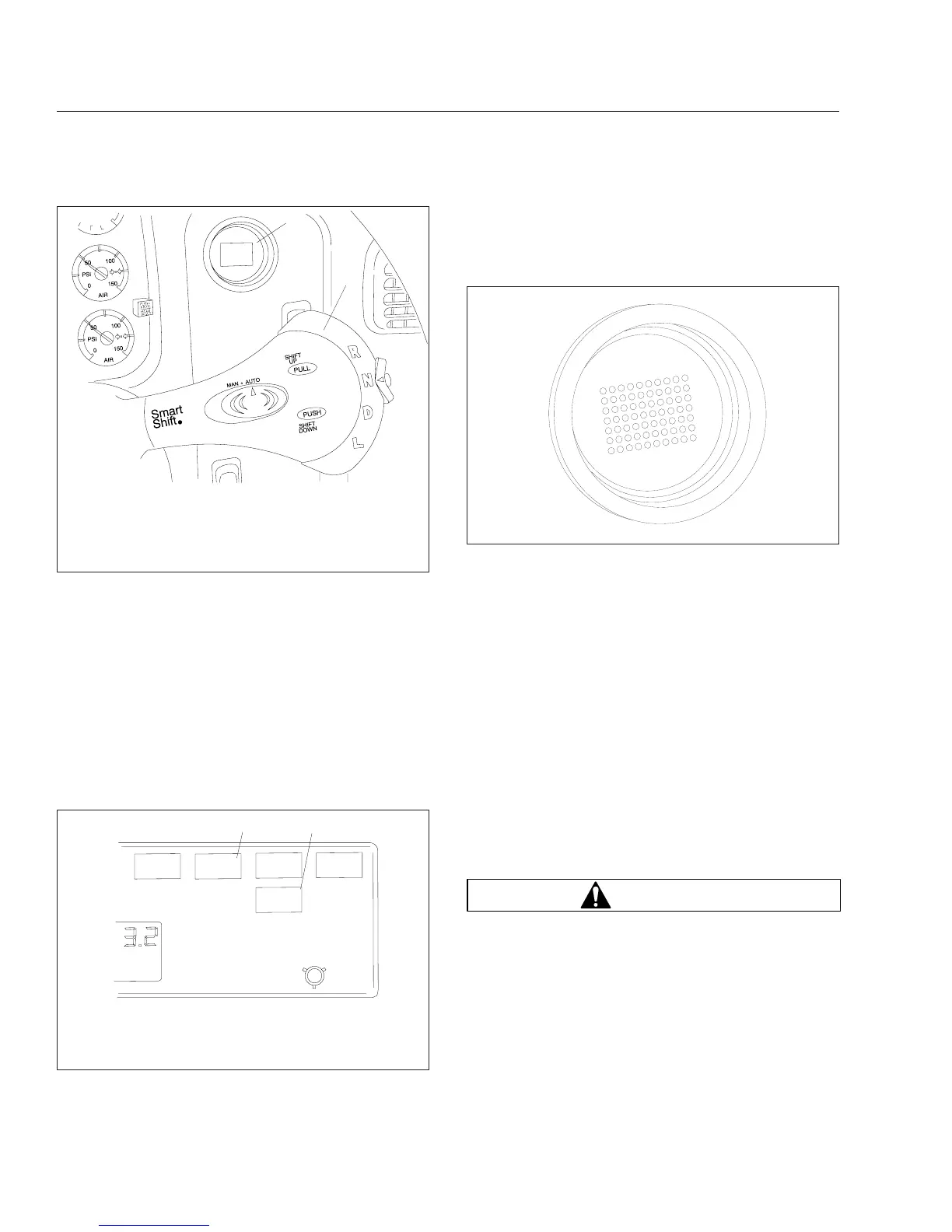
To know what gear the transmission is in, look at the
current gear indicator.
1. Current Gear Indicator
2. SmartShift Control
Fig. 8.6, Shift Controls and Indicators, UltraShift
Transmissions
BRAKE
CHECK
TRANS
f610677
1
TRANS
TEM
P
10/27/2003
2
1. "CHECK TRANS" Light
2. "TRANS TEMP" Light
Fig. 8.7, Telltale Lights
10/13/2003
f610678
Fig. 8.8, Power Up Dot Display
Transmissions
8.7










 To Next Page