Agilia Link Rack System
The Agilia Link Rack System is a medical device designed to organize and power Agilia infusion pumps, providing a centralized and efficient solution for infusion therapy in healthcare settings. It reduces the number of power cables and improves infusion pump organization at the bedside. The system is a reusable device that is capable of continuous operation and can be used daily. It is not designed to change the standalone pump behavior.
Function Description
The Agilia Link Rack System serves as a power and organizational hub for Agilia infusion pumps. It is designed to connect 4, 6, or 8 Agilia pumps, depending on the model (Agilia Link 4, Agilia Link 6, or Agilia Link 8). The rack system allows for the integration of multiple pumps into a single, organized unit, simplifying setup and management.
Key functionalities include:
- Power Distribution: The rack provides power to the connected Agilia pumps through internal power outlets, eliminating the need for individual power cords for each pump.
- Pump Organization: It offers a structured way to mount and arrange multiple pumps, improving workflow and reducing clutter at the patient's bedside.
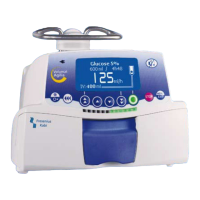
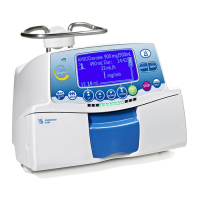
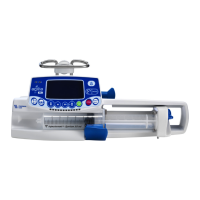
- Modular Design: The system is compatible with various Agilia syringe and large volume pumps from Fresenius Kabi.
- Mounting Options: The Agilia Link can be mounted on fixed poles, fixed rails, or rolling stands, offering flexibility in different clinical environments.
- Device Identification: Each rack includes a device identification label with a Unique Device Identification (UDI) represented in AIDC (Automatic Identification and Data Capture) and readable text, including Product Identifier GTIN, Product Serial Number, Date of Manufacture, and Product Reference.
Important Technical Specifications
The Agilia Link Rack System comes in different configurations, each with specific dimensions and weight:
Dimensions - Weight:
- Agilia Link 4: H/W/D (± 5 mm): 718 mm x 203 mm x 121 mm; D' (± 5 mm) with pole Clamp: 163 mm; Max weight: 4 kg.
- Agilia Link 6: H/W/D (± 5 mm): 1004 mm x 203 mm x 121 mm; D' (± 5 mm) with pole Clamp: 163 mm; Max weight: 5.2 kg.
- Agilia Link 8: H/W/D (± 5 mm): 1290 mm x 203 mm x 121 mm; D' (± 5 mm) with pole Clamp: 163 mm; Max weight: 6.1 kg.
AC Power Input Specifications:
- Function: Primary power source for Agilia power outlets and for internal electronics of Agilia Link.
- Connector: Standard appliance inlet IEC type C14 - male - 3 poles.
- Power supply: 100 V to 240 V AC / 50/60 Hz.
- Maximum power (with pumps): Agilia Link 4: 80 VA; Agilia Link 6: 90 VA; Agilia Link 8: 120 VA.
- Protective fuses: 2 fuses, 2 A timed with high breaking capacity - T 2A H 250 V. Fuseholder is externally accessible on AC power inlet connector.
- Electric protection: Class I with protective earth, with 3-wire power cord.
Power Output Specifications:
- Function: Power source output for Agilia pumps.
- Connector: Standard line outlet IEC type C13 - female - 3 poles.
- Power supply: 100 V to 240 V AC / 50/60 Hz.
- Maximum power: 15 VA per outlet.
- Protective fuses: Report to AC power input fuses.
- Electric protection: Earth pole is functional earth and Agilia's is class II with functional earth.
- On / Off power: Output power is ON when the Agilia pump is locked and there is no power on empty power plug.
Compliance with standards:
- Safety of electromedical equipment: Complies with EN/IEC 60601-1; IP22 protection against dust and splashing liquid; Type B applied part; Class I with protective earth.
- EMC (electromagnetic compatibility): Complies with EN/IEC 60601-1-2.
Environmental Conditions:
- Operating temperature range: 5°C to 40°C.
- Operating pressure range: 700 hPa (525 mmHg / 10.15 PSI) to 1060 hPa (795 mmHg / 15.37 PSI).
- Operating humidity range: 20% to 90% with no condensation.
- Altitude: Up to 3000 m above sea-level.
- Storage and Transport Conditions:
- Temperature: -10°C to +60°C.
- Pressure: 500 hPa (375 mmHg / 7.25 PSI) to 1060 hPa (795 mmHg / 15.37 PSI).
- Relative humidity: 10% to 90%, no condensation.
Usage Features
The Agilia Link Rack System is designed for ease of use and integration into clinical workflows.
Installation and Setup:
- Pump Installation: Pumps are installed by sliding them into the pump shelf and pushing them firmly until the auto-locking mechanism engages. A "click" indicates secure placement.
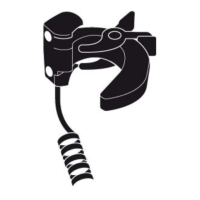
- Rack Mounting: The rack can be mounted on poles or rails using clamps. The clamps are first slid onto the back of the Agilia Link, then positioned on the pole or rail, and finally adjusted and rotated to secure the rack.
- Power Connection: The power cord is plugged into an AC power supply. A power status indicator light (green) confirms the power connection.
- Functional Earth Terminal: An optional functional earth cable can be connected to the Agilia Link for additional protection.
Operation:
- Pump Control: The Agilia Link does not alter the standalone behavior of the connected pumps. Each pump operates independently, but benefits from centralized power and organization.
- Visual Indicators: The power status indicator light on the rack provides a quick visual check of the power supply.
- Safety Features: The system includes features to prevent accidental removal of pumps and ensures proper power connection. A push button disables power for empty positions, and a push button remains depressed (power ON) when no pump is present.
Compatibility:
- The Agilia Link is compatible with Agilia syringe and large volume pumps from Fresenius Kabi.
- It is compatible with specific Fresenius Kabi Rolling Stands and Orchestra Rolling Stands.
Maintenance Features
Regular cleaning and disinfection, along with periodic servicing, are crucial for maintaining the Agilia Link Rack System's functionality and ensuring patient safety.
Cleaning and Disinfection:
- Routine Cleaning: The device must be thoroughly cleaned after each use. Disinfecting the equipment without prior cleaning is not effective.
- Cleaning Agents: Only recommended cleaning and disinfectant agents should be used. These include didecyldimethylammonium choride (e.g., Wip'Anios Excel by Anios).
- Procedure:
- With a fresh ready-to-use wipe, remove gross filth and heavy soil loads. Thoroughly clean all exposed surfaces (plastic and metal housing) of Agilia Link from top to bottom. Be sure to also thoroughly wipe down screw clamps, levers, and pump power inlets.
- A minimum cleaning of 1 minute is recommended (allow to remain visibly wet for 1 minute), until all organic matter is dissolved and removed.
- Do not allow any part of the articles to become saturated or submerged in liquid. Do not permit liquids to run, leak, or drip inside the rack housing.
- Complete the cleaning by wiping down the power cord.
- Allow the device to completely dry at ambient room temperature.
- Disinfection:
- Wipe down all external precleaned surfaces of the rack (same surfaces as cleaned in the cleaning procedure).
- Do not allow any part of Agilia Link to become saturated.
- Be sure to also wipe down plastic and metal housing, screw clamps, levers and pump power inlets.
- Do not permit liquids to run, leak, or drip inside Agilia Link housing.
- Using a new ready-to-use wipe, repeat step 1 and ensure that the minimum contact time for this step is 3 minutes for bactericidal activity (surface to remain visibly wet for 3 minutes). Comply with the indicated contact time in the manufacturer's recommendations for the required antimicrobial activity.
- Wipe down the power cord.
- Allow the device to completely dry at ambient temperature.
- Accessories: For cleaning, use a fresh ready-to-use wipe and wipe down accessories. Allow them to dry completely. For disinfection, repeat the first step.
Servicing and Warranty:
- Preventive Maintenance: Perform preventive maintenance at least once every 3 years.
- Qualified Personnel: Preventive maintenance should be performed by trained and qualified technical personnel in compliance with the technical manual and procedures. Only authorized service personnel should attempt to repair the device.
- Device Dropped/Malfunction: If the device is dropped or if any malfunction occurs, contact your biomedical department or Fresenius Kabi.
- Maintenance Procedures: Failure to comply with these maintenance procedures could damage the device and lead to a functional failure. Internal inspection of the device requires compliance with special procedures to avoid damage to the device.
- Spare Parts: When replacing components, only use spare parts from Fresenius Kabi.
- Device Lifespan: The life cycle of Agilia Link is 10 years, provided that maintenance is properly performed as described.
- Quality Control: Upon request by the healthcare facility, a quality control check can be performed on the device every 12 months. A regular quality control check (not included in the guarantee) consists of various inspection operations listed in the technical manual.
Troubleshooting:
The manual provides a troubleshooting guide for common issues such as:
- Agilia Link not stable when mounted (check clamps and clamp positions).
- Agilia Link is damaged, noisy, smoking, or with an abnormally hot part (remove power cable, do not use, contact biomedical department or Fresenius Kabi).
- Power status indicator is not lit (check power cable connection to the rack and AC power supply).
- Pump cannot be installed or removed (check pump locking mechanism operations, contact biomedical department or Fresenius Kabi).
- No sound is audible from pump when mounted to Agilia Link (check power status indicator, AC power supply, contact biomedical department or Fresenius Kabi).
Recycling:
Devices with this label must not be disposed of with general waste. They must be collected separately and disposed of according to local regulations. For further information pertaining to waste processing regulations, contact your local Fresenius Kabi sales representative or local distributor. For more information on dismantling the device, refer to the technical manual.

 Need help?
 General



 To Next Page