- 25 -
Example 3: Rice
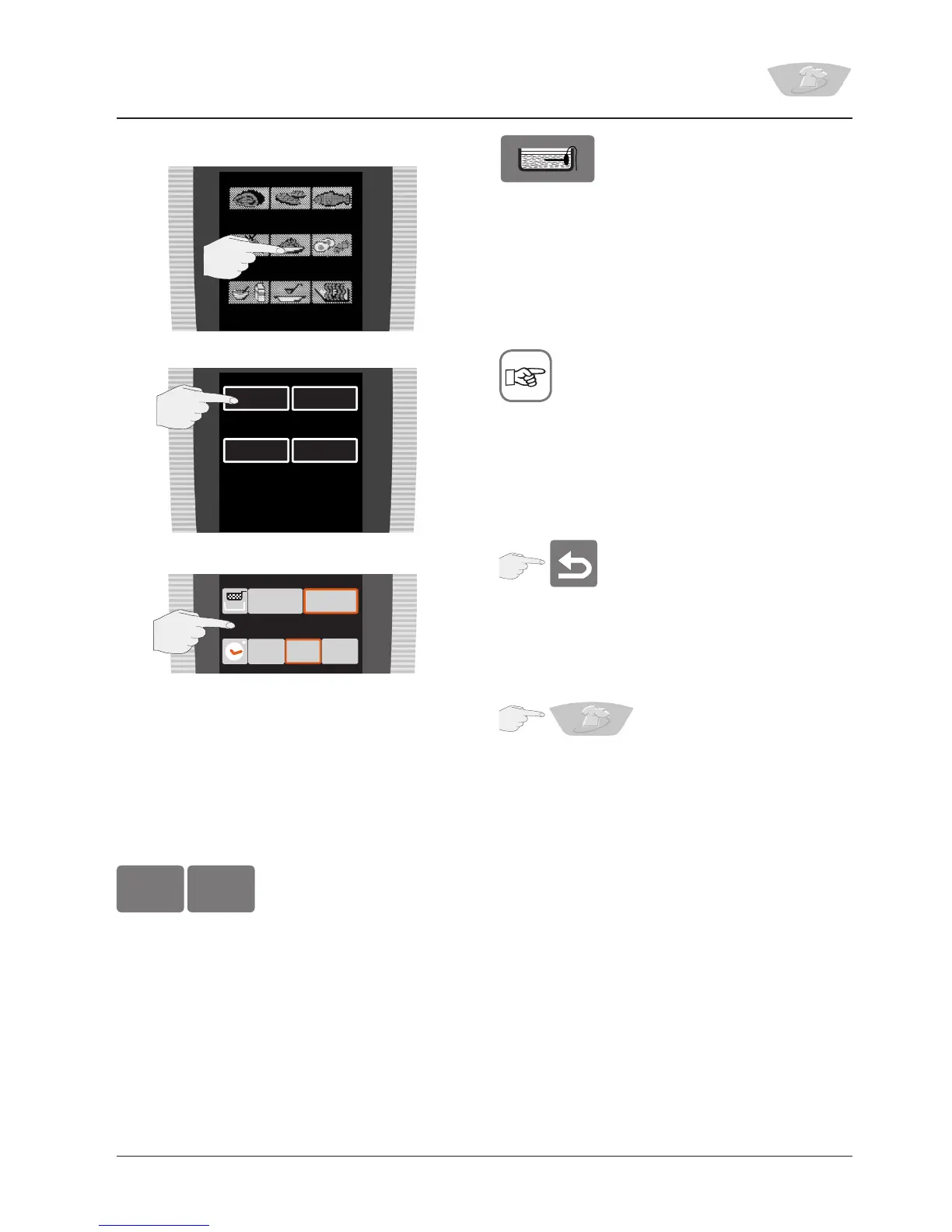
Select Pasta/Rice
Select “Boiled rice”
It is possible to work both with and without
a basket. Usually, the time specified by the
manufacturer is entered.
With the basket selected:
The optimum volume of water automatically flows
into the pan.
The display shows:
You can start from hot or cold, depending on
whether preheating is selected.
Please note that the core temperature sensor must
be put into the pan with the rice when you are
prompted to do so.
AS soon as this has been confirmed, the basket is
automatically lowered into the pan.
At the end of the cooking time, the display
shows the total cooking time, alternating with
the “Continue” button. It is possible to continue
cooking.
Cancelling a cooking mode
While the Back button is shown in the display, the
cooking process can be cancelled by pressing the
button.
A cooking process can be cancelled at any time by
pressing the VarioCooking Control
®
button for at
least 4 seconds.
Cooking with VarioCooking Control
®
– Operation
Boiled
rice
Boiled
pasta
Risotto +
Paëlla
Baked
2
1
3
short long
without with
Preheat?
yes no


 To Next Page