10
SETTING UP THE CONSOLE
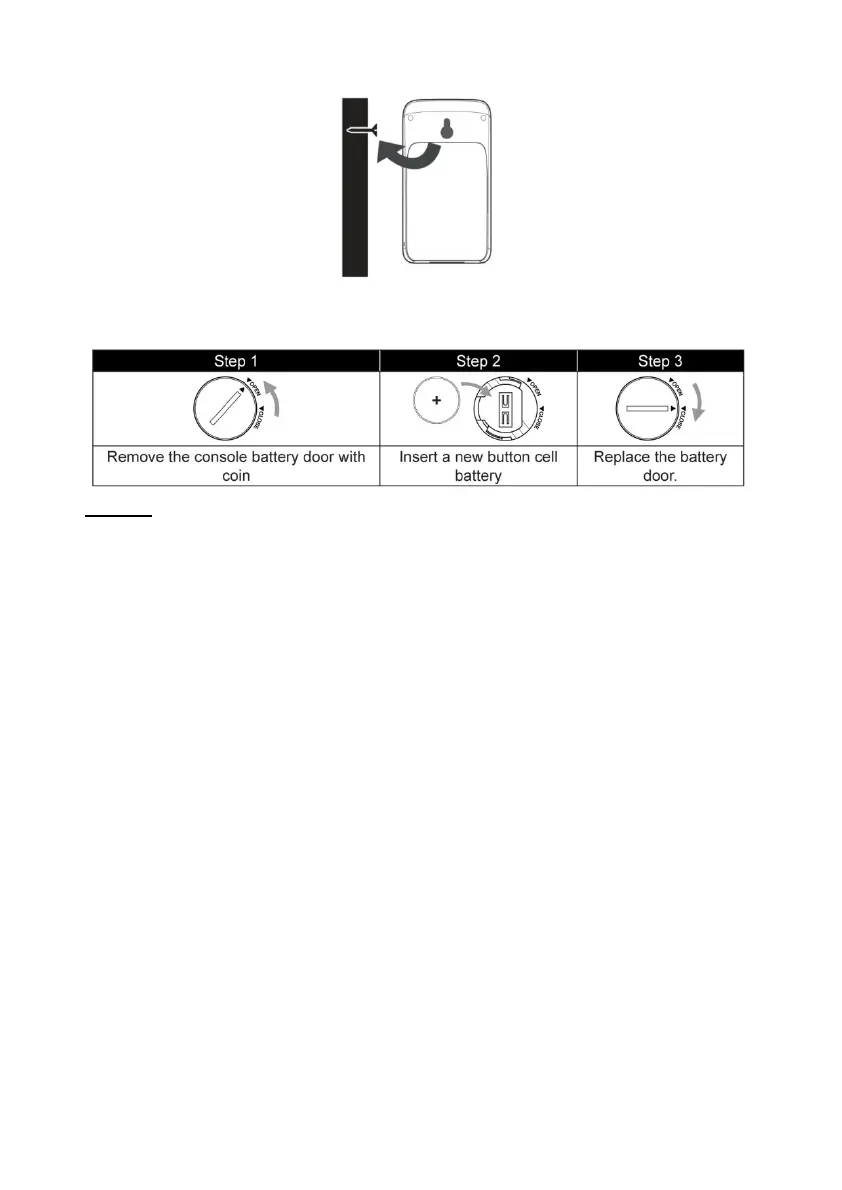
INSTALLING THE FUSE BATTERY
NOTE:
The emergency battery can be used as a backup: Time & date,
Max/Min & weather records of the last 24 hours, Alarm
Setting values, offset value of weather data and sensor(s) channel
progression.
The built-in memory can save: Router setting and weather server
setting
SWITCH ON THE CONSOLE
Plug the supplied adapter into the power socket on the back of the
console.
Once the console is switched on, all segments of the LCD screen
are displayed briefly.
The console will automatically switch to Sensor Sync mode and AP
mode (see Setting up WI-FI connection).
NOTE:
If no display appears on the LCD screen after the adapter is
inserted, press the [ RESET ] key using a pointed object.



 To Next Page