8
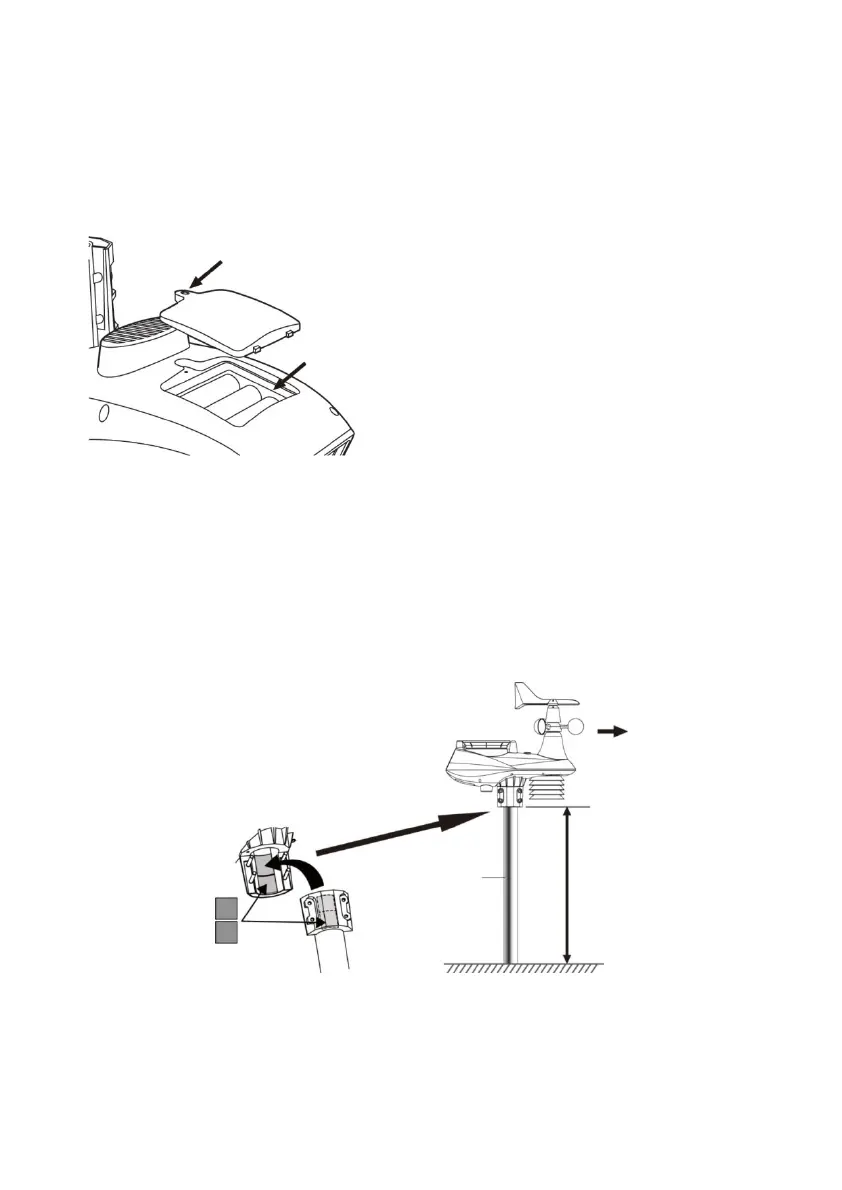
INSERTING BATTERIES
Unscrew the battery cover on the bottom of the unit and insert the
batteries according to the +/- polarity indicated. Screw the battery
cover on tightly.
NOTE:
The red LED will start flashing every 12 seconds.
ALIGNMENT OF MOUNTING POST AND DIRECTION
Install the 7-IN-1 wireless sensor in an open
Position without obstacles above and around the sensor for accurate
rain and wind measurements.
Install the sensor so that the smaller end is facing north to correctly
align the wind direction flag.
Attach the mounting stand and bracket (supplied) to correctly align
the wind vane.
INSTALL WIRELESS INDOOR SENSOR
Remove the battery compartment of the sensor.



 To Next Page