14
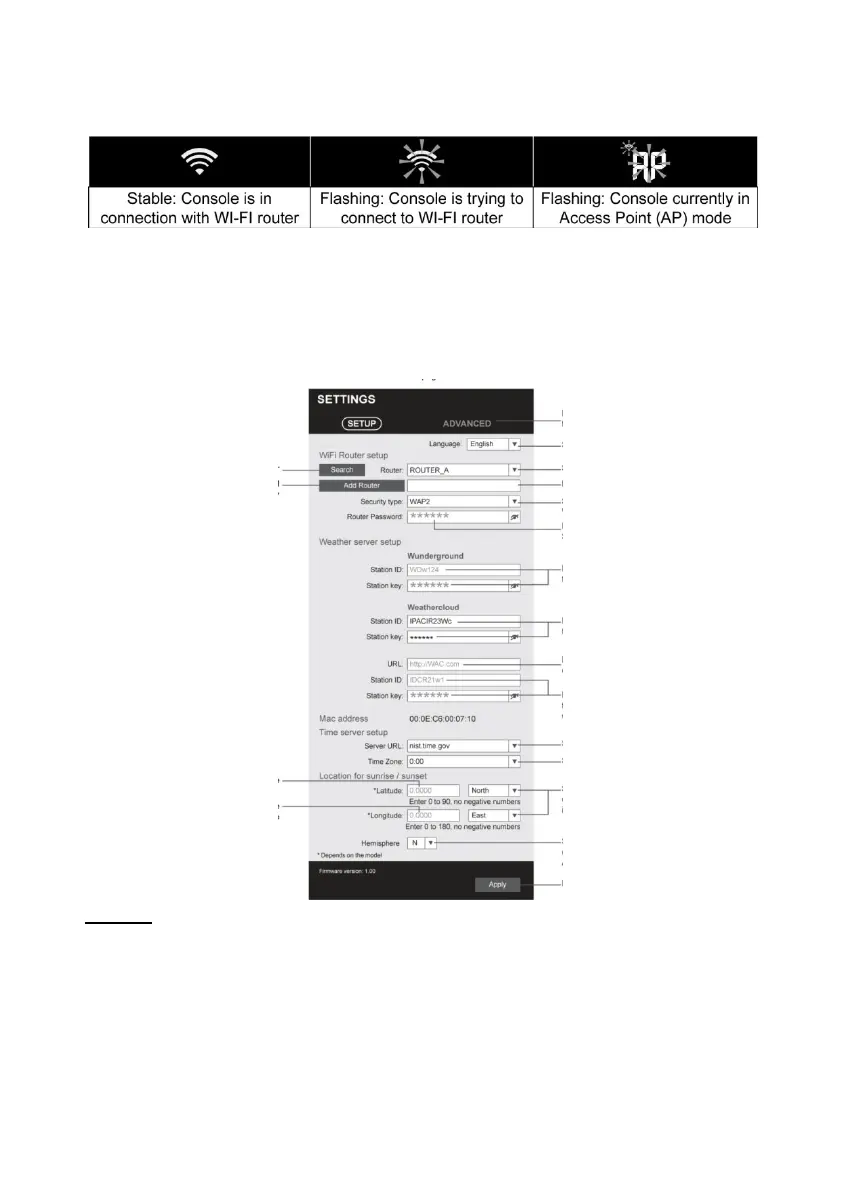
STATUS OF THE WI-FI CONNECTION
Below is the status of the WI-FI icon on the console LCD:
SETTING UP THE WEATHER SERVER CONNECTION
Enter the following information in the "SETUP" page of the Web
Interface below to connect the console to the weather server. If you
do not want to use Wunderground.com or Weathercloud.net, leave
the Station ID & Key fields blank to ignore the data upload.
NOTE:
- If you do not have a station ID and station key available for
uploading, you must first create an account with the respective
Weather Underground (WU) and
Create Weather Cloud (WC). Follow the registration to get the ID
and keys.



 To Next Page