16
CALIBRATION
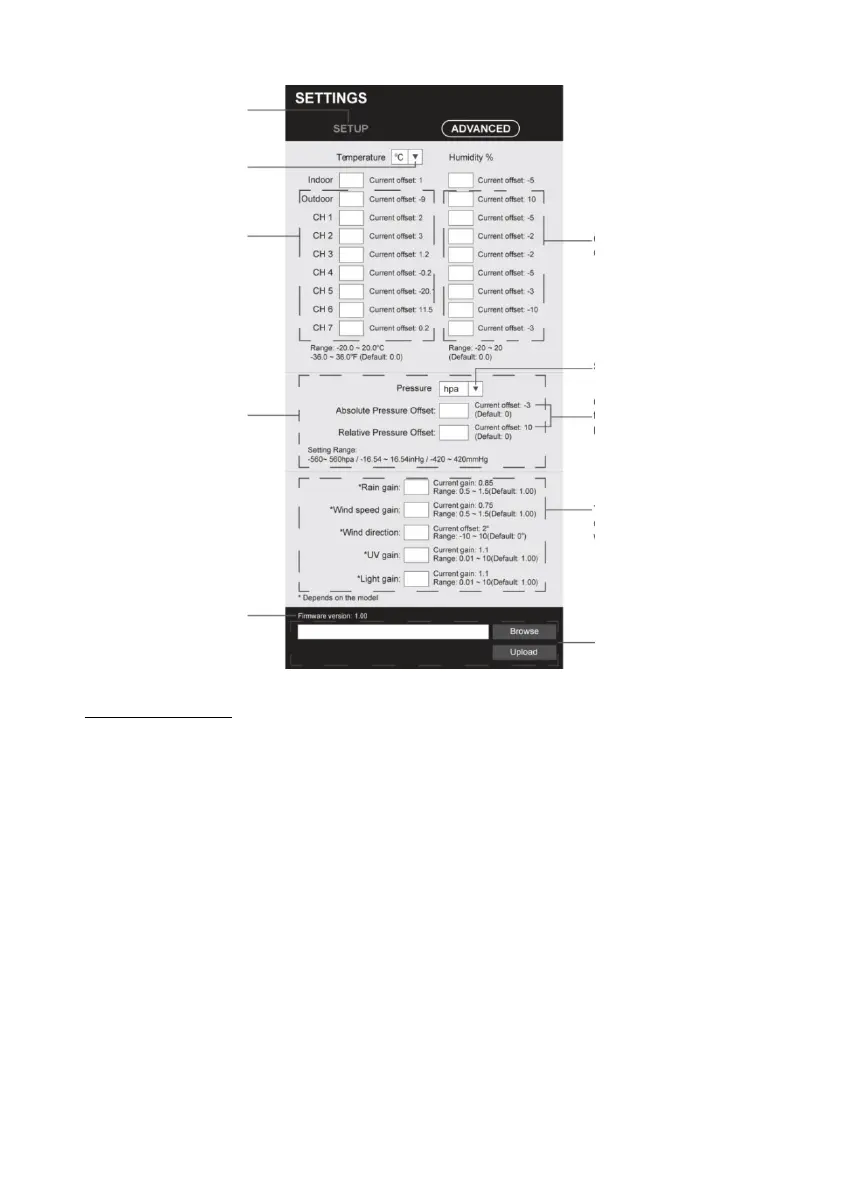
1. the user can enter the offset and/or gain values for various
parameters, while the current offset and
the gain values are displayed next to the corresponding blank value.
2 After completing the operation, press Apply at the bottom of the
SETUP page to apply the entered data.
The current offset value shows the previous value you entered,
please enter the new
value in space, if changes are required, the new value takes effect
as soon as you press "Apply".
NOTE:
- Calibration of most parameters is not necessary, except for relative
pressure, which
must be calibrated at sea level to take height effects into account.



 To Next Page