EasyManua.ls Logo

Fronius Primo 15.0-1 208-240 - User Manual

Fronius Primo 15.0-1 208-240
58 pages
Print Icon
To Next Page IconTo Next Page
Loading...
/ Perfect Charging / Perfect Welding / Solar Energy
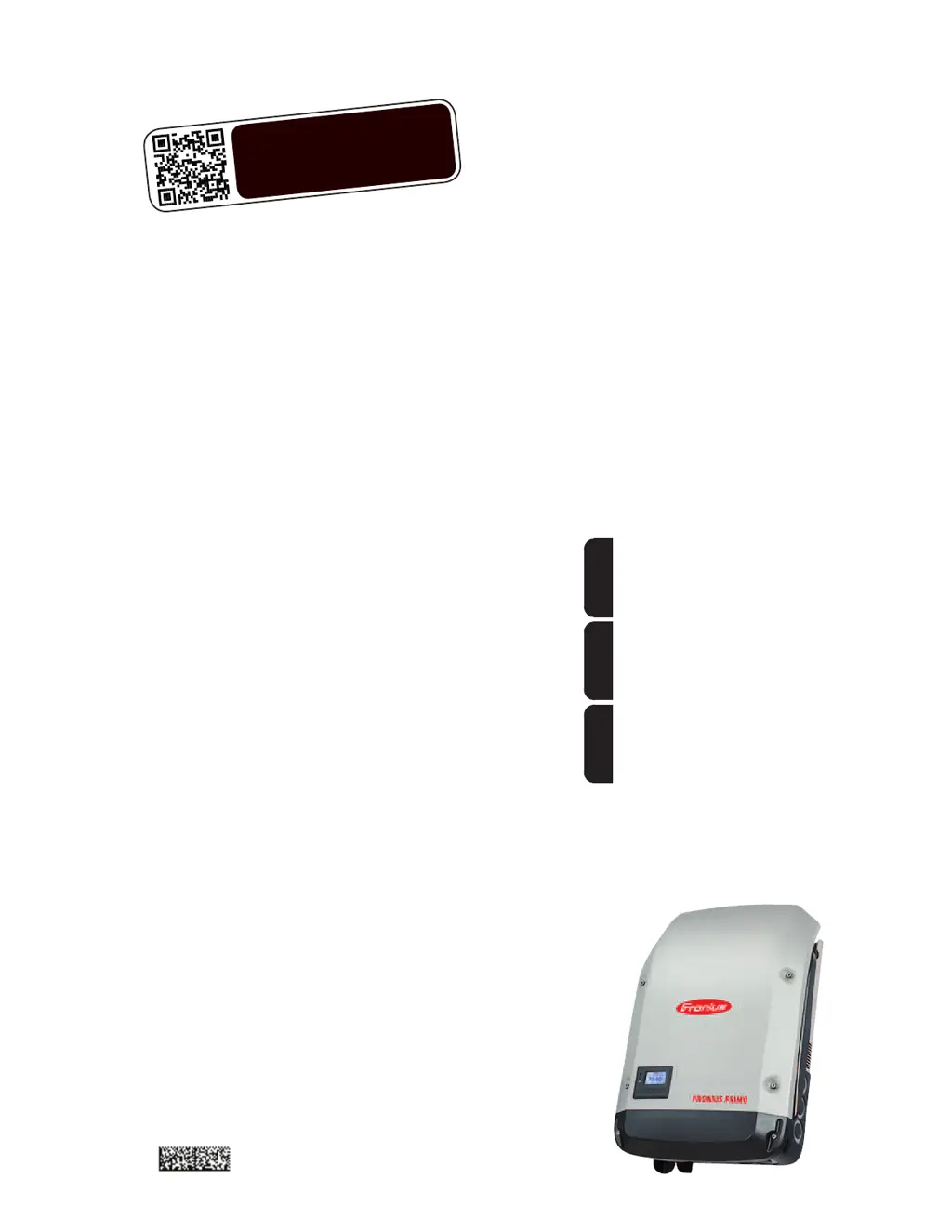
Fronius Primo 208-240
3.8-1 / 5.0-1 / 6.0-1
7.6-1 / 8.2-1
10.0-1 / 11.4-1
12.5-1 / 15.0-1
Operating Instructions
Inverter for grid-connected photo-
voltaic systems
Instructions de service
Onduleur pour installations photo-
voltaïques connectées au réseau
Manual de instrucciones
Inversores para instalaciones foto-
voltaicas acopladas a la red
EN-USFR
ES
www.youtube.com/FroniusSolar
LEARN MORE WITH
OUR HOW-TO VIDEOS
42,0410,2116 014-15122015

Table of Contents

Other manuals for Fronius Primo 15.0-1 208-240

Questions and Answers

  • W
    walkeramandaAug 6, 2025
    Why does my Fronius Inverter show Class 1 Status Codes (102, 103, 105, 106, 107, 108, 112)?
    • J
      jeffreyriveraAug 6, 2025
      Class 1 status codes on your Fronius Inverter typically indicate an issue with the grid. The inverter will automatically disconnect from the grid and monitor it for a set period. If the grid returns to normal within that period, the inverter will resume operation and begin feeding energy back into the grid.
  • G
    Greg DennisAug 11, 2025
    What to do if Fronius Inverter displays Class 2 Status Codes (212, 213, 222, 223)?
    • Q
      qwelchAug 12, 2025
      If your Fronius Inverter is showing Class 2 status codes, check the grid connections. If the status code continues to appear, it is recommended to contact your system installer for assistance.
  • T
    taylortorresAug 17, 2025
    What should I do if my Fronius Primo 15.0-1 208-240 Inverter is showing Class 3 Status Codes (301, 302, 303, 304, 306, 307, 308, 309)?
    • D
      Derek SotoAug 17, 2025
      If your Fronius Inverter displays Class 3 status codes, and the issue persists, it's recommended to contact a Fronius-trained service technician. If the status code keeps recurring, contact your system installer.
  • H
    Heather AvilaAug 21, 2025
    What to do if Fronius Primo 15.0-1 208-240 displays Class 5 Status Codes (502, 509, 515, 516)?
    • B
      Brianna FischerAug 21, 2025
      If your Fronius Inverter is showing Class 5 status codes and the issue persists, it's recommended to contact a Fronius-trained service technician. If this status code keeps recurring, you may also need to contact your system installer.
  • F
    ffosterAug 27, 2025
    How to troubleshoot Class 7 Status Codes (705, 721, 731, 732, 733, 734, 735, 736, 738, 743, 745, 751, 752, 757, 758, 766) on Fronius Primo 15.0-1 208-240?
    • M
      Mary GoodmanAug 27, 2025
      If your Fronius Inverter displays Class 7 status codes, and the issue persists, it's recommended to contact a Fronius-trained service technician.
  • G
    George LeachAug 31, 2025
    How to fix a total failure of the display on Fronius Primo 15.0-1 208-240 Inverter?
    • A
      Andrew ReeseAug 31, 2025
      To address a total display failure on your Fronius Inverter, check the AC voltage at the inverter's connections. The AC voltage should be between 208–240 V (+10% / -12%) according to the grid requirements.

Summary

Safety Rules and General Information

General Safety and Environmental Precautions

Covers general device safety, environmental conditions, and handling precautions.

Device Overview and Intended Use

Intended Use and Limitations

Specifies the proper application of the inverter and what constitutes misuse.

Regulatory Compliance and Monitoring

Insulation Monitoring and Arc Detection

Explains the functions of insulation monitoring and the arc detector/interrupter.

System Monitoring Setup

General System Monitoring Functions

Overview of Wi-Fi enabled system monitoring via Fronius Data Manager 2.0.

Initial Setup via Solar.web App

Steps to set up the Data Manager 2.0 for the first time using the mobile app.

Display Operation and Menu Navigation

Menu Level Access and Illumination

Describes how to activate display illumination and access menu levels.

The SETUP Menu

Presetting and Menu Navigation

Covers initial setup parameters and how to navigate the SETUP menu.

Specific SETUP Menu Items

Setting the Feed-In Tariff

Step-by-step guide on how to configure the feed-in tariff value.

Status Diagnosis and Troubleshooting

Displaying Status Codes

Explains how the inverter displays operation issues via status codes.

Class 1-4 Status Codes and Remedies

Details temporary (Class 1-4) status codes and their rectification procedures.

Technical Data

Input and Output Data Specifications

Comprehensive technical specifications for different Fronius Primo models.

Warranty, Disclaimer, and Disposal

Fronius Warranty and Registration

Information on warranty terms, conditions, and product registration.

Fronius Primo 15.0-1 208-240 Specifications

General IconGeneral
THD< 3 %
AC power frequency60 Hz
DC input voltage range200 - 800 V
CEC Weighted Efficiency97.5 %
Protection classIP65
Power Output15 kW
Max. apparent AC power15 kVA
AC nominal voltage208 V / 240 V
AC voltage range264 V
Max. output current62.5 A
Number of DC connections2
MPPT voltage range800 V
Operating Temperature Range-25°C to +60°C

Related product manuals