
 To Next Page
H
Hailey PinedaSep 23, 2025
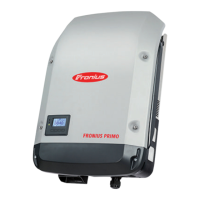
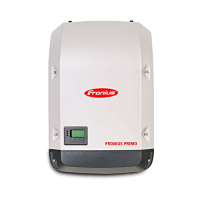
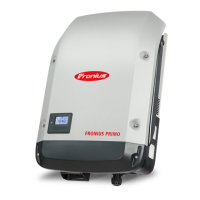
How to handle purge openings for cooling air on Fronius Primo 3.0-1?
- RRebecca ValenzuelaSep 23, 2025
Purge openings for cooling air and the heat sink if necessary.



How to handle purge openings for cooling air on Fronius Primo 3.0-1?
Purge openings for cooling air and the heat sink if necessary.
How to troubleshoot total display failure on Fronius Inverter?
If the display on your Fronius Inverter has failed completely, check the AC voltage on the inverter connections. It should be 230 V (+10% / -5%).
What to do if Fronius Inverter shows Overcurrent (AC) error?
The fault should rectify automatically. However, if the Fronius Inverter continuously displays this status code, you should notify a Fronius trained service engineer.
Why is my Fronius Inverter showing LOW PV OUTPUT?
A 'LOW PV OUTPUT' status code on your Fronius Inverter can be due to the low level of insolation. However, if this code appears when there is sufficient insolation, contact your system engineer.
What causes LOW PV VOLTAGE on Fronius Primo 3.0-1?
The 'LOW PV VOLTAGE' status code on your Fronius Inverter may appear due to the low level of insolation. If this status code occurs when there is sufficient insolation, contact your system engineer.
What happens when DC input voltage MPPT 2 is too high on Fronius Inverter?
When the DC input voltage MPPT 2 is too high, the Fronius Inverter resumes with its start-up routine.
What happens when DC input voltage is too low for feeding energy into the grid on Fronius Primo 3.0-1?
When the DC input voltage is too low for feeding energy into the grid, the Fronius Inverter resumes with its start-up routine.
What happens when DC input voltage MPPT 1 is too high on Fronius Inverter?
When the DC input voltage MPPT 1 is too high, the Fronius Inverter resumes with its start-up routine.
What happens when AC frequency is too high on Fronius Primo 3.0-1?
If the AC frequency is too high, the Fronius Inverter will resume feeding energy into the grid.
What happens when AC voltage is too high on Fronius Inverter?
If the AC voltage is too high, the Fronius Inverter will resume feeding energy into the grid.
General operating instructions for the Fronius Primo inverter in English.
Essential safety rules and general precautions for inverter use.
Explanation of device concept, safety notices, and warning symbols.
Proper usage, warning labels on device, and specific notes for dummy devices.
Features and functions of the integrated WLAN system monitoring.
Identification of physical controls, status indicators, and function key operations.
Procedure for activating and deactivating the inverter's key lock feature.
Using USB for data logging, requirements, software updates, and safe removal.
Explains how status codes are displayed and interpreted, including class 1 and 3 codes.
 General
| Purpose | Solar panel |
|---|---|
| Efficiency | 98 % |
| Output power | 3000 W |
| Input current | 12 A |
| Input voltage | 80 - 1000 V |
| Output voltage | - V |
| Input frequency | 50 - 60 Hz |
| Power supply type | Auto |
| Adjustable output voltage | - |
| International Protection (IP) code | IP65 |
| Product color | Black, Grey |
| Built-in display | Yes |
| Operating temperature (T-T) | -40 - 55 °C |
 Weight and Dimensions
| Depth | 204 mm |
|---|---|
| Width | 431 mm |
| Height | 645 mm |
| Weight | 21500 g |