EasyManua.ls Logo

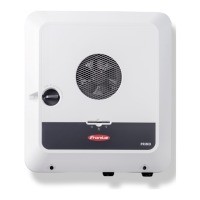
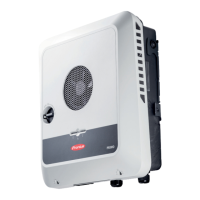
Fronius Primo Series - User Manual

Fronius Primo Series
58 pages
Print Icon
To Next Page IconTo Next Page
Loading...
/ Perfect Charging / Perfect Welding / Solar Energy
Fronius Primo 208-240
3.8-1 / 5.0-1 / 6.0-1
7.6-1 / 8.2-1
10.0-1 / 11.4-1
12.5-1 / 15.0-1
Operating Instructions
Inverter for grid-connected photo-
voltaic systems
Instructions de service
Onduleur pour installations photo-
voltaïques connectées au réseau
Manual de instrucciones
Inversores para instalaciones foto-
voltaicas acopladas a la red
EN-USFR
ES
www.youtube.com/FroniusSolar
LEARN MORE WITH
OUR HOW-TO VIDEOS
42,0410,2116 014-15122015

Table of Contents

Questions and Answers

  • J
    Juan StewartJul 28, 2025
    Why does my Fronius Inverter show Class 1 Status Codes (102, 103, 105, 106, 107, 108, 112)?
    • N
      Nicholas McfarlandJul 28, 2025
      Class 1 status codes on your Fronius Inverter typically indicate an issue with the grid. The inverter will automatically disconnect from the grid and monitor it for a set period. If the grid returns to normal within that period, the inverter will resume operation and begin feeding energy back into the grid.
  • C
    Cody MartinezAug 1, 2025
    What to do if Fronius Primo Inverter displays Class 2 Status Codes (212, 213, 222, 223)?
    • R
      Robert McphersonAug 1, 2025
      If your Fronius Inverter is showing Class 2 status codes, check the grid connections. If the status code continues to appear, it is recommended to contact your system installer for assistance.
  • W
    Walter HicksAug 6, 2025
    What should I do if my Fronius Primo is showing Class 3 Status Codes (301, 302, 303, 304, 306, 307, 308, 309)?
    • A
      Ashley HudsonAug 6, 2025
      If your Fronius Inverter displays Class 3 status codes, and the issue persists, it's recommended to contact a Fronius-trained service technician. If the status code keeps recurring, contact your system installer.
  • J
    Jody VegaAug 12, 2025
    What to do if Fronius Primo Inverter displays Class 5 Status Codes (502, 509, 515, 516)?
    • S
      Stephen PittsAug 12, 2025
      If your Fronius Inverter is showing Class 5 status codes and the issue persists, it's recommended to contact a Fronius-trained service technician. If this status code keeps recurring, you may also need to contact your system installer.
  • J
    Jennifer TorresAug 16, 2025
    How to troubleshoot Class 7 Status Codes (705, 721, 731, 732, 733, 734, 735, 736, 738, 743, 745, 751, 752, 757, 758, 766) on Fronius Primo?
    • T
      Tony ThomasAug 16, 2025
      If your Fronius Inverter displays Class 7 status codes, and the issue persists, it's recommended to contact a Fronius-trained service technician.
  • J
    Jason JarvisAug 22, 2025
    How to fix a total failure of the display on Fronius Inverter?
    • R
      Richard AlvarezAug 22, 2025
      To address a total display failure on your Fronius Inverter, check the AC voltage at the inverter's connections. The AC voltage should be between 208–240 V (+10% / -12%) according to the grid requirements.

Summary

Introduction and Safety

Explanation of Safety Instructions

Defines safety symbols like DANGER, WARNING, CAUTION, NOTE, and IMPORTANT.

Safety Rules

General Safety Principles

Covers general safety, environmental conditions, qualified personnel, and notices.

Technical Safety Aspects

Addresses noise emissions, EMC measures, safety symbols, and disposal.

General Device Information

Device Concept and Intended Use

Explains the inverter's components, operation, and intended application.

System Connectivity and Monitoring

RGM Meter and Data Communication

Details the RGM meter, Solar Net, and data interface for system connectivity.

System Monitoring Setup

Guides on setting up system monitoring with Fronius Data Manager 2.0.

User Interface and Menu Navigation

Keys, Symbols, and Display

Describes the inverter's keys, symbols, display elements, and navigation.

Menu Structure Overview

Explains menu levels, NOW/LOG/GRAPH items, and accessing menus.

Setup Menu Configuration

Covers preset parameters, navigation, general settings, and specific menu item configurations.

INFO Menu and Device Settings

Measured Values and Status Codes

Displays measured values, LT status, grid status, and device information.

Key Lock and Basic Menu

Covers switching the key lock and configuring basic settings through the Basic menu.

Status Diagnosis and Troubleshooting

Displaying Status Codes

Explains the self-diagnostic system and how status codes are displayed.

Status Code Classes

Details status code categories, causes, and remedies for fault diagnosis.

Maintenance and Environment

Operation in Dusty Environments

Provides cleaning instructions for the inverter in dusty conditions.

Technical Data and Compliance

Technical Specifications

Provides detailed electrical and physical specifications of the inverter.

Relevant Standards and Directives

Lists the standards and directives the inverter complies with.

Warranty and Disposal

Manufacturers Warranty and Disclaimer

Information on warranty, registration, and liability disclaimers.

Disposal Instructions

Guidance on proper recycling of the inverter.

Fronius Primo Series Specifications

General IconGeneral
EfficiencyUp to 98.1%
Protection RatingIP65
Operating Temperature Range-25°C to +60°C
Frequency50 / 60 Hz
DC input voltage range80 - 600 V
ModelPrimo Series
TypeTransformerless
Power Classes3.0 kW to 8.2 kW
Communication InterfacesWLAN, Ethernet, RS485
Weight21.5 kg
Max. apparent AC power8, 200 VA
AC voltage range150 - 280 V
MPP voltage range240 - 480 V
Warranty5 years
Dimensions645 x 431 x 204 mm

Related product manuals