EasyManua.ls Logo

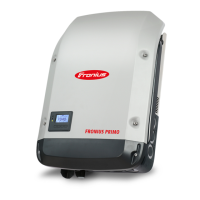
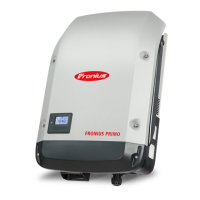
Fronius Primo 12.5-1 208-240 - User Manual

Fronius Primo 12.5-1 208-240
58 pages
Print Icon
To Next Page IconTo Next Page
Loading...
/ Perfect Charging / Perfect Welding / Solar Energy
Fronius Primo 208-240
3.8-1 / 5.0-1 / 6.0-1
7.6-1 / 8.2-1
10.0-1 / 11.4-1
12.5-1 / 15.0-1
Operating Instructions
Inverter for grid-connected photo-
voltaic systems
Instructions de service
Onduleur pour installations photo-
voltaïques connectées au réseau
Manual de instrucciones
Inversores para instalaciones foto-
voltaicas acopladas a la red
EN-USFR
ES
www.youtube.com/FroniusSolar
LEARN MORE WITH
OUR HOW-TO VIDEOS
42,0410,2116 014-15122015

Table of Contents

Other manuals for Fronius Primo 12.5-1 208-240

Questions and Answers

  • B
    Brittany BentleyAug 7, 2025
    Why does my Fronius Inverter show Class 1 Status Codes (102, 103, 105, 106, 107, 108, 112)?
    • J
      Jose SmithAug 7, 2025
      Class 1 status codes on your Fronius Inverter typically indicate an issue with the grid. The inverter will automatically disconnect from the grid and monitor it for a set period. If the grid returns to normal within that period, the inverter will resume operation and begin feeding energy back into the grid.
  • F
    fieldsrobertAug 12, 2025
    What to do if Fronius Primo 12.5-1 208-240 Inverter displays Class 2 Status Codes (212, 213, 222, 223)?
    • J
      Joseph RosalesAug 12, 2025
      If your Fronius Inverter is showing Class 2 status codes, check the grid connections. If the status code continues to appear, it is recommended to contact your system installer for assistance.
  • Y
    youngbenjaminAug 17, 2025
    What should I do if my Fronius Primo 12.5-1 208-240 is showing Class 3 Status Codes (301, 302, 303, 304, 306, 307, 308, 309)?
    • J
      James EatonAug 17, 2025
      If your Fronius Inverter displays Class 3 status codes, and the issue persists, it's recommended to contact a Fronius-trained service technician. If the status code keeps recurring, contact your system installer.
  • J
    Jenna ByrdAug 22, 2025
    What to do if Fronius Inverter displays Class 5 Status Codes (502, 509, 515, 516)?
    • M
      melissa68Aug 22, 2025
      If your Fronius Inverter is showing Class 5 status codes and the issue persists, it's recommended to contact a Fronius-trained service technician. If this status code keeps recurring, you may also need to contact your system installer.
  • C
    Christopher AndrewsAug 27, 2025
    How to troubleshoot Class 7 Status Codes (705, 721, 731, 732, 733, 734, 735, 736, 738, 743, 745, 751, 752, 757, 758, 766) on Fronius Primo 12.5-1 208-240 Inverter?
    • M
      Morgan FisherAug 27, 2025
      If your Fronius Inverter displays Class 7 status codes, and the issue persists, it's recommended to contact a Fronius-trained service technician.
  • J
    james80Aug 31, 2025
    How to fix a total failure of the display on Fronius Primo 12.5-1 208-240 Inverter?
    • M
      Mark RobertsAug 31, 2025
      To address a total display failure on your Fronius Inverter, check the AC voltage at the inverter's connections. The AC voltage should be between 208–240 V (+10% / -12%) according to the grid requirements.

Summary

Operating Instructions

Explanation of Safety Instructions

Defines safety symbols (DANGER, WARNING, CAUTION, NOTE, IMPORTANT) used in the manual.

Safety Rules

General Safety Precautions

General safety precautions for device operation, maintenance, and handling.

Qualified Service Engineers

Requirements and responsibilities for personnel performing servicing.

Arc Detector; Interrupter

Description of the integrated arc detection and interruption functionality.

String Fuses

Criteria for Proper Fuse Selection

Guidelines for choosing the correct string fuses for solar modules.

System Monitoring

Initial Setup with Solar.web App

Steps to set up the Fronius Data Manager 2.0 using the Solar.web App.

Keys and Symbols

Device Keys and Status LEDs

Identification and function of the device's keys and status LEDs.

Display Modes and Navigation

Explanation of the inverter's display modes and how to read information.

Menu Level Navigation

Accessing and Navigating Menus

Step-by-step guide to navigate and access the inverter's menu levels.

The SETUP Menu

Presetting and Navigation

Initial configuration and how to navigate within the SETUP menu.

General Setup Settings

Detailed steps for setting values within various SETUP menu items.

Example: Setting Feed-In Tariff

Step-by-step guide to setting the feed-in tariff parameter.

Setup Menu Items

USB Stick Operations

Settings for USB stick usage, including removing hardware and software updates.

Fan and Arc Detection

Functionality for testing the fan and performing arc detection self-tests.

Switching Key Lock

Key Lock Functionality

How to activate and deactivate the key lock function to protect setup data.

USB Stick Operations

Using USB Stick as Data Logger

Using a USB stick to log data from the inverter.

USB Stick Compatibility and Updates

USB stick compatibility, supported file systems, and software update procedures.

The Basic Menu

Accessing the Basic Menu

Step-by-step guide to access and navigate the Basic menu.

Status Diagnosis and Troubleshooting

Displaying Status Codes

How the inverter displays status codes for malfunctions and errors.

Technical Data

Warranty and Disposal

Fronius Primo 12.5-1 208-240 Specifications

General IconGeneral
THD< 3 %
DC input voltage range200 - 800 V
Number of MPP Trackers2
Protection ClassIP 65
Frequency60 Hz
Rated Output Power12500 W
AC nominal power12500 W
Maximum DC Input Current25 A
Operating Temperature Range-25°C to +60°C

Related product manuals