INSTALLATION (continued)
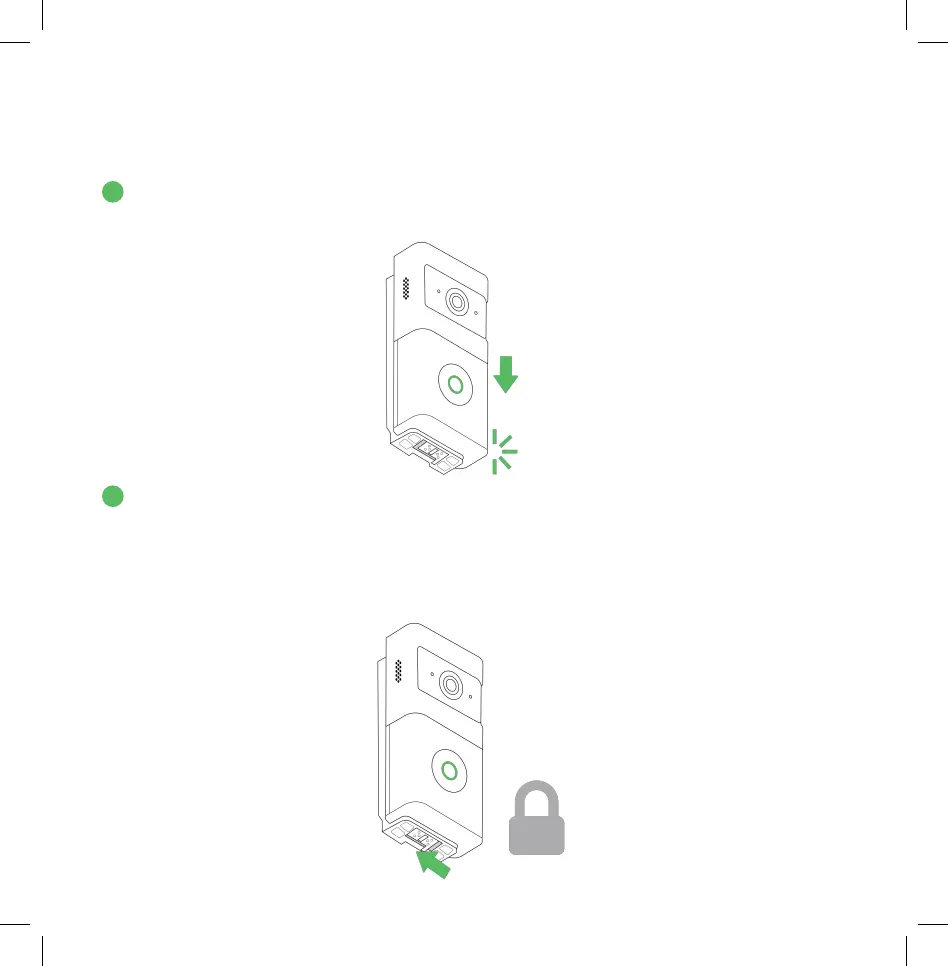
2. Push the Wireless Doorbell into the slots and slide down, until the camera clicks
into place.
3. Slide the latch to the left on the bottom of the bracket to lock and secure the
Wireless Doorbell in place.
To remove the Wireless Doorbell from the bracket, first slide the latch on the bottom of the
bracket to the right to unlock it. Then, push the tab located behind the latch away from the
camera’s body while simultaneously pulling up and away on the camera to detach it.
2
14
3


 To Next Page