PART I: SETUP
APP SETUP
To complete the app setup, your Smart Chime must first be installed. If you have not yet
installed the Smart Chime, please refer to the manual inside the Smart Chime box and follow
the steps provided.
Only after the Smart Chime has been installed and added to your
account, follow the steps below:
1. Activate the Wireless Doorbell Camera’s battery:
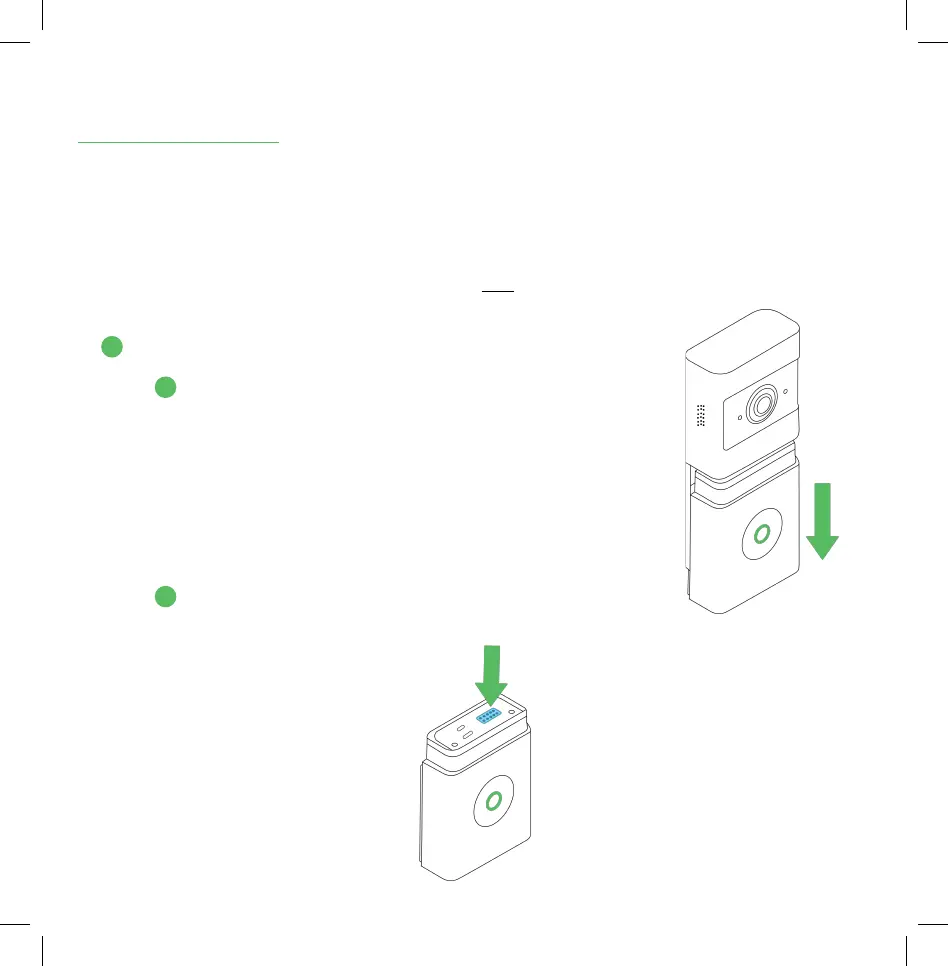
A. Detach the battery from the Wireless Doorbell Camera
by sliding it downwards, away from the rest of the
camera body. (See the illustration to the right.)
B. Peel o the blue film (shown below) from the
top of the battery.
1
A
B
4


 To Next Page