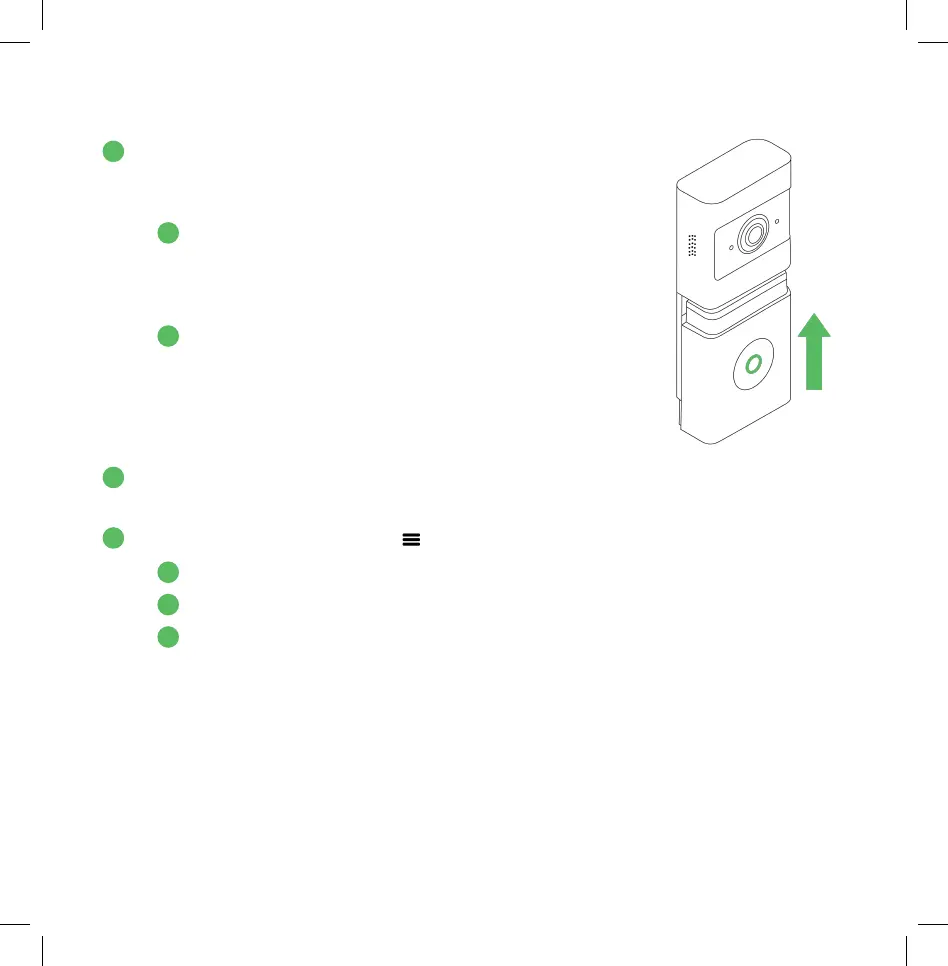
2. Reattach the battery onto the camera’s body -
first position the battery as shown to the right
and then slide upwards.
A. The Wireless Doorbell Camera will boot up, and
the LED will start flashing red.*
*If the LED doesn’t start flashing, refer to page 19 to
charge the battery.
B. When the doorbell’s LED stops flashing red, the
boot-up process is complete.
3. Grab your phone and log into the Frontpoint app on your mobile phone,
selecting “Keep me Logged In” until setup is complete.
4. Tap on the navigation menu ( ) in the corner of the Frontpoint app.
E. Select “Add Device”
F. Select “Doorbell Camera”
A. Select “ADC-VDB780B”
A
B
2
3
A
B
C
4
5


 To Next Page