5.3.
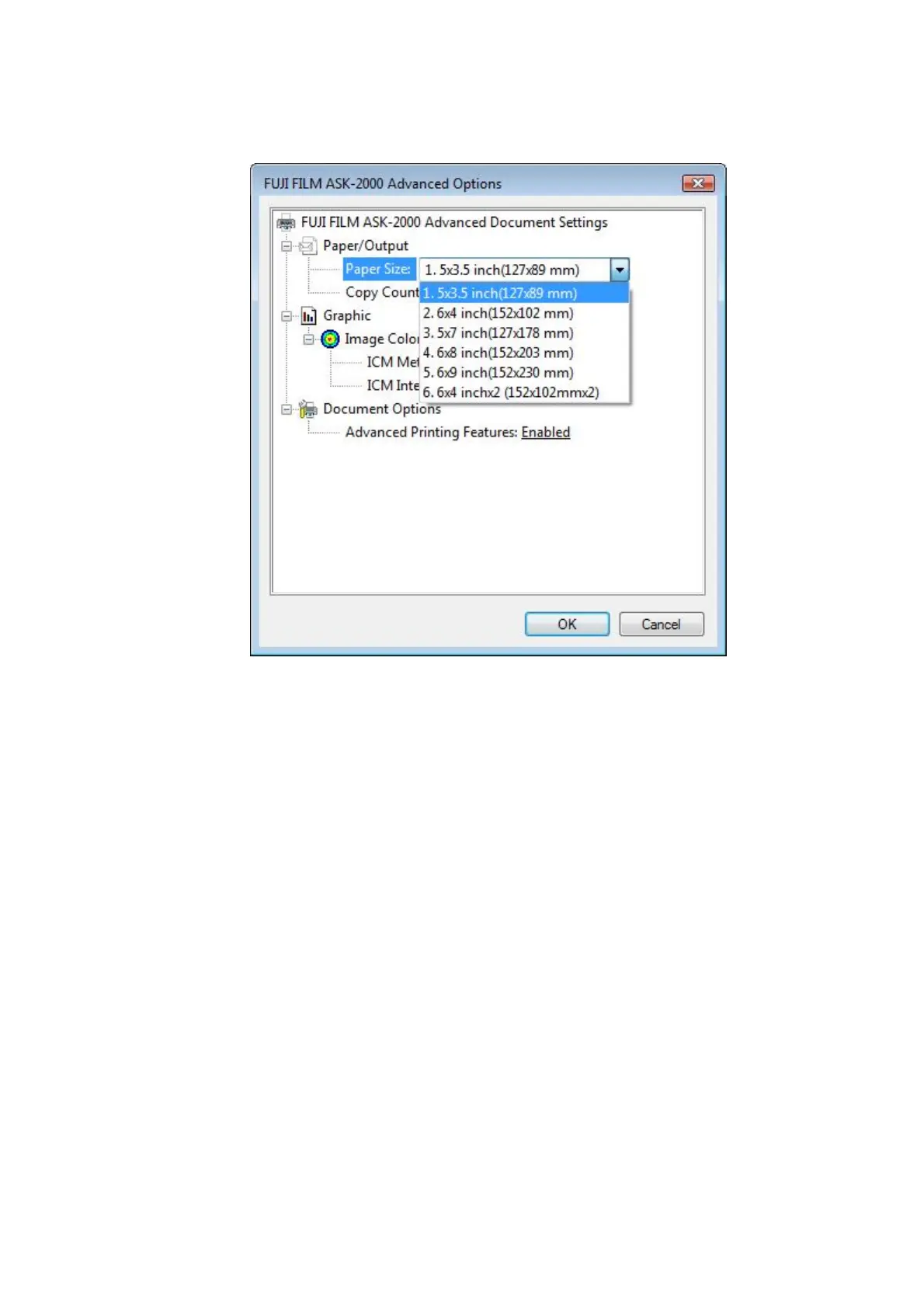
Paper Size
[Start] - [Printers and Faxes] – [Printer Properties] – [Printing Preferences] – [Advanced]
[Fig.29]
[Paper Size]
Media size is selected. It is necessary that the setting of the media here matches the type
of media (ink ribbon and paper) actually set in the printer.
"1. 5x3.5 inch (127x89 mm)" *Default
"2. 6x4 inch (152x102 mm)"
"3. 5x7 inch (127x178 mm)"
"4. 6x8 inch (152x203 mm)"
"5. 6x9 inch (152x230 mm)"
"6. 6x4 inch x 2 (152x102mmx2)"
12/28


 To Next Page