5.4.
Color correction
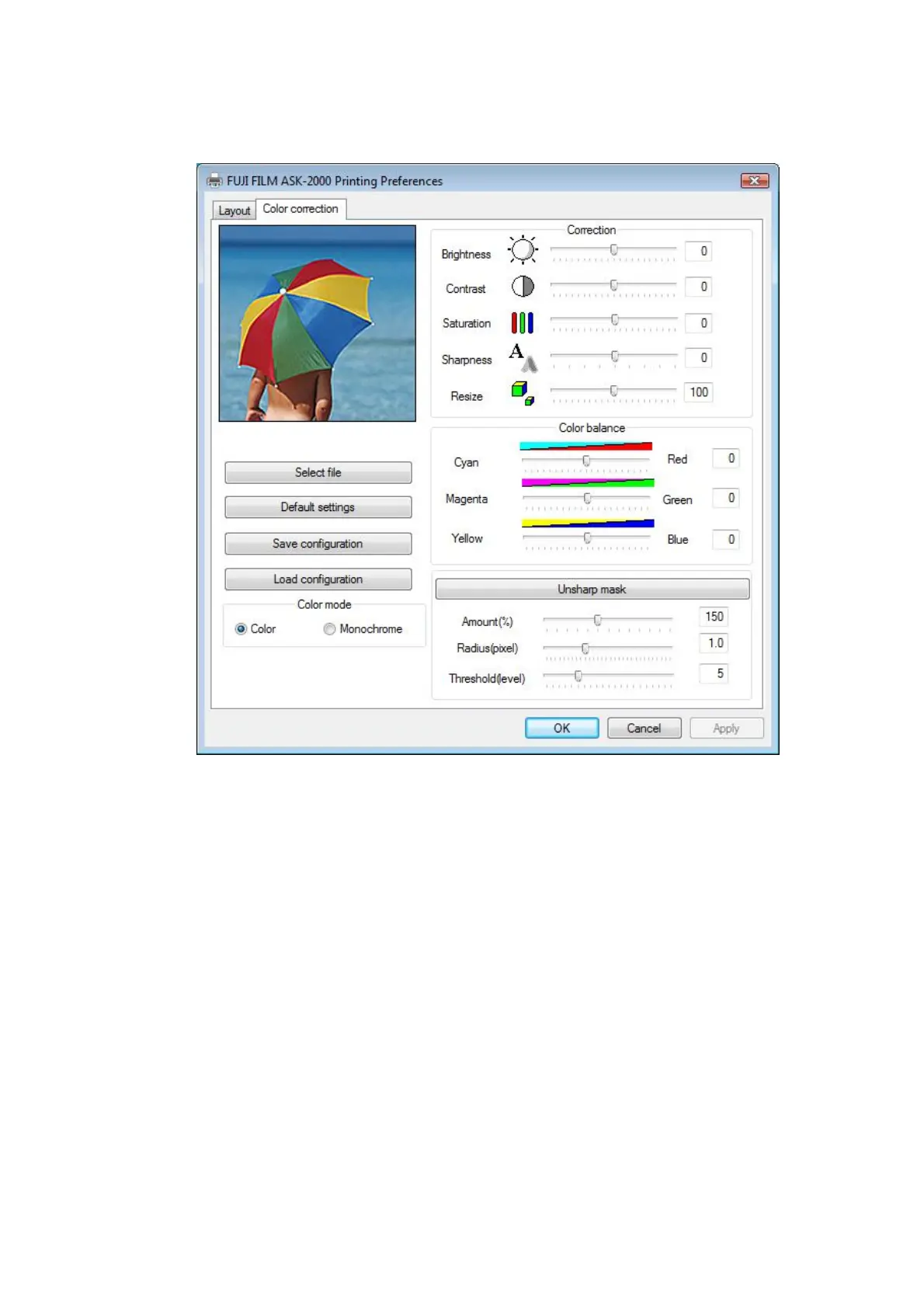
[Start] - [Printers and Faxes] – [Printer Properties] – [Printing Preferences] – [Color correction]
[Fig.30]
[Select file]
This will let you choose an image that you like to preview. At Default, the image shown above
is displayed. By clicking this button and by choosing an image, the center portion (256x256) of
the selected image will be displayed for a preview.
[Default setting]
Data may be reset to the original values. Displayed image will return to the standard image.
[Save configuration]
You may save color correction data you set. Once the data is saved, it may be called out by
[Load configuration].
[Load configuration]
Color correction data saved by [Save configuration] may be called out to apply it again.
[Color mode]
Either Black and White Print (Monochrome) or Full Color Print (Color) can be selected.
13/28


 To Next Page