4. How to use ICC Profile
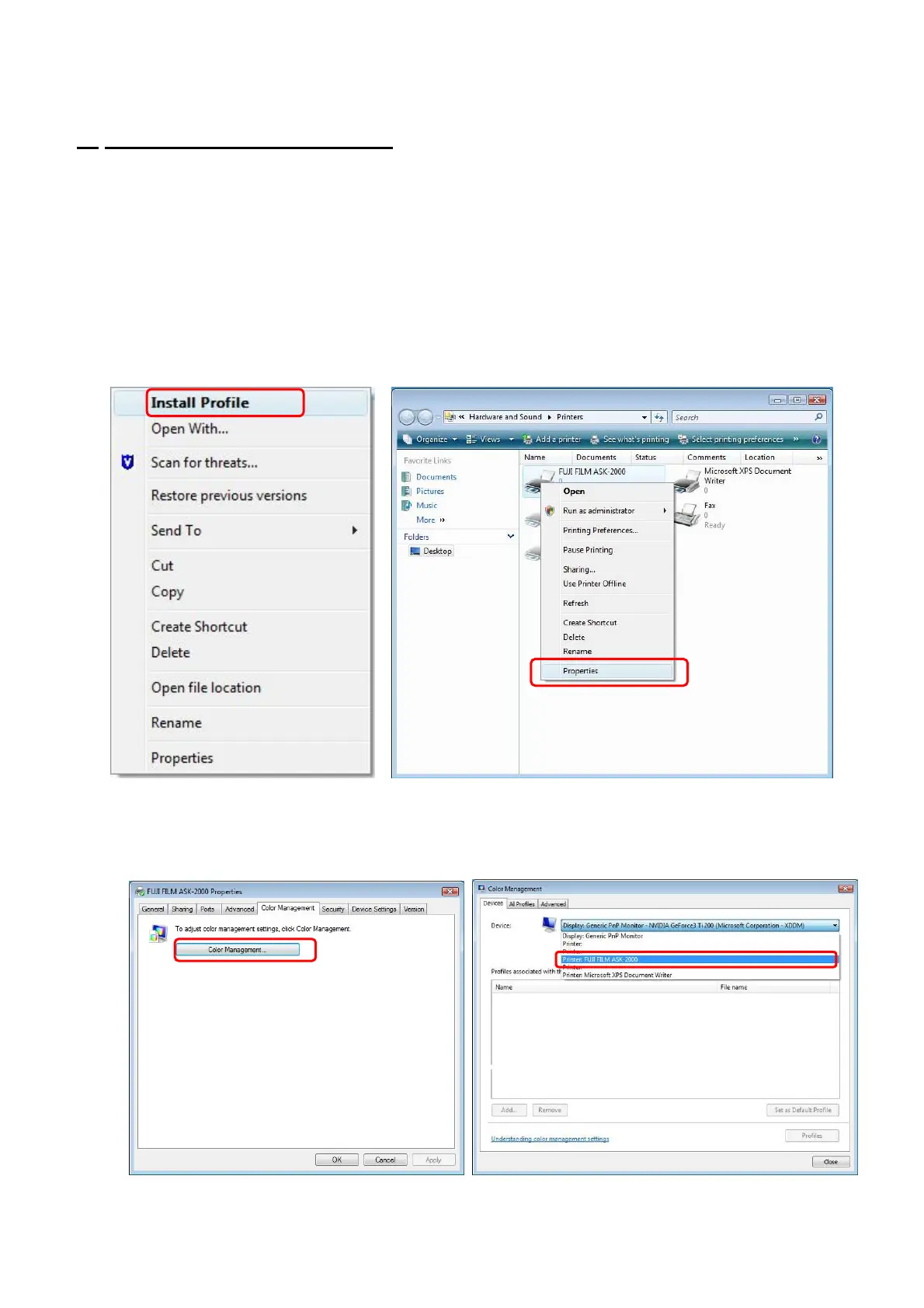
(1) Install ICC Profile. (Fig.21)
・ Using Explore, select ICC Profile and right click.
・ Select [Install Profile] to install ICC Profile.
(2) From [Start] menu, select [Printer and Faxes] and click Open.
(3) Select Printer that you wish to apply ICC Profile. By right click, open menu and select
[Properties] .(Fig.22)
[Fig.21] [Fig.22]
8/28
(4) Choose [Color Management] tag, and click [Color Management] button. (Fig.23)
(5) Select [FUJIFILM ASK-2000] from the pull-down menu of [Device]. (Fig.24)
[Fig.23] [Fig.24]


 To Next Page