(6)
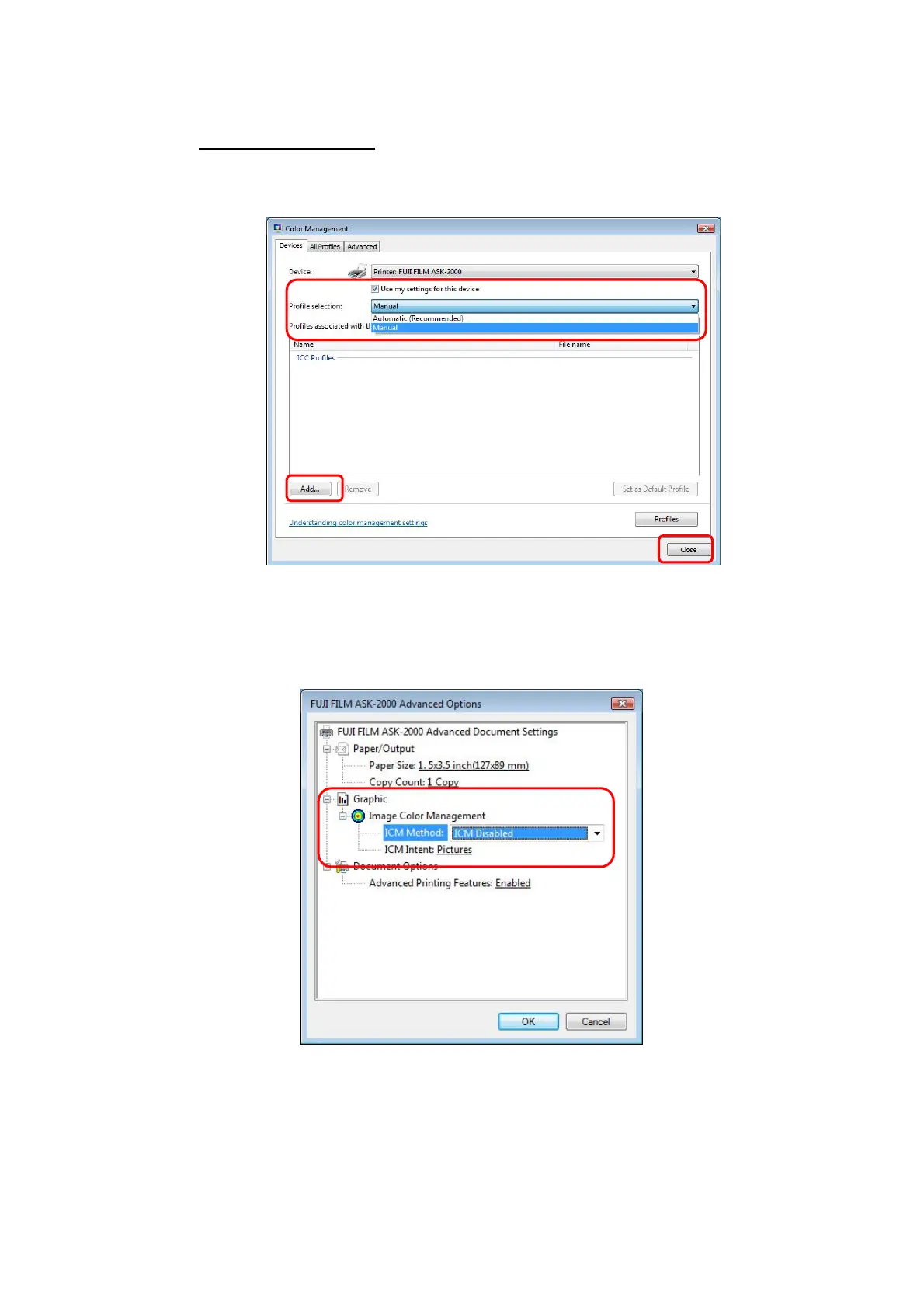
Check [Use my settings for this device] box.
(7) Select [Manual] (Important!!)
from the pull-down menu of [Profile selection].(Fig.25)
(8) Click [Add] and select ICC Profile that has been installed.
(9) Click [Close] to finish.
[Fig.25]
You will find [ICM Method] and [ICM Intent] at [Graphic] in [Advanced] of Printer Driver. Please
note that they do not function in this Driver.
[Fig.26]
<ICM>:
Abbreviation of Image Color Management. It is a general term that manages color in Windows.
9/28


 To Next Page