6. How to update Printer Driver
If the Driver is already installed and the Driver needs to be updated, please take the following steps.
Please note that following procedure will not let you go back to the older version Driver.
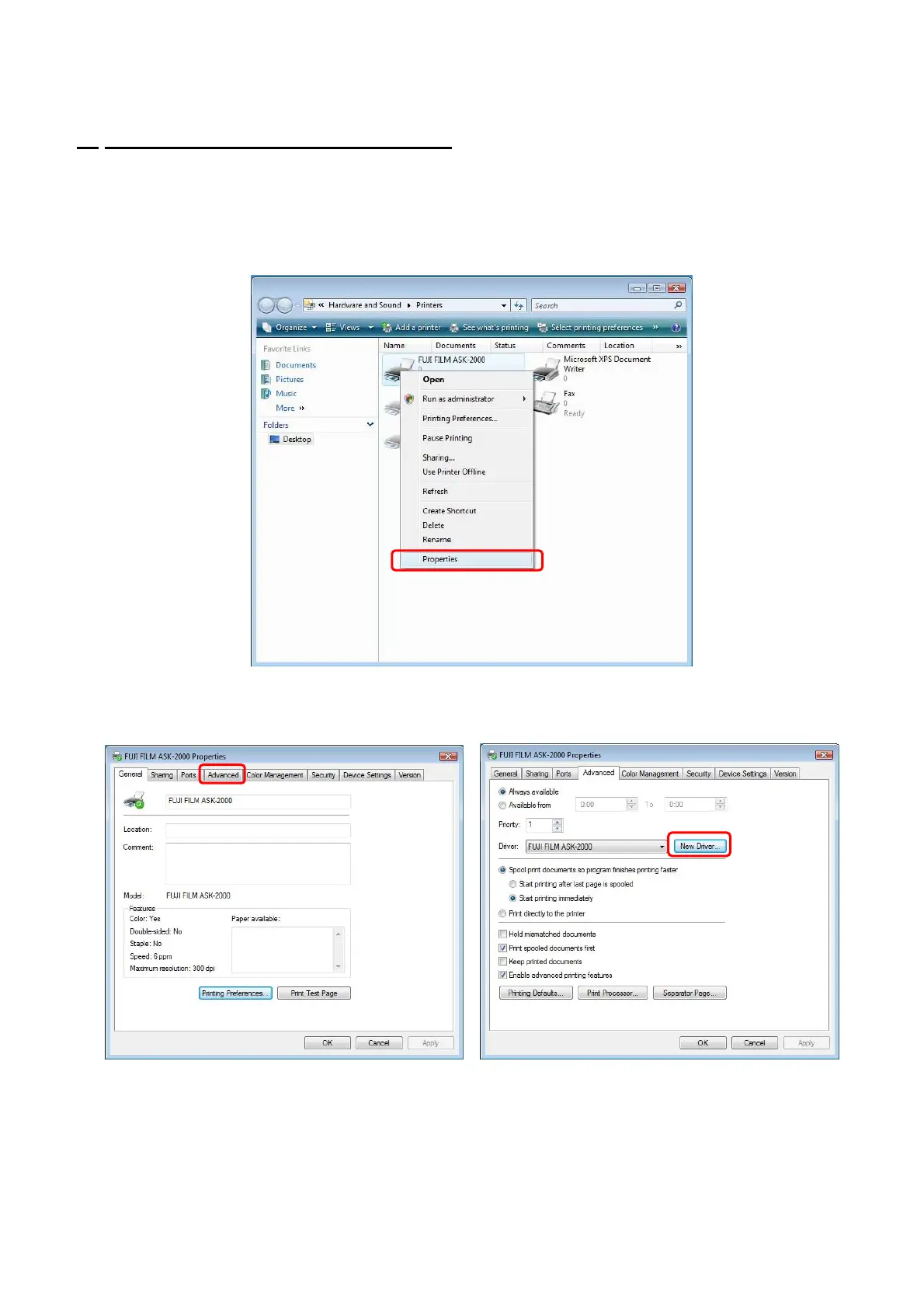
(1) At [Start] menu, select [Printer and Faxes] to open. Select ASK-2000 Printer. With right click,
open menu and select [Run as administrator]-[Properties]. (Fig.31)
[Fig.31]
15/28
(2) Select [Advanced] and click [New Driver]. (Fig.32/33)
[Fig.32] [Fig. 33]


 To Next Page