(3)
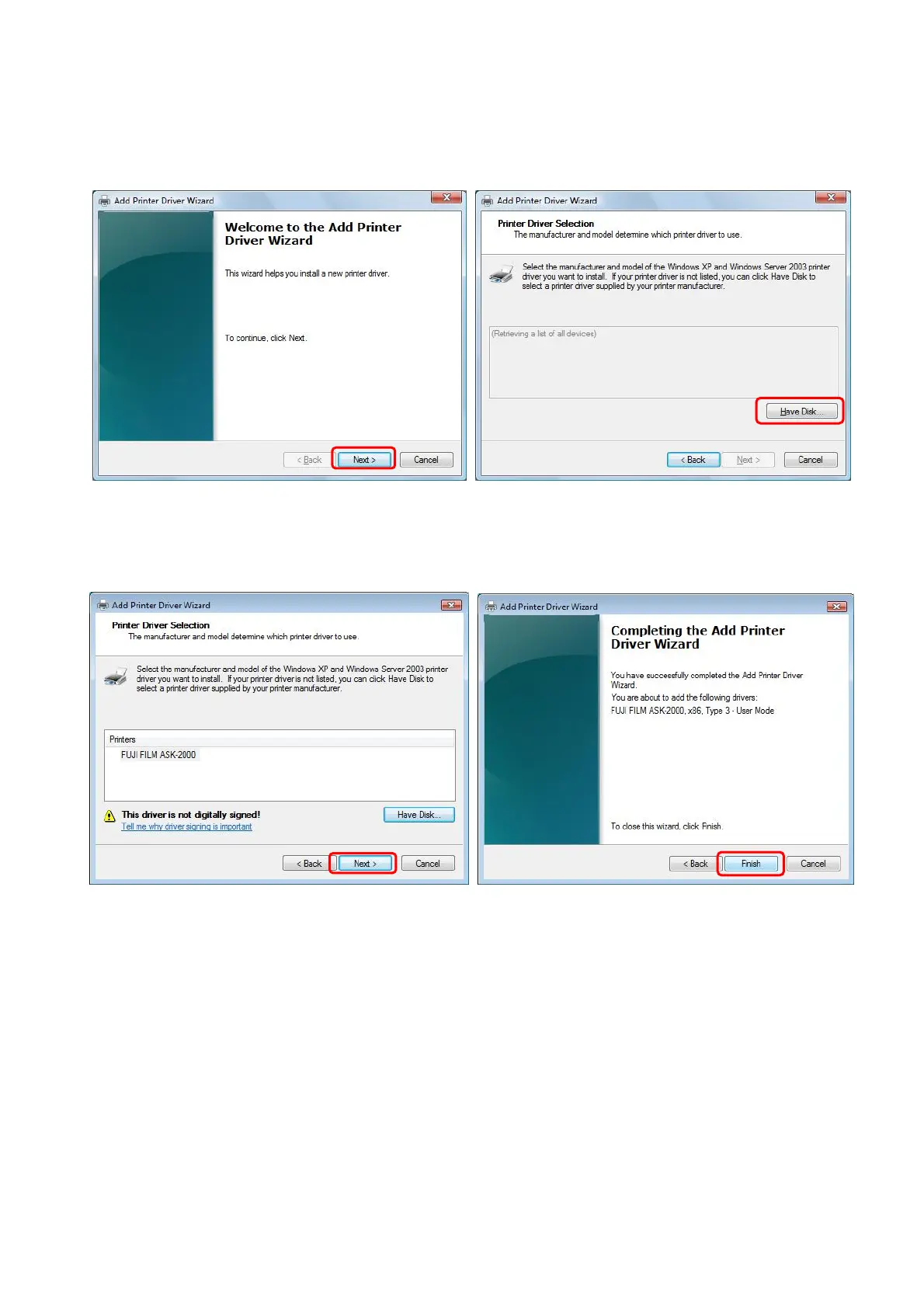
Driver Wizard screen will be displayed. Click [Next>] .(Fig.34)
(4) Driver selection screen will be displayed. Click [Have Disk] and select drive and folder where
the new driver is located by [Browse]. (Fig.35)
[Fig.34] [Fig.35]
16/28
(5) Select the Driver and click [Next>]. (Fig.36)
(6) Click [Finish] to update Driver. (Fig.37)
[Fig.36] [Fig.37]
(7) It may sometimes happen that the printer driver storage folder has to be designated again.
Follow the instruction Chapter 9 “Troubleshooting” <<If the printer driver location is asked.>>.


 To Next Page