(6)
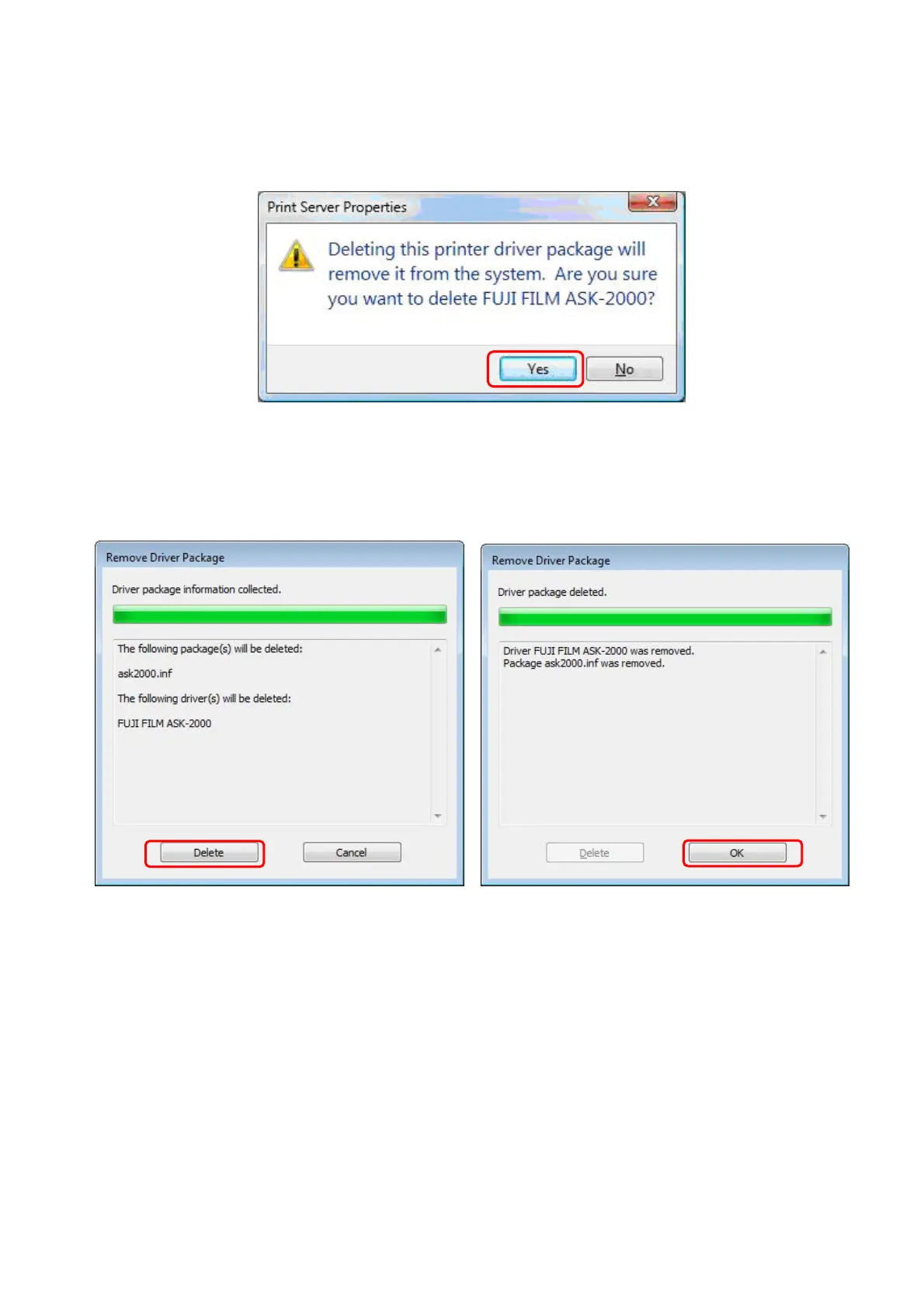
Click [Yes] to delete the printer driver. (Fig.42)
[Fig.42]
(7) To re-confirm the delete of the printer driver, click [Delete]. (Fig.43)
(8) Click [OK] to finish. (Fig.44)
18/28
[Fig.43] [Fig.44]
*A warning [The specified printer driver is currently is use] may appear. If this warning
message appears, please restart the PC and try above steps again.


 To Next Page