* Using Windows 7
(1) Log-in as Administrator or with the authority of Administrator.
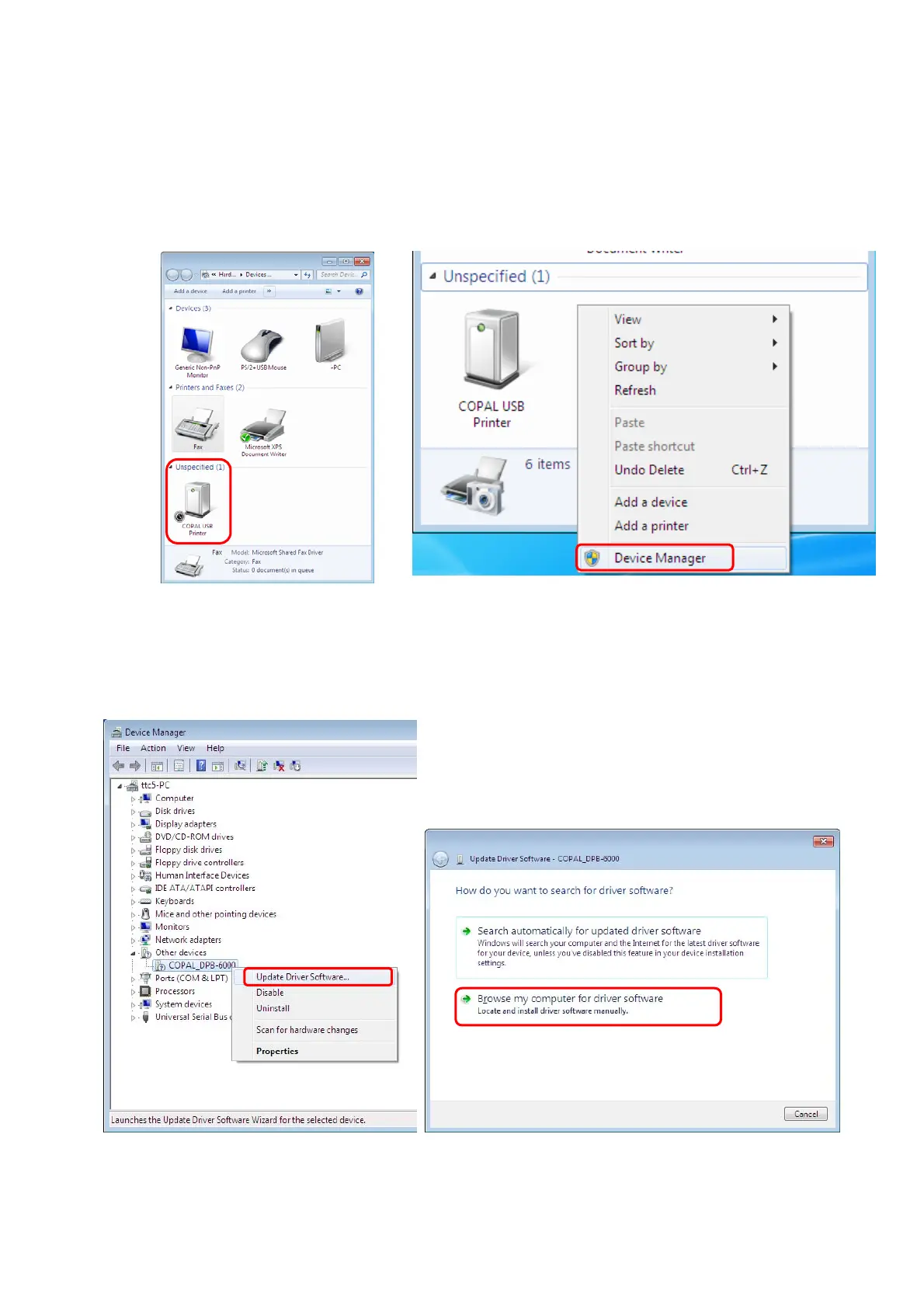
(2) Connect the printer and open [Devices and Printers]. ASK-2000 is registered as a device of
[Unspecified].(Fig.13)
(3) Right-click at the blank area and choose [Device Manager] from menu.(Fig.14)
[
Fig.13] [Fig.14]
(4) Right-click the “COPAL_DPB-6000” from [Other devices].
(5) Choose [Update driver Software] from menu. (Fig.15)
(6) Choose [Browse my computer for driver software]. (Fig.16)
[
Fig.15] [Fig.16]
6/28


 To Next Page