18
• In SF / SD / M / TTL / Optical wireless
remote mode, manual zoom can be set.
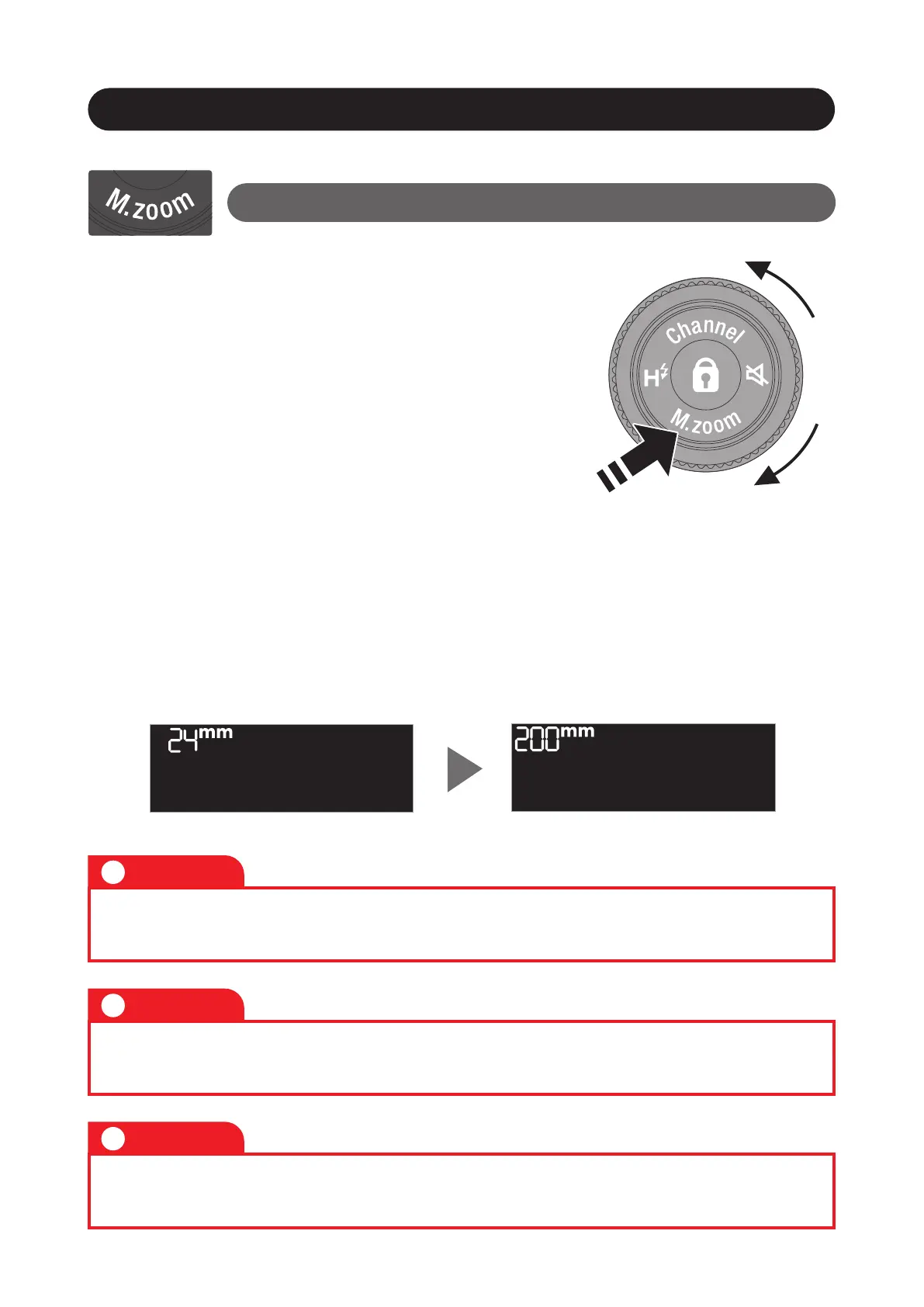
• Press “M. Zoom” of “Control wheel
and buttons“ for 1 second to switch the
zoom. The default setting is "A" Auto.
• Turning the control wheel changes the
coverage (zoom) of the flash head.
• Return to the “A” position to switch to auto zoom.
• Press “M. Zoom” again for 1 second to return to the
previous mode.
Setting the coverage (zoom)
Function Button
The values set with manual zoom are retained even when the
power is turned off.
Caution
!
The coverage (zoom) is fixed at 35mm when the wireless mode
(SF, SD) is set, even if auto zoom is set.
Caution
!
Please note that the focal length displayed on the color LCD is a
35mm equivalent.
Caution
!



 To Next Page