EasyManua.ls Logo

FujiFilm FinePlx S5700 - User Manual

FujiFilm FinePlx S5700
180 pages
Print Icon
To Next Page IconTo Next Page
Loading...
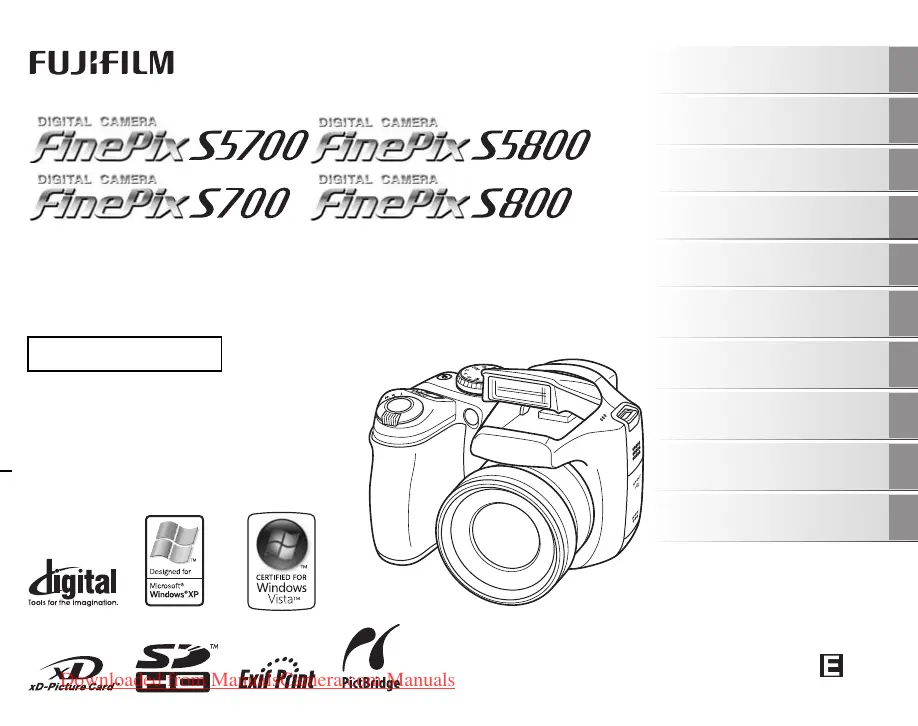
OWNER’S MANUAL
This manual will show you how to use
your FUJIFILM DIGITAL CAMERA
FinePix S5700 / FinePix S700 / FinePix
S5800 / FinePix S800 correctly.
Please follow the instructions carefully.
BL00644-200(1)
Getting Ready
Using the Camera
Advanced Features
Photography
Settings
Camera Connection
Software
Installation
Playback
•Movie
Appendices
Troubleshooting
Downloaded from ManualsCamera.com Manuals

Table of Contents

Questions and Answers

  • N
    Nicholas WalkerSep 3, 2025
    What to do if FujiFilm Digital Camera no longer works correctly?
    • S
      scottericSep 4, 2025
      If your FujiFilm Digital Camera no longer works correctly, it could be a temporary malfunction. Briefly remove the batteries or disconnect the AC power adapter, then reload or reconnect them and try again.
  • H
    hwatsonSep 18, 2025
    Why FujiFilm Digital Camera screens are not displayed in English?
    • M
      Melissa JohnsonSep 18, 2025
      If the screens on your FujiFilm Digital Camera are not displayed in English, a language other than English is likely selected in the settings menu. Select English in the setup menu.
  • A
    Adrienne GonzalezSep 16, 2025
    How to fix FujiFilm FinePlx S5700 Digital Camera erasing frame?
    • K
      Kelsey RossSep 16, 2025
      If erasing a frame doesn't work on your FujiFilm Digital Camera, the frame may be protected. Unprotect the frame using the camera on which the protection was initially applied.
  • H
    Hannah SosaSep 14, 2025
    How to fix FujiFilm Digital Camera not recognized by PC?
    • S
      Stephanie StarkSep 14, 2025
      If your PC doesn't recognize your FujiFilm Digital Camera, ensure the USB cable is correctly connected to both the PC and the camera. Set up the camera and then connect the USB cable correctly.
  • B
    Brianna SpencerSep 12, 2025
    Why FujiFilm FinePlx S5700 Digital Camera cannot pop up flash?
    • D
      Darryl MontoyaSep 13, 2025
      If the flash on your FujiFilm Digital Camera won't pop up, it might be set to suppressed flash mode; change to another mode. Also, if the shooting condition is bright enough, it may not need flash; set to forced flash mode if you want to use it.
  • A
    Andrew MathewsSep 12, 2025
    Why is the TV image black and white from FujiFilm Digital Camera?
    • S
      stephanie87Sep 12, 2025
      If the TV image is black and white when connected to your FujiFilm Digital Camera, the video output setting may be incorrect. Change the setting to NTSC or PAL.
  • W
    wendy61Sep 9, 2025
    Why FujiFilm FinePlx S5700 only shoots one frame in continuous mode?
    • T
      Thomas PaulSep 9, 2025
      If your FujiFilm Digital Camera only shoots one frame even in continuous shooting mode, it's because using self-timer with long period continuous shooting mode only allows one frame to be shot.
  • L
    Larry HensonSep 7, 2025
    Why FujiFilm Digital Camera screen darkens after taking picture?
    • A
      Alejandro SimmonsSep 7, 2025
      If the screen on your FujiFilm Digital Camera darkens after taking a picture, especially with flash, it may be darkening to charge the flash. Allow a short time for charging.
  • M
    Michael MorrisSep 5, 2025
    Why is there no image or sound on TV from FujiFilm FinePlx S5700 Digital Camera?
    • E
      Emily ButlerSep 5, 2025
      If there's no image or sound on the TV from your FujiFilm Digital Camera, ensure the camera is correctly connected to the TV. If playing a movie, stop playback mode before connecting the A/V cable. Make sure the TV input is set to “VIDEO,” not “TV”. Verify the video output setting is correct (NTSC or PAL), and ensure the TV volume is not turned down.
  • M
    Matthew EatonAug 20, 2025
    Why FujiFilm Digital Camera not taking pictures?
    • A
      Amber WallaceAug 20, 2025
      If your FujiFilm Digital Camera isn't taking pictures, there might be several reasons. The memory card or internal memory could be full, so insert a new one or erase unnecessary frames. It might not be formatted; format it on the camera. The memory card's contact area could be soiled; wipe it with a soft, dry cloth. The memory card might be damaged, so try a new one. The batteries could be dead, so load new or fully charged batteries. Finally, the auto power off function may have turned the camera off, so turn it back on.

Summary

Getting Ready

Loading the Batteries

Insert AA-size alkaline or Ni-MH batteries for camera operation.

Loading the Memory Card

Insert xD-Picture Card or SD Memory Card into the camera's slot.

Setting the Language, Date, and Time

Configure camera's language, date, and time settings.

Using the Camera

Taking Pictures (AUTO Mode)

Basic operation for capturing images using the automatic shooting mode.

Viewing the Images

Access and review recorded still images and movies on the camera.

Advanced Features - Photography

Selecting the Photography Mode

Overview of various shooting modes like Auto, Program AE, Aperture Priority, and Manual.

Setting the Shooting Mode

Detailed explanation of selecting and using specific shooting modes such as Auto and Picture Stabilization.

Adjusting Exposure Compensation

Manually adjust image brightness to correct exposure in high-contrast scenes.

Settings

Using the SET-UP Menu

Guide to accessing and configuring camera settings via the setup menu.

FORMAT

Initialize memory cards or internal memory for camera use.

Software Installation

Installation on a Windows PC

Step-by-step guide for installing FinePixViewer software on Windows.

Installation on a Mac OS X

Instructions for installing FinePixViewer software on a Macintosh computer.

Troubleshooting

Batteries and Power Supply Issues

Solutions for problems related to battery life, power, and camera not turning on.

Flash Issues

Troubleshooting steps for common problems with the camera's flash.

Safety Notes

General Warnings

Important safety precautions regarding camera operation, handling, and potential hazards.

Prohibited Actions

List of forbidden actions to prevent damage or injury.

FujiFilm FinePlx S5700 Specifications

General IconGeneral
Sensor TypeCCD
Optical Zoom10x
ViewfinderElectronic
Sensor Size1/2.5"
Effective Pixels7.1 million
ISO SensitivityISO 64, ISO 100, ISO 200, ISO 400, ISO 800, ISO 1600
LCD Screen Size2.5"
Storage MediaxD Picture Card
Video Capture640 x 480, 30 fps
Shutter Speed4 - 1/2000 sec

Related product manuals