5-25
5.3 Print Condition Setup and Check (02)
5
Correction values to be entered:
C: 8 × 2 = 16
M: 8 × –1 = –8
Y: 8 × 0 = 0
4. Click the [OK] button.
• Operation returns to the menu screen.
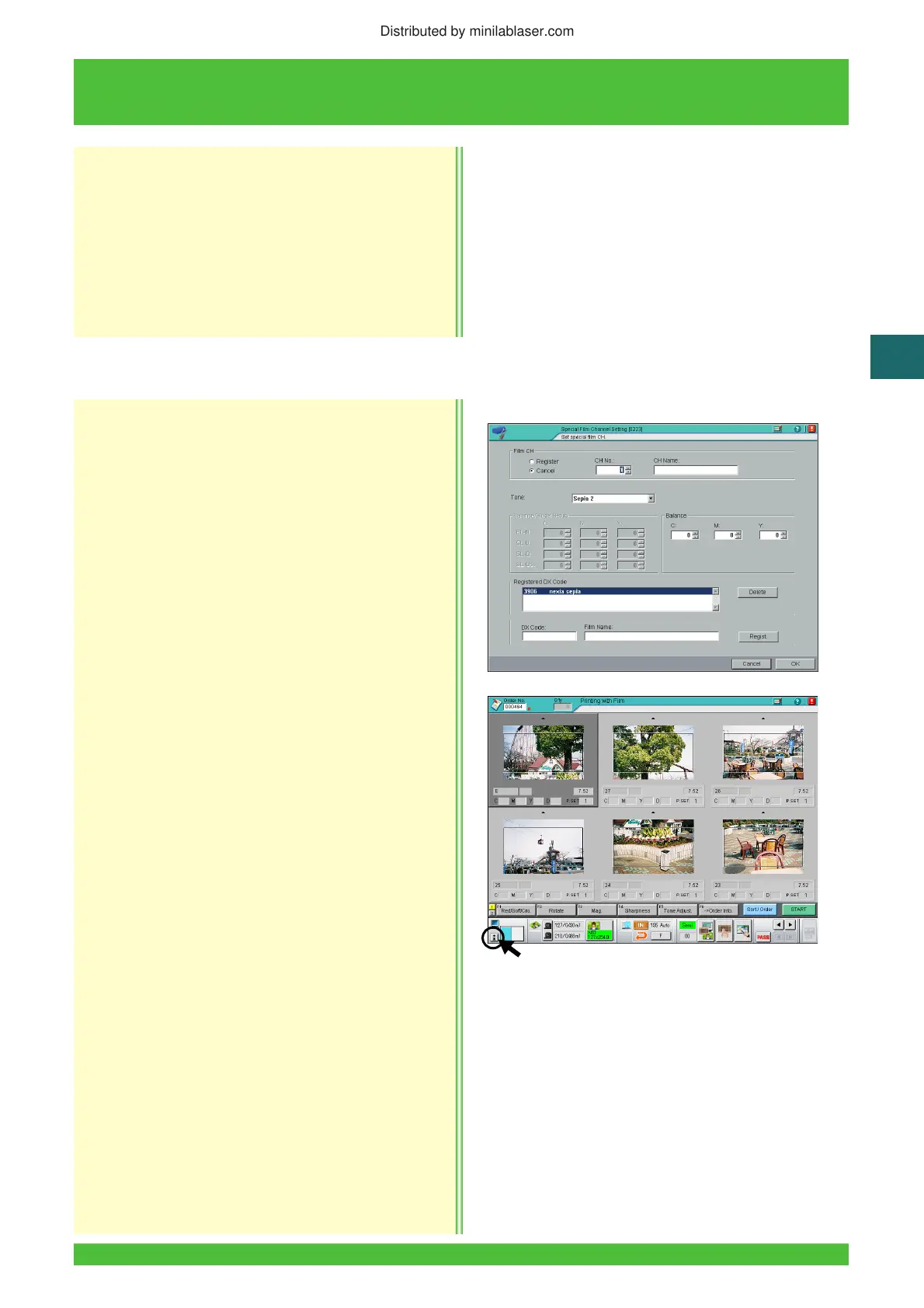
This procedure registers or deletes channel for the
DX code of special monotone films (which use color
processing). Also fine-adjusts the slope (for color)
and balance (for black & white).
[Selection]
[Setup and Maintenance] → [02 Print Condition Setup
and Check] → [0223 Special Film Channel Setting]
<Film Name Registration>
1. On the printing screen, insert the film to be
registered to pre-scan it.
2. Click the [i] button of the status icon at the lower
left-hand corner of the screen.
5.3.5 Special Film Channel Setting (0223)
Distributed by minilablaser.com





 To Next Page